19 620 02 0117
37
Operation
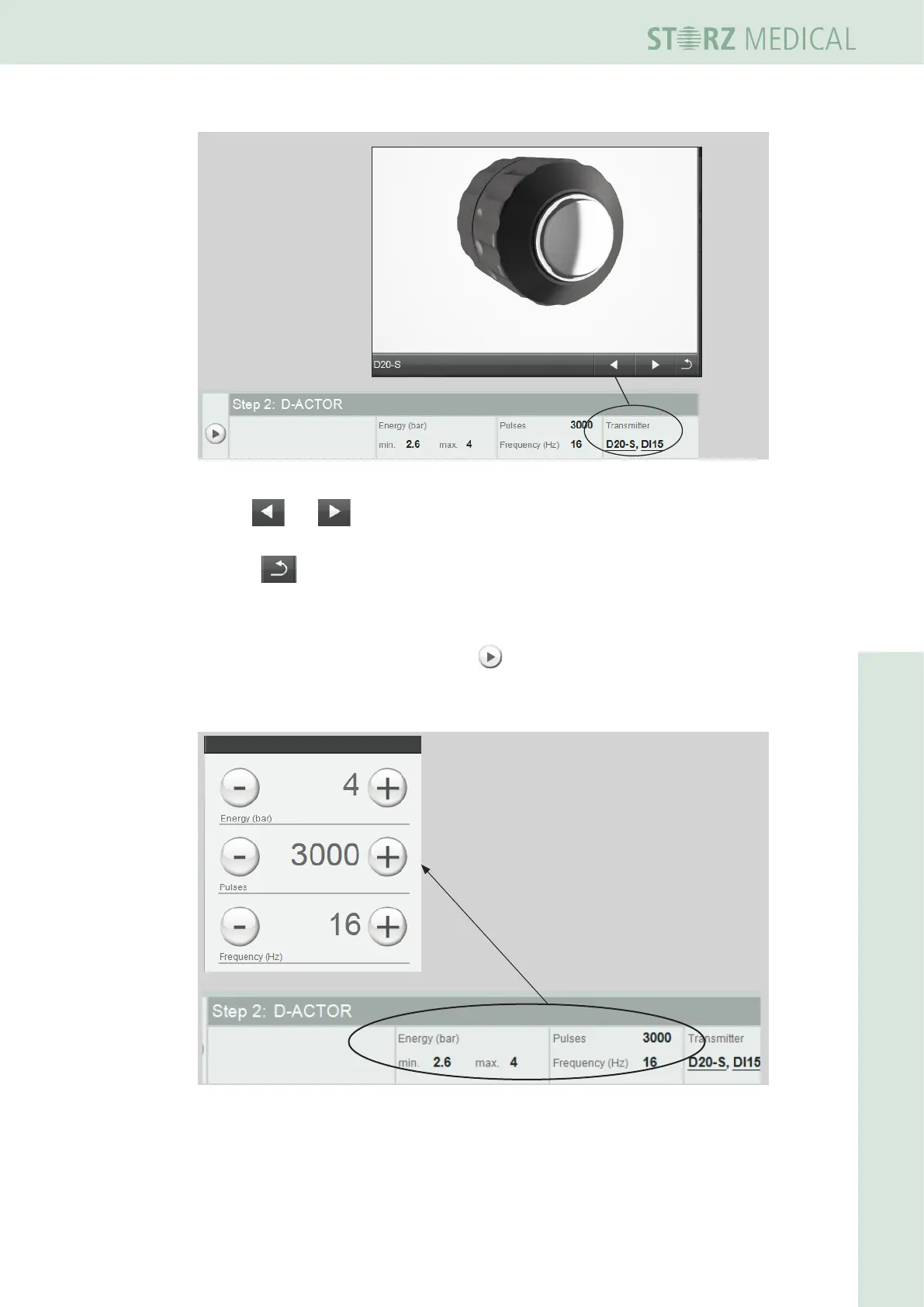
Fig. 4-22 D20 detailed view
Use the and buttons to switch to the display of the previous or next
element.
• Press to switch to the treatment step overview.
Loading treatment steps
• Loadthersttreatmentstepusingthe button in front of it.
– The treatment parameters are accepted and displayed in the PARAMETER
SELECTIONeldofthedisplay.
Fig. 4-23 Accepting the treatment parameters












 To Next Page