Preparation
Instructions for use • VITOMEAGLE • TVA900_EN_V1.0_05-2023_IFU_CE-MDR 16
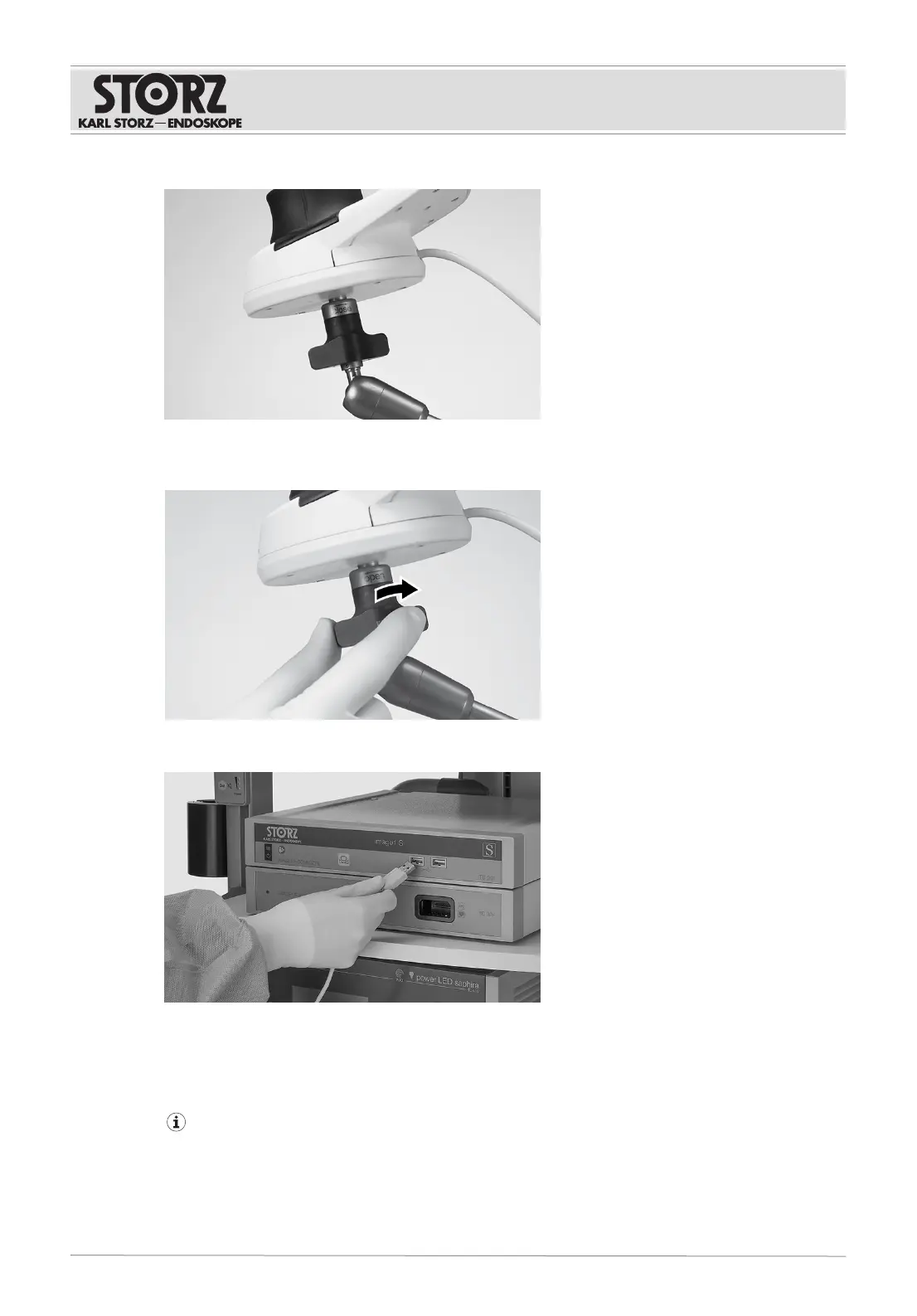
6. Make sure that the IMAGE1PILOT has engaged.
7. Lock the KSLOCK quick release coupling (female) on the articulated stand by turning it in the
“CLOSE” direction.
8. Attach the USB cable of the control unit to a USB socket on the IMAGE1SCONNECTII.
ð The message “IMAGE1PILOT connected” appears on the display.
ð The LED indicating the function status lights up.
5.4 Connecting the VITOMEAGLE
Only connect intact cables. Connectors must be correctly connected in order to ensure that the
system functions properly. Always plug in connectors all the way. Do not use excessive force
when plugging in or removing the connectors. After plugging in the connectors, check the
connection. Keep the connection to the power supply accessible at all times.
1. Connect the power cord for the VITOMEAGLE to the power supply.











 To Next Page