Application
Instructions for use • VITOMEAGLE • TVA900_EN_V1.0_05-2023_IFU_CE-MDR 26
– Light Source Intensity
– Video
– Brightness
– Nothing
– PiP Swap
– Image Flip
1. Open the IMAGE1 PILOT menu.
2. Choose a button.
ð A drop-down menu will open.
3. Select the desired function.
ð The button is linked to the selected function.
6.7 Setting image lighting
The functions listed here may not yet be available in all countries due to differences in license
models.
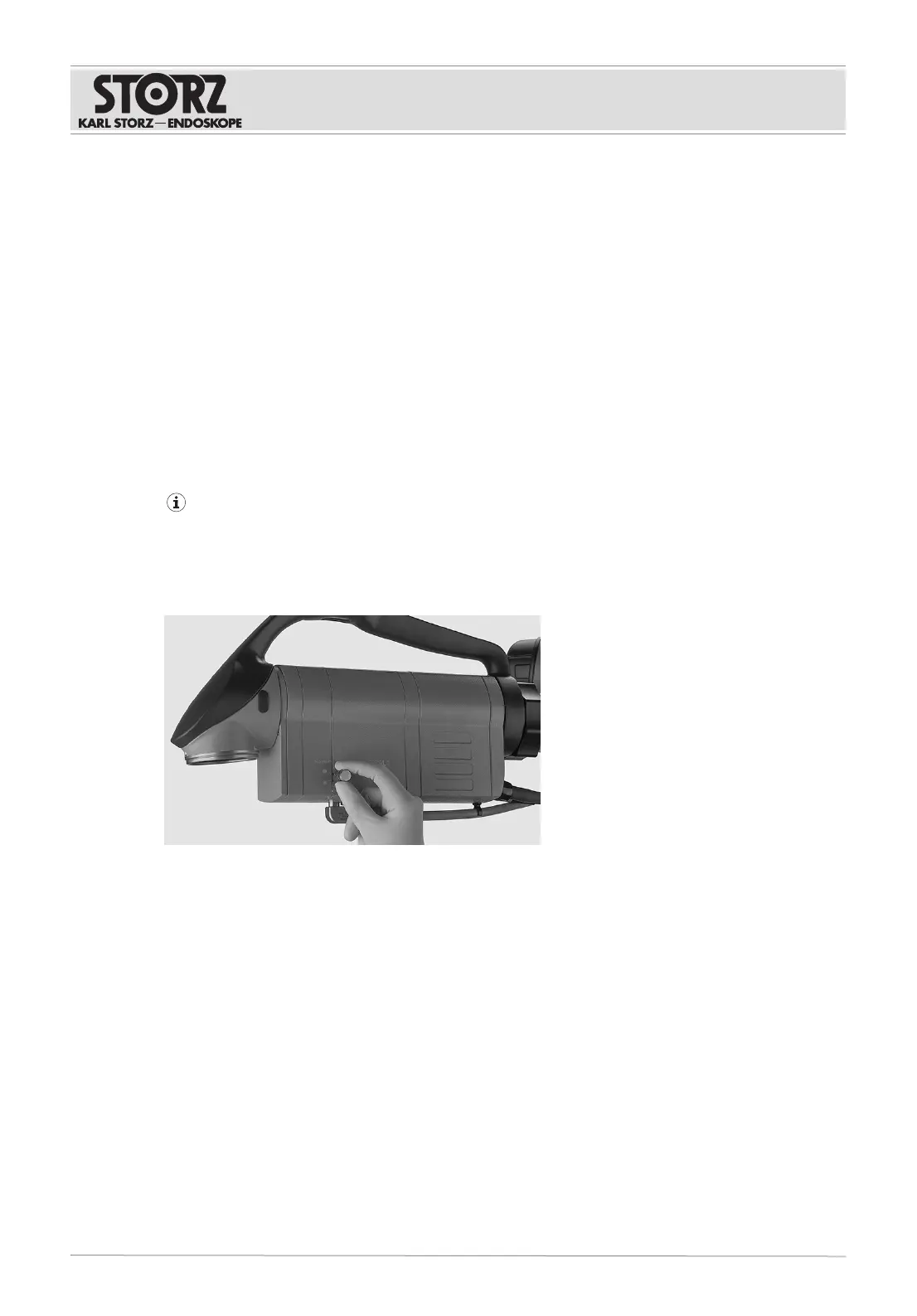
The VITOMEAGLE image lighting can be increased or decreased by using the aperture filter rotating
wheel.
1. To increase or decrease the image lighting, turn the aperture filter rotating wheel.
6.7.1
Activating Fluorescein (FL)
ü The VITOMEAGLE is connected to the PowerLEDSaphira (TL410).
1. Set the aperture filter rotating wheel to Fluorescein.
ð Fluorescein is activated.
2. To set the intensity, open the IMAGE1S menu and select the OPAL1 button.











 To Next Page