Application
Instructions for use • VITOMEAGLE • TVA900_EN_V1.0_05-2023_IFU_CE-MDR 27
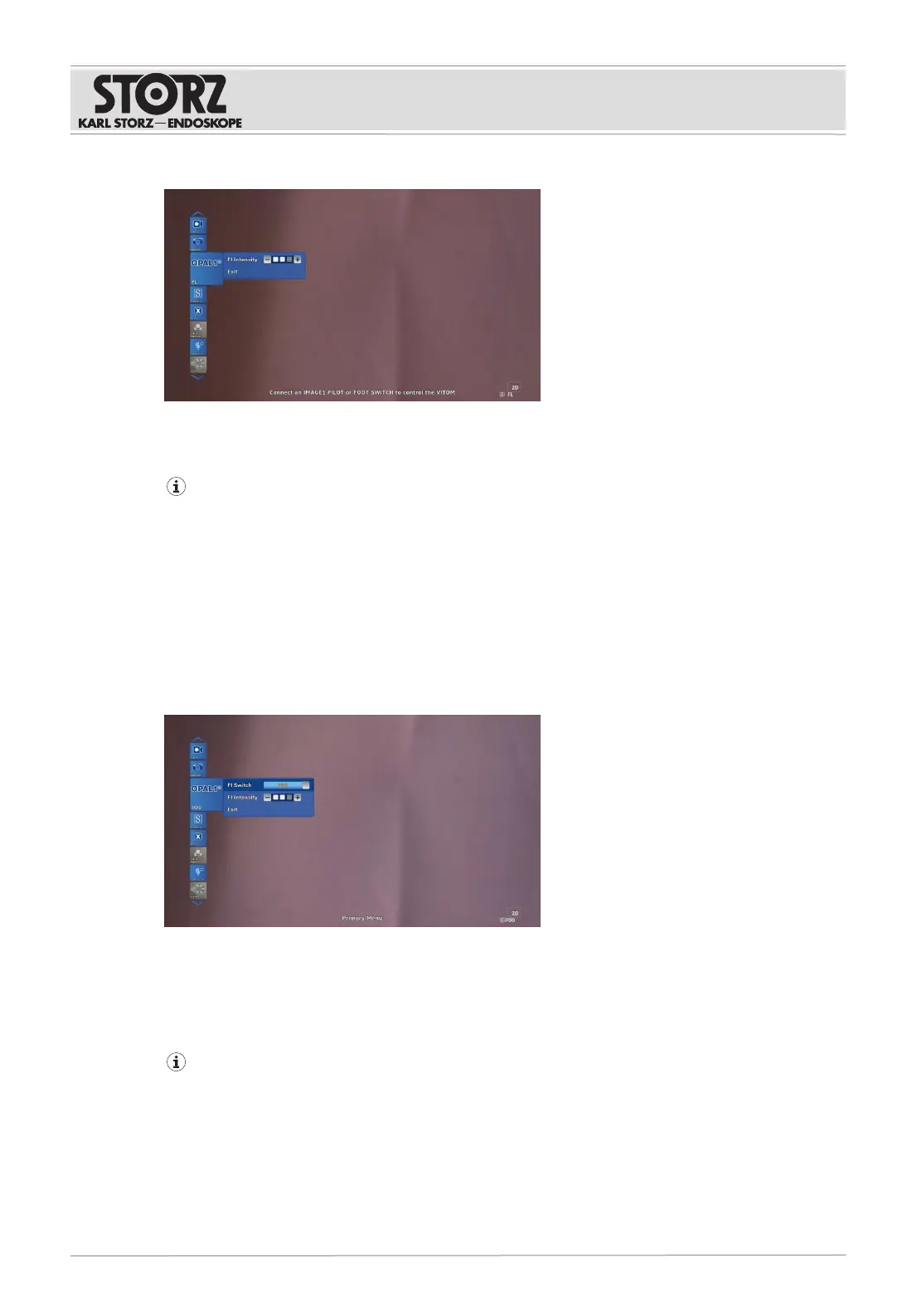
3. Select the Fl Intensity button.
4. To increase the intensity, turn the 3D Wheel clockwise.
5. To reduce the intensity, turn the 3D Wheel counterclockwise.
For an optimal fluorescent image, a working distance of less than 30cm is recommended.
For an optimal fluorescent image, a zoom factor lower than four is recommended.
6.7.2
Activating Blue Light Imaging (BLI)
Blue Light Imaging (BLI) can be used to display fluorescence such as 5-ALA. BLI is also referred to as
PDD on the user interface.
ü The VITOMEAGLE is connected to the PowerLEDSaphira (TL410).
ü There is no aperture filter rotating wheel on Fluorescein.
1. Open the IMAGE1S menu.
2. Select the OPAL1 button.
3. Select the Fl Switch button and activate BLI.
4. To set the intensity, select the Fl Intensity button.
5. To increase the intensity, turn the 3D Wheel clockwise.
6. To reduce the intensity, turn the 3D Wheel counterclockwise.
For an optimal fluorescent image, a working distance of less than 30cm is recommended.
For an optimal fluorescent image, a zoom factor lower than four is recommended.
6.7.3
Activating ICG
ü The VITOMEAGLE is connected to the POWERLEDRubina (TL400).
1. Open the IMAGE1S menu.











 To Next Page