Application
Instructions for use • VITOMEAGLE • TVA900_EN_V1.0_05-2023_IFU_CE-MDR 24
– PiP Swap
– Image Flip
1. Call up the Head Buttons.
2. Select Head Button Left or Head Button Right.
ð A drop-down menu will open.
3. Select the desired function.
ð The button is linked to the selected function.
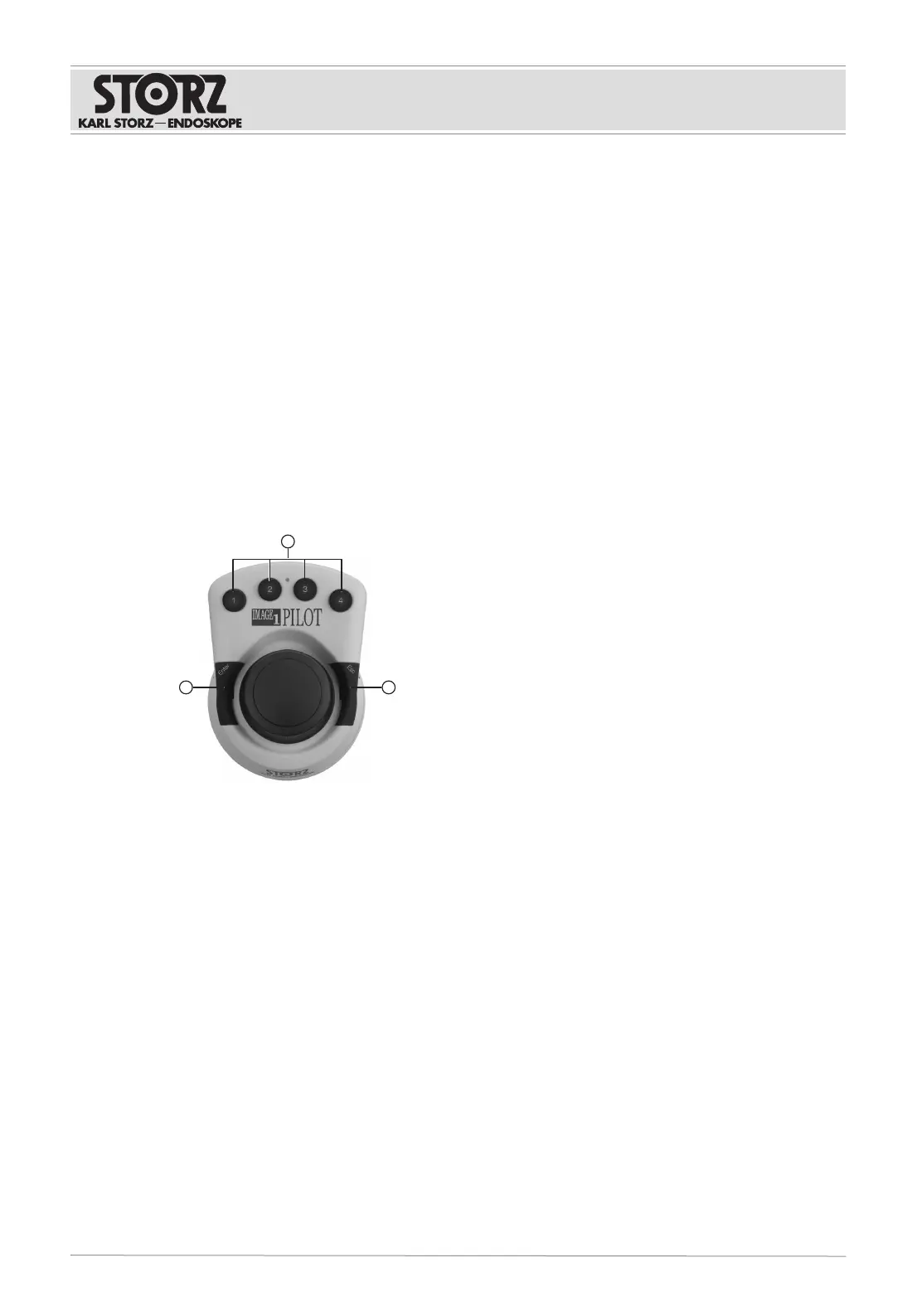
6.5 Controlling the IMAGE1 S with IMAGE1 PILOT
The menu of the IMAGE1S can be operated using the IMAGE1PILOT.
1. Press ENTER to access the IMAGE1S menu.
ð While the IMAGE1 S menu is active, the VITOMEAGLE functions (e.g., zoom and focus)
cannot be controlled.
2. Push the 3D Wheel to navigate through the menu, adjust settings or access functions.
3. Press ESC to exit the menu.
1 Programmable buttons 1–4 for rapid ac-
cess
3 ENTER button: Open the IMAGE1S menu
and confirm a function
2 ESC button: Jump back from a menu or
cancel a function











 To Next Page