Page 18 Strand 301 Console Manual
Change Pages -
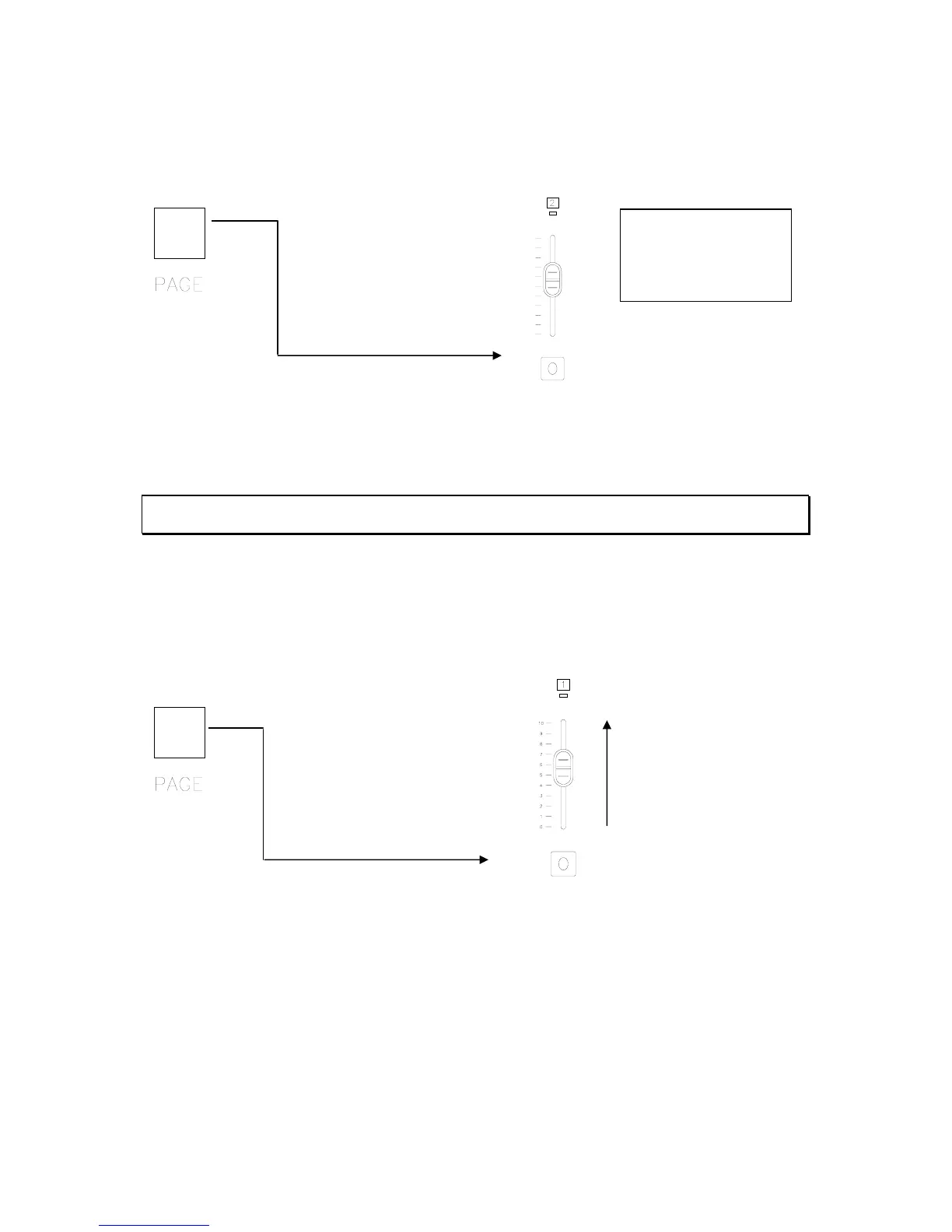
To change pages, hold down the Page button and press the Flash button that corresponds
with the page that is required. For example, to change to page 2…
Hold down while pressing
This will change the console to page 2. The LCD screen will list the page in the upper right
hand corner. Notice the LEDs that were illuminated over the faders that have been
recorded have gone out. This indicates that there are no recorded scenes on page 2.
Note: If no faders have been activated yet, the C-Page will still show the last active page. The C-page
will display XX if the last actioned fader is empty.
Playback of Back Up Scenes
To play the back up cues, just change to the appropriate page and give a level to the
appropriate fader. For example, change to page one and activate fader one.
Activate fader one.
Hold down while pressing
Notice that the Current Page doesn’t change until you activate the first fader after changing
pages. This keeps any active faders on the previous page from deactivating while they have
a level. Read more about Non-Current Page Active Faders in the Operation section below.
Recording scenes as back up cues from the main lighting console on the 301 is quick and
simple. But there are a few things to know when dealing with multiple pages.
12:00:00 Page:02
C-Page:XX Ch:01
Level:00
XFtm <Ms> Menu



 To Next Page