Page 24 Strand 301 Console Manual
All LEDs will flash momentarily. When recorded, the LED above the appropriate fader will
light up.
The process can be repeated until all 12 faders have a cue stored on each one.
Manual Playback of Timed Events
Timed events can be played back as if they were cues.
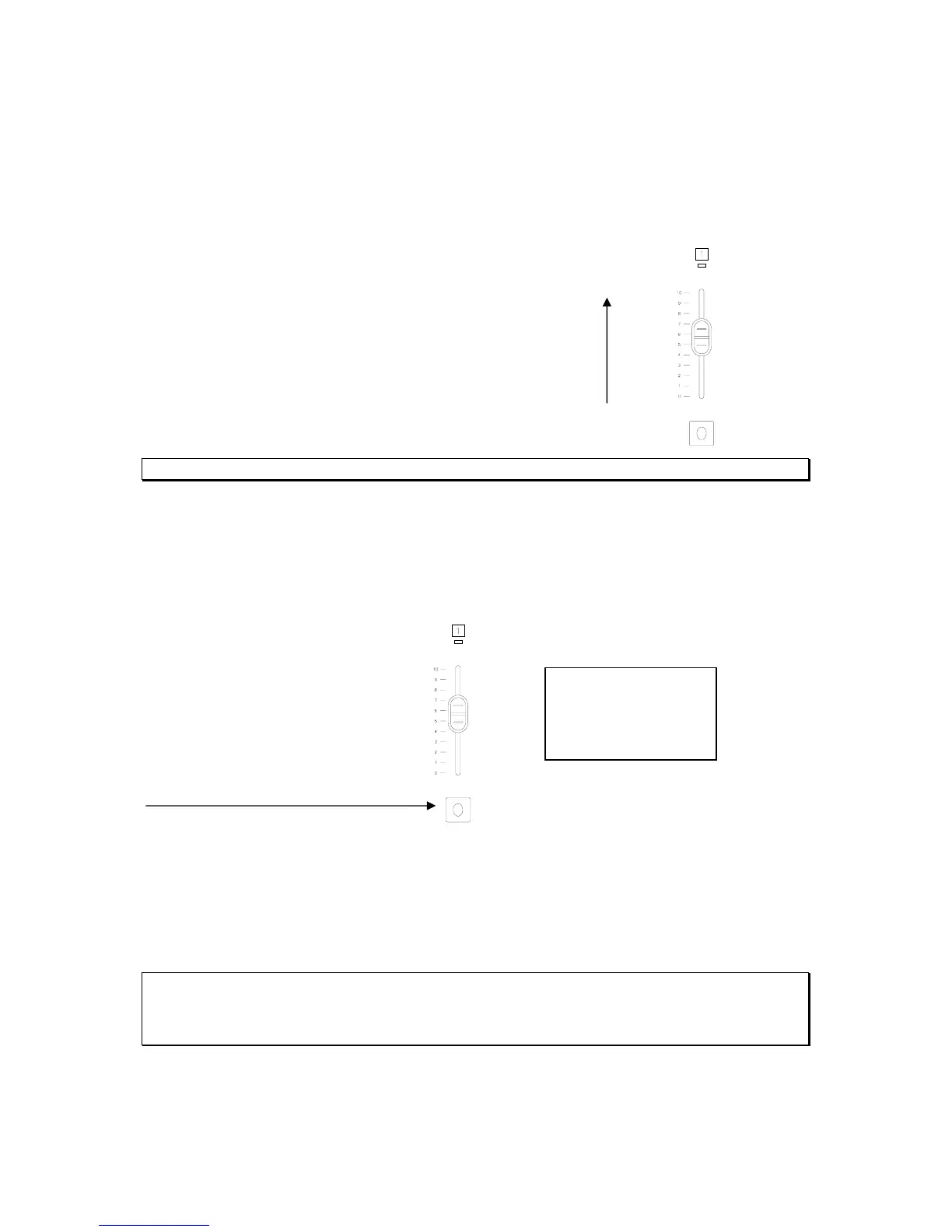
Just activate the appropriate fader…
Note that the channel and level of the timed even is shown in the LCD window as CH: 01 LL:Intensity
Scheduling Playback of Timed Events
After an event has been recorded, it can be scheduled to happen at a specific time. To
schedule event 1, press the flash button for fader 1.
Press the flash button of the fader
Use the Escape key to toggle between hour and minute of both the on and off times. Then
use the up / down keys to set the scheduled time of both the on and the off. Press Confirm
to continue.
The ET:01 in the corner indicates which event is being scheduled.
Note that the clock is in 24 hour format and the up and down keys wrap the hour and minute digits.
An event that has not been recorded cannot be scheduled.
The scheduling window will close automatically after 5 seconds of inactivity.
12:00:00 ET:01
On: _ _:_ _
Off: _ _:_ _
> +/- Confirm



 To Next Page