Page 32 Strand 301 Console Manual
<Ms-f>
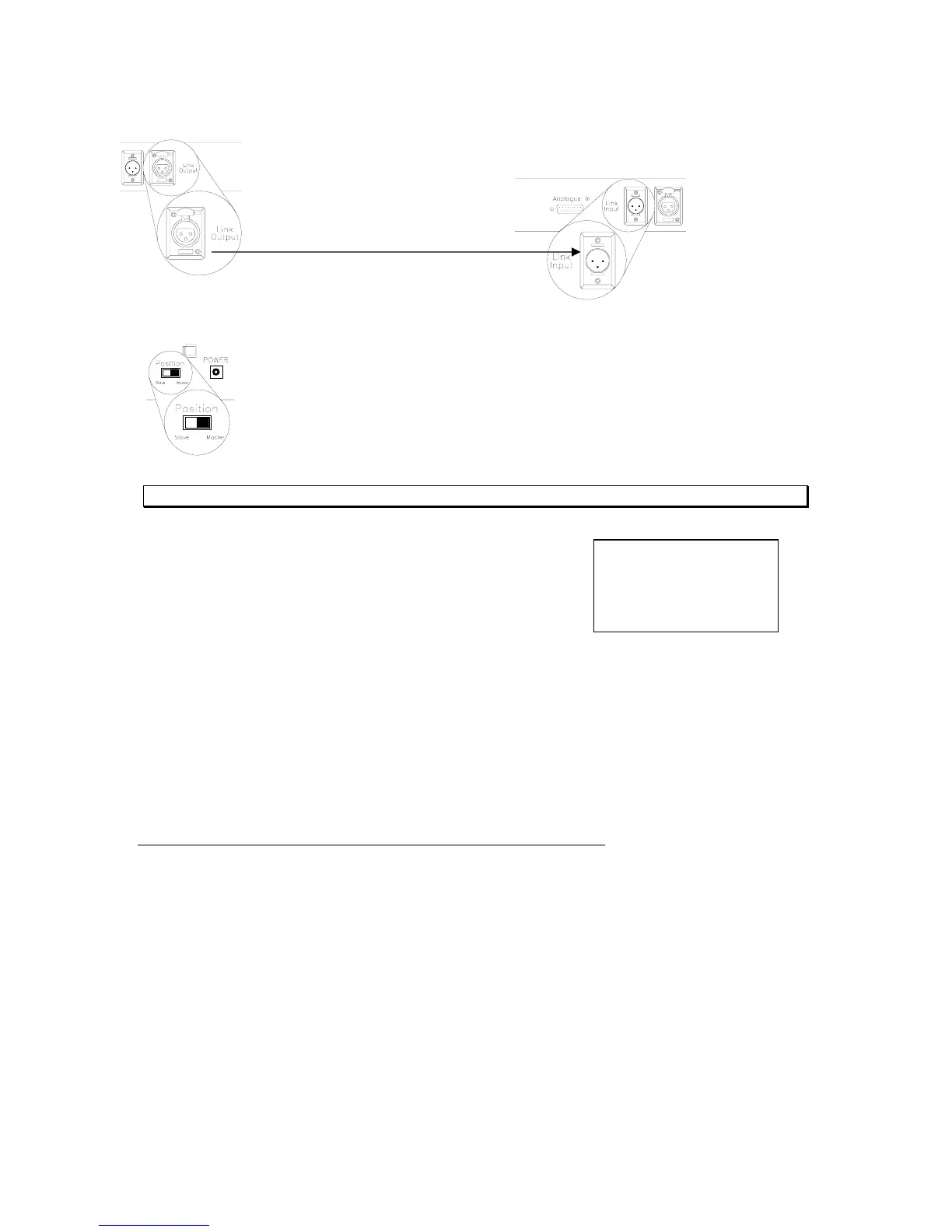
Connect a 3 pin cable to the link input of the master 301 console and connect
it to the link output of the slave 301 console.
Master to Slave
Set the Master / Slave switch appropriately on the back panel of each console.
Note: The LCD screen will always relay the current mode of the console.
If the console ever displays <Ms-f> (Master Fail) then
there are two 301 consoles set to master. Make sure
only the first 301’s master / slave switch is set to
master.
Operation
All operational procedures are the same in systems with multiple units adjusting for the fact
that each 301 console only controls one DMX universe each.
Analogue Input Operation
The analogue input on the back panel of the console is for remote fader control. Users can
connect a remote slider panel or 12 channel analogue console to the 301 for remote access
to the console’s 12 faders on page number 12 of backup mode. This input piles on in
backup mode with the highest level taking precedence.
Please note that the maximum current output from the analogue connector power pin is
200mA.



 To Next Page