Stratasys J826 User Guide 4 Operating and Maintaining the Printer
DOC-28000 Rev. I 4-4
2. After the printer-control computer boots, log in to Windows and launch the
printer-control program:
❒ On the printer-computer desktop, double-click the J826 printer icon.
or—
❒ From the Windows Start menu, select (All) Programs > Objet > J826.
A HASP plug containing a valid product activation key is required on the
printer computer. This is supplied during printer installation or upgrade. If
the application does not open and a HASP message appears, contact your
Stratasys dealer or service provider.
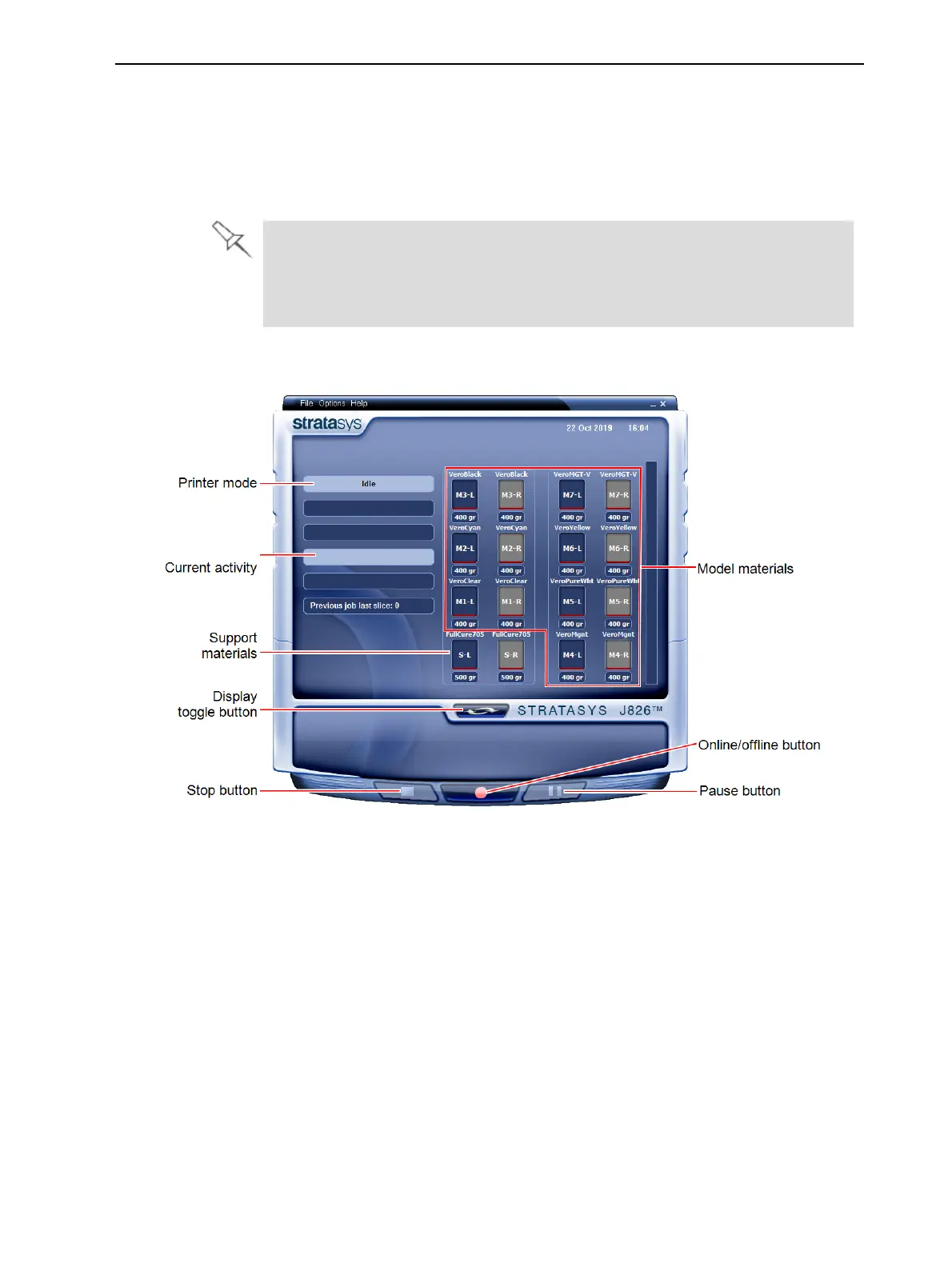
All monitoring and controlling of the printer is done from this interface.
Figure 4-3 Printer interface





 To Next Page