Objet500 User Guide 6 Operating and Maintaining the Objet500 3DPrinter
DOC-07027 Rev.E 6-49
18.Inthewizardscreen,confirmthatthebuildtrayisclearandthatthe
coverisclosed,andclickNext.
Thewizardusesthedatacollectedtoanalyzetheconditionoftheprint
headsandoptimizethemsotheyprintmodelswithauniformlayerof
material.
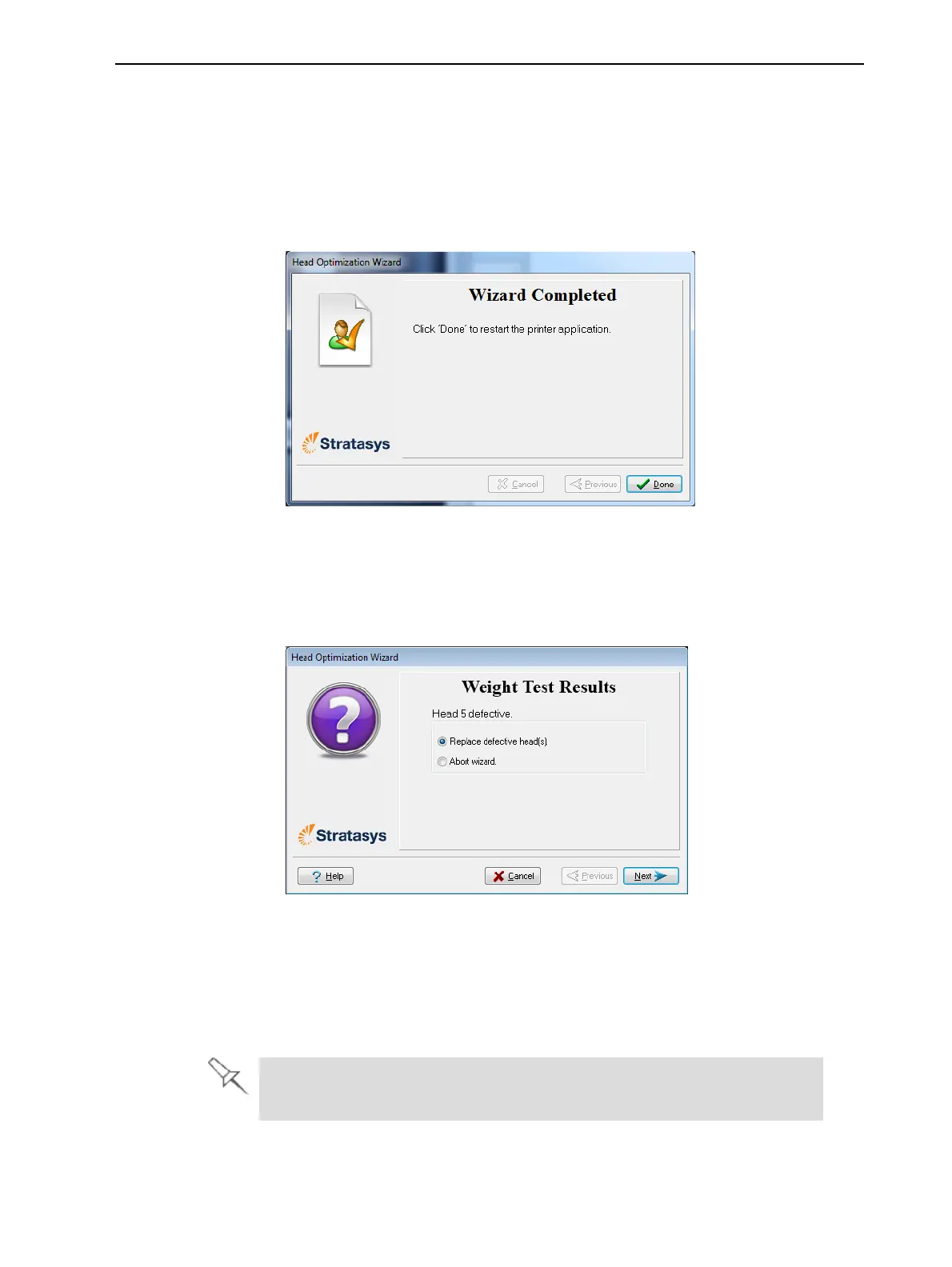
❒ Iftheheadsareinsatisfactorycondition,thefollowingwizardscreen
appears.
Figure6-65Finalwizardscreen,afteroptimizingprintheads
❒ Ifthewizarddeterminesthataprintheadisfaulty—orthatitis
negativelyaffectingmodelqualitywiththecurrenthead
configuration—youneedtoreplaceit.Indicatewhetherornotyou
wanttodosonow.
Figure6-66Defectiveprintheadsfound
❒ ChooseReplace defective head(s)ifyouarepreparedtoreplacethe
printheadsnow(seebelow).
or—
❒ ChooseAbort wizardifyouwanttoreplacetheprintheadsatanother
time.
ReplaceprintheadsonlyafterconsultingwithaStratasys-authorized
customer-supportengineer.



 To Next Page