Objet500 User Guide 5 Using Objet Studio
DOC-07027 Rev.E 5-27
Digital
Materials
Whendifferentmodelmaterialsappearontheribbon,youcanproduce
objectsfromanyofthem.WithConnex2andConnex3printers,youcan
produceobjectsfromacombinationofthem—digital materials.Different
combinationsofmodelmaterialsenableyoutoprintobjectswithawide
rangeofcolorandmechanicalcharacteristics.
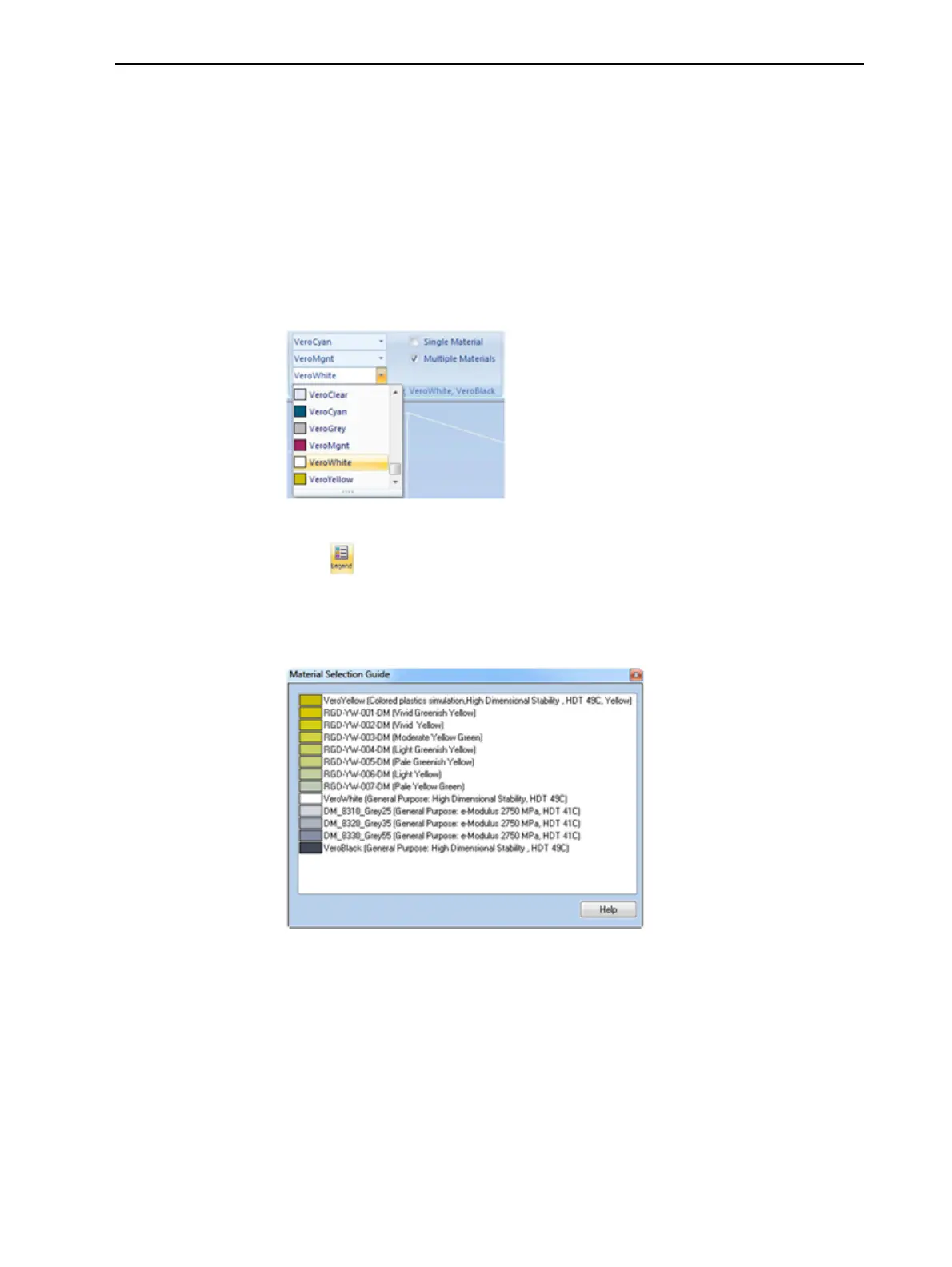
Toviewthedigitalmaterialsavailableforprintingobjects(usingthreebasic
modelmaterials):
1. Makesurethatyouhaveselectedtheappropriatemodelmaterials,and
thatMultipleMaterialsisselected.
Figure5-28Materialselectionwiththreebasicmodelmaterials
2. Click .
TheMaterialSelectionGuideappears,showingthebasicmodelmaterials
(atthetopofthelist)andthedigitalmaterialsavailable(combinationsof
them).
Figure5-29MaterialSelectionGuide,showingthedigitalmaterials
availablewiththebasicmodelmaterials



 To Next Page