Objet500 User Guide 5 Using Objet Studio
DOC-07027 Rev.E 5-59
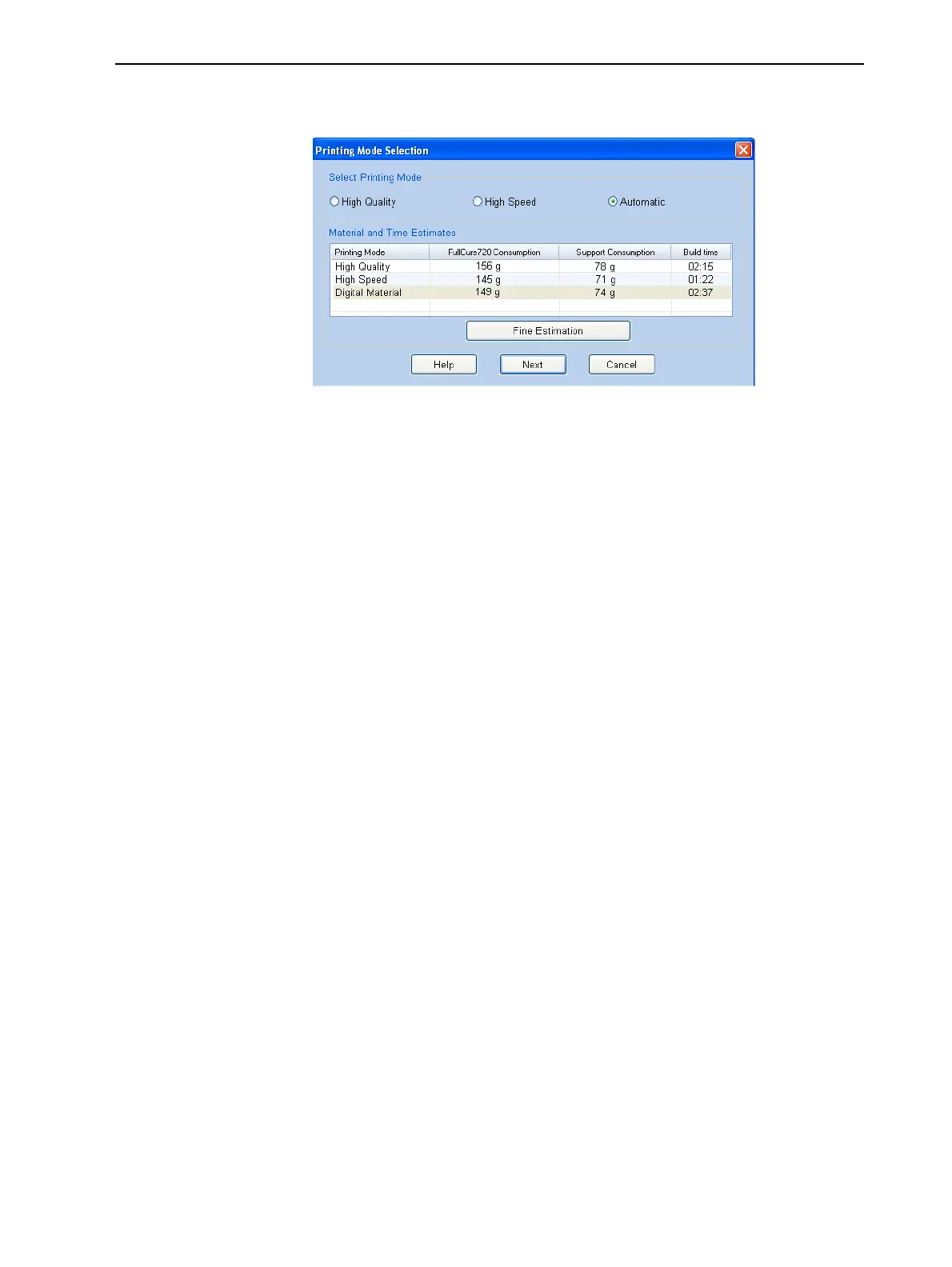
❒ Ifprintingthetrayrequiresonlyonemodelmaterial,thePrinting
Mode Selectiondialogboxopens.
Figure5-74Printing Mode Selectiondialogbox
Note: Thevaluesdisplayedaretheresultofaquickcalculation,and
representaroughestimateofthematerialsandtimeinputrequiredtoprint
thejob.Foramoreaccuratecalculation,clickFineEstimation.
Printing-Mode
Selection
2. Selecttheappropriateprintingmode.
Printing modes are explained on page 5-57.
❒ IfyourequirethejobtobeprintedinHighQualitymode,selectthis
option.
Note: TheavailabilityofHighQualitymodedependsonthematerial
selected.
❒ IfyourequirethejobtobeprintedinHighSpeedmode,selectthis
option.
❒ IfyoudonotrequirethejobtobeprintedeitherinHighQualityor
HighSpeedmode,selectAutomatic.
ThissettingenablestheObjet500softwaretodetermine(justbefore
printing)themostefficientwaytoprintthetray.DigitalMaterialmodeis
usedifthisremovestheneedtoperformtheMaterialReplacement
procedure.Otherwise,HighSpeedmodeisused.
Forexample,ifprintingthetrayrequiresonlyoneofthemodelmaterials
loadedintheprinter,onlythetwoprintheadsusingthatmaterialareused
toprintmodels—DigitalMaterialmode.(HighQualityandHighSpeed
modescallforprintingmodelmaterialwithfourheads,whichwould
requireyoutoperformtheMaterialReplacementprocedure.)
Ontheotherhand,ifprintingthetraycanbedoneusingfourprintheads
withoutrunningtheMaterialReplacementprocedure,HighSpeedmodeis
used.Thisispossibleifallprintheadsaresuppliedwithonemodel
material,orifyouallowprintingwithanarbitrarymixtureofsimilar
materials(seebelow).



 To Next Page