Objet500 User Guide 5 Using Objet Studio
DOC-07027 Rev.E 5-60
Model Quality When Digital Material Mode is Used
l Near-high-qualityisachievedformostmodels.
l Ifallobjectsonthetrayareinsertedfromindividual stl files,theyare
printedwiththestandardresolutionof600dpi(dotsperinch)alongthe
Y-axis—unlessglossyfinishisrequired(see"SurfaceFinish"onpage5-
23).
l Ifthereisanassemblyonthetray,allofthemodelsonthetrayare
printedwitharesolutionof300dpialongtheY-axis.
3. ClickNext.
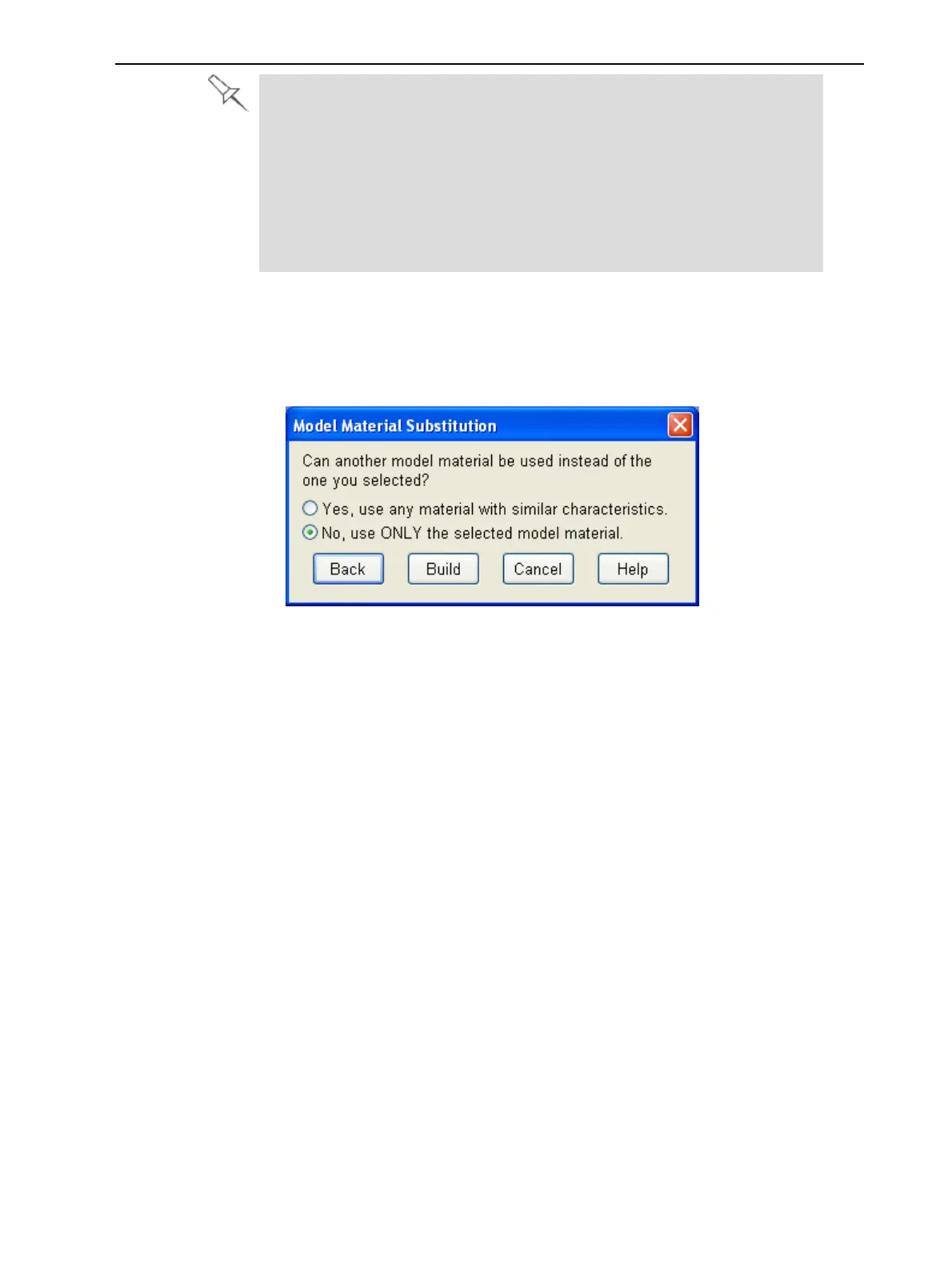
TheModel Material Substitutiondialogboxopens—ifthisisrelevantfor
thetray.(Ifnot,theJob Summarydialogboxopens—continuewithstep
4.)
ModelMaterial
Substitution
Figure5-75Model Material Substitutiondialogbox
Ifyouallowtheuseofsubstitutemodelmaterials,theprinterwilluse
differentmaterialswhosecharacteristics(strength,flexibility,etc.)are
similartothoseofthematerialyouassignedtotheobjectwhendesigning
thebuildtray—underthefollowingconditions:
❒ Thematerialyouassignedisnotinstalledintheprinteratthetimeof
printing.
Inthiscase,thetrayisprintedwitheitheroneortwosubstitute
materials(dependingonthematerialsinstalledintheprinteratthe
timeofprinting).Ifpossible,HighSpeedmodeisused.
❒ Inadditiontothematerialyouselected,thereisanother(similar)
materialinstalledintheprinteratthetimeofprinting.
Inthiscase,HighSpeedmodeisused,byprintingwithamixtureof
thetwomaterials(asiftheywerethesamematerial).
4. ClickBuild.
Ifthebuildtrayfilehasnotbeensaved,theSave Asdialogboxopensfor
youtosaveitnow.



 To Next Page