7
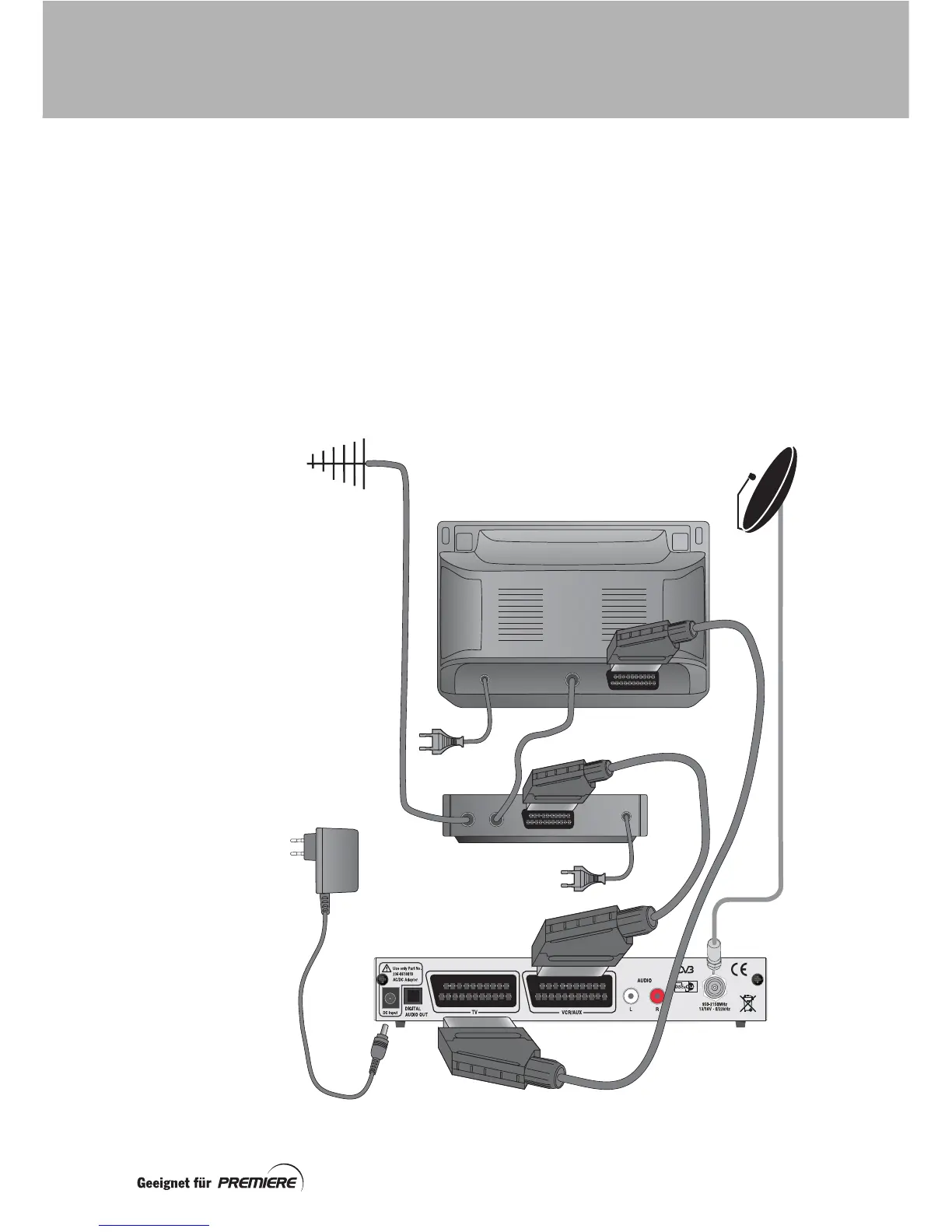
Connection method 2:
Connecting to a TV and VCR
1. Connect the lead from your satellite
dish to the connector marked
950-
2150MHz
on your set-top box.
2. Connect the supplied SCART lead
between the
TV
SCART socket on your
set-top box and the SCART socket on
your TV.
3. Connect another SCART lead (not
supplied) between the
VCR/AUX
SCART socket on your set-top box and
the SCART socket on your VCR.
4. Plug the lead from the plug-mounted
power supply into the socket marked
DC Input
on your set-top box.
5. When all the connections are properly
made, connect all equipment to the
mains supply.
IN OUT
SCART lead
Set-top box
Satellite dish
Aerial
SCART lead
TV
VCR
Plug-mounted
power supply
CONNECTING UP



 To Next Page