8
To make the most of your set-top box and
digital television you may wish to connect your
set-top box to audio equipment, such as a hi-
fi amplifier or home cinema system.
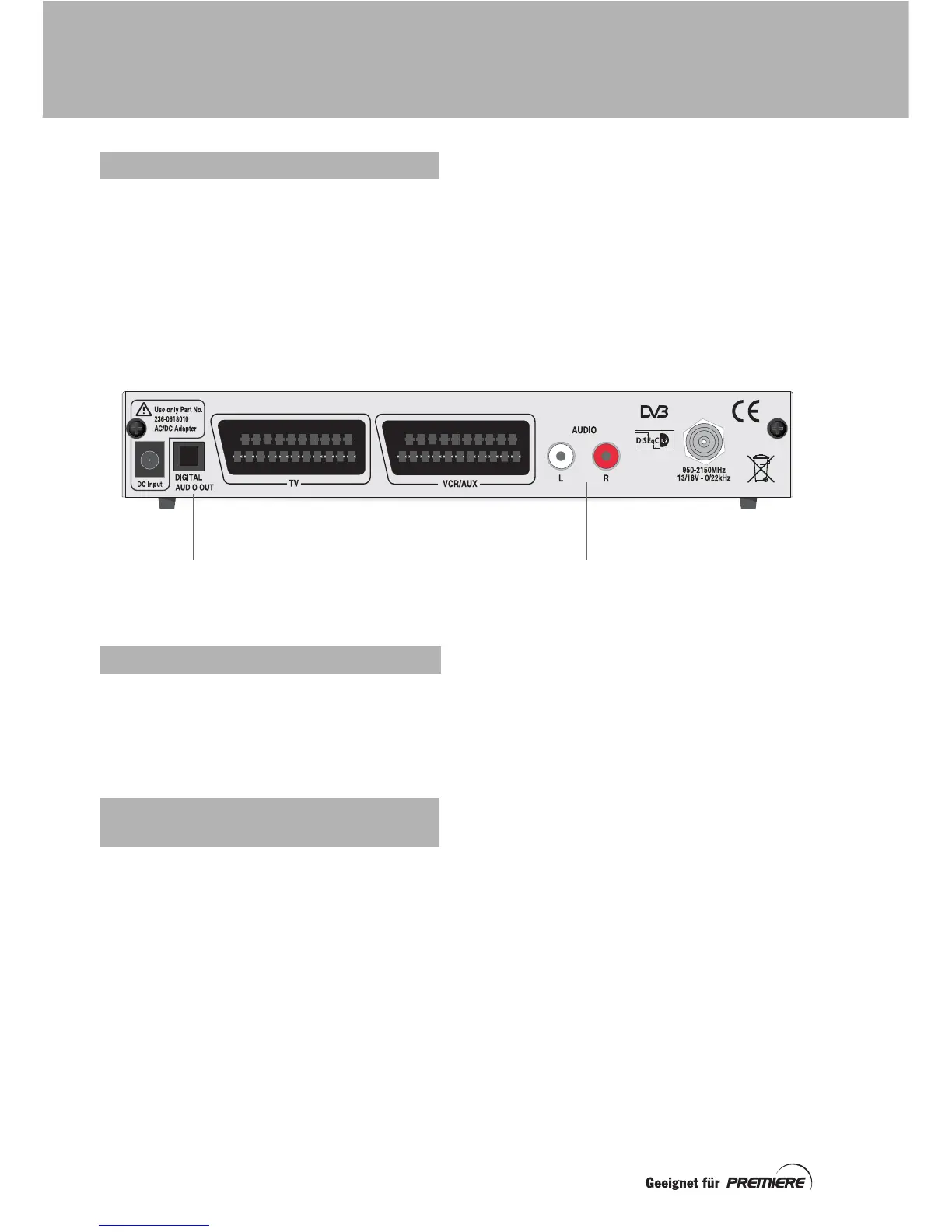
AUDIO L + R
Left and right stereo audio. Connect phono
leads (not supplied) between here and a TV,
VCR or hi-fi amplifier.
DIGITAL AUDIO OUT
Optical digital-audio output. Connect an
optical digital-audio lead (not supplied)
between here and a home cinema system.
Insert the two batteries into your remote
control.
Make sure you insert them the correct way
round, as shown by the + and – symbols in the
battery compartment.
When you have connected your set-top box to
the mains supply, its indicator light will light
up.
If your set-top box is in standby, the light will
be orange; if your set-top box is out of
standby, the light will be green.
If the indicator light is orange, switch on your
TV, then press the
Standby
button (S
) on the
front panel of your set-top box.
Whenever you are not using your set-top box,
you should put it into standby by pressing the
Standby
button (S
).
OPTIONAL CONNECTIONS
DIGITAL AUDIO OUT AUDIO L + R
USING YOUR REMOTE CONTROL
SWITCHING ON YOUR
SET-TOP BOX
CONNECTING UP



 To Next Page