44
6. Operation
6.6 External Device
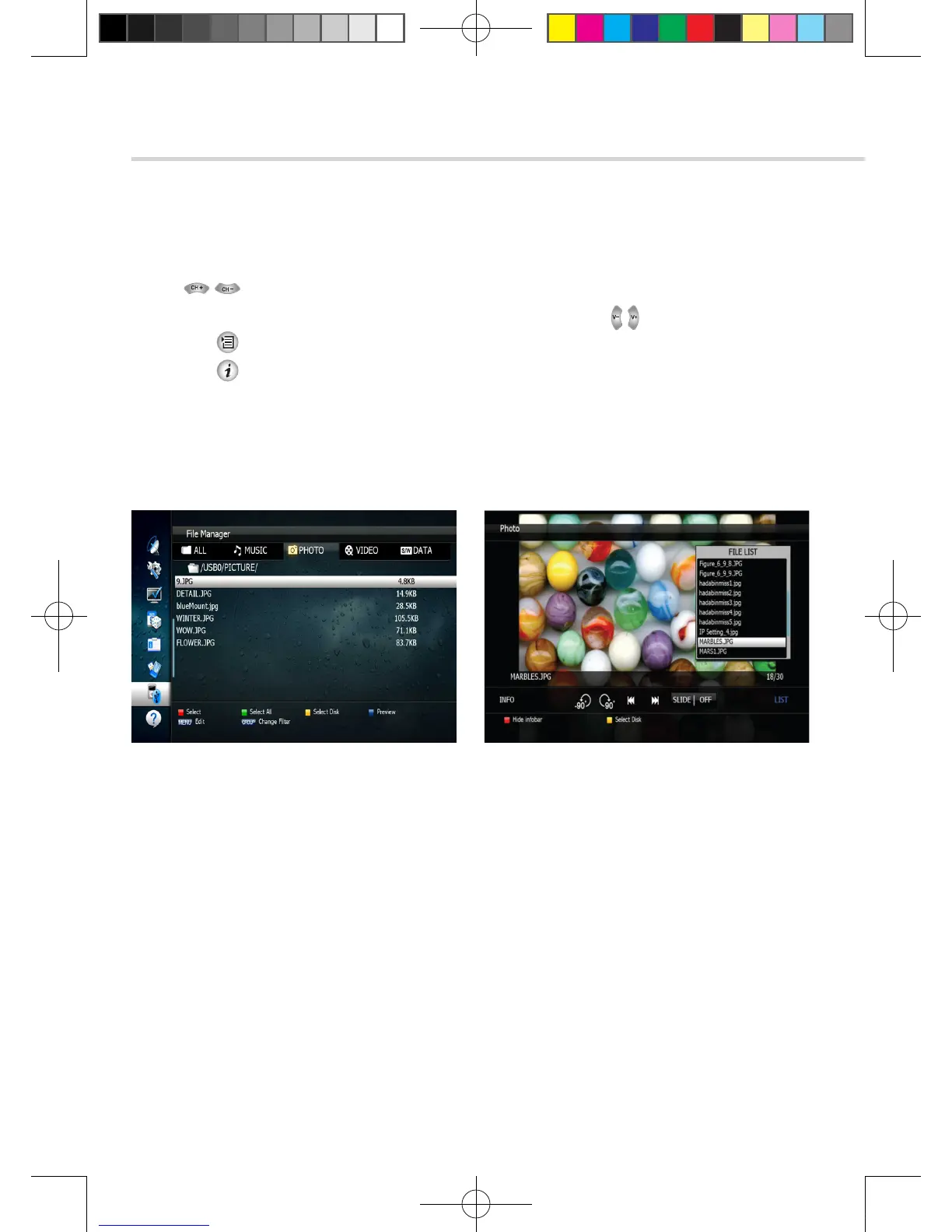
Figure 6.6.9Figure 6.6.8
[JPG View]
1. Press to select a picture then press OK button to display the selected picture. <Figure 6.6.8>
2. Press the EXIT button to hide the file list. Select and option using , OK. <Figure 6.6.9>
3. Press the button to display the JPG file list.
4. Press the button to display information about the selected MP3 file.
▪ HIDE infobar: Hide all infos.
▪ LIST: Shows / Hides the JPEG file list.
▪ INFO: Shows information about the selected file.
▪ YELLOW: Selects the hard disk or usb device.
[2013.01.04]SRT4922A 매뉴얼_english_AUS.indd 44 2013-01-04 오후 4:50:01



 To Next Page