20
6.1 Getting Started
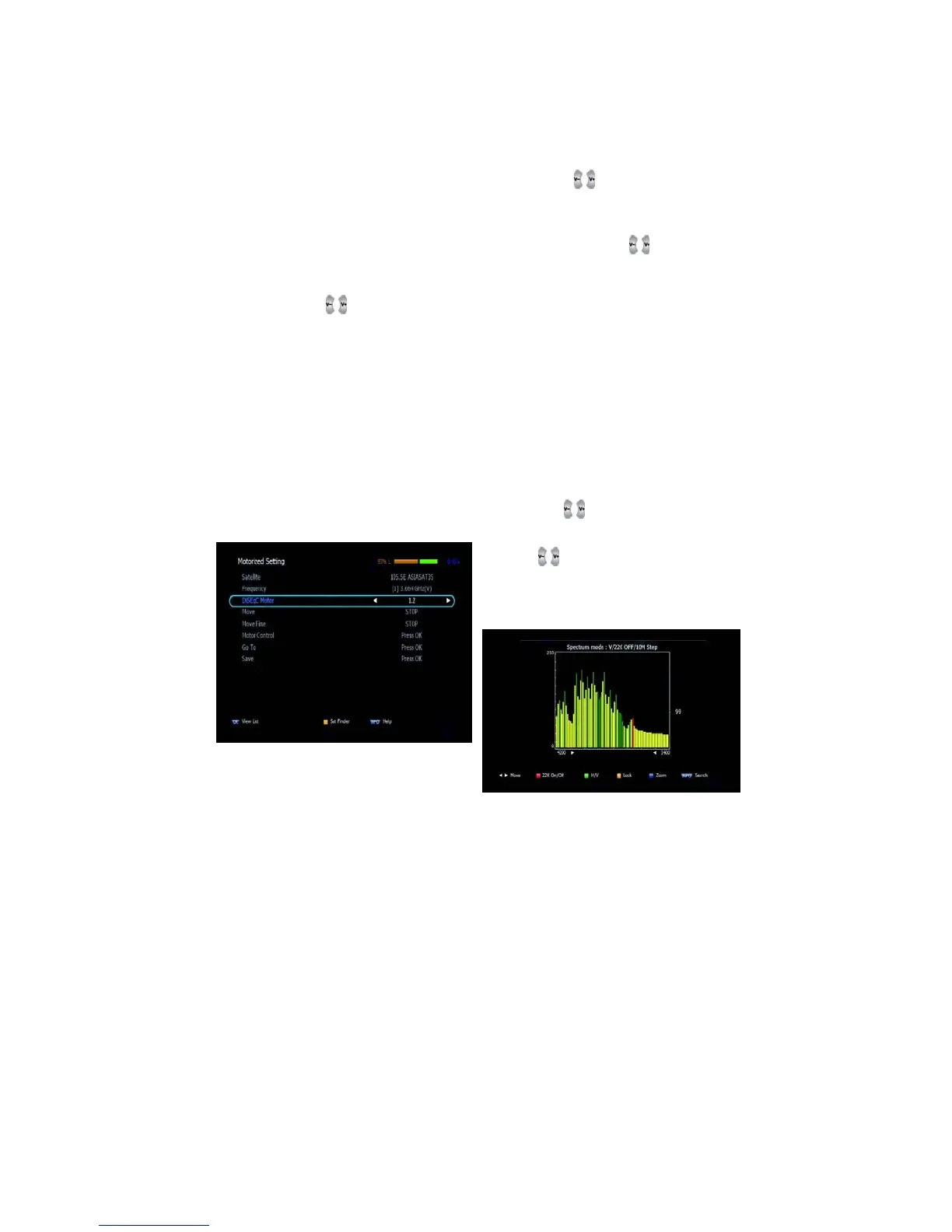
(When the DiSEqC Motor parameter is set as 1.2 <Figure 6.1.4>)
▪ Satellite: Select any satellite by pressing buttons.
▪ Frequency: Displays the current TP value of the selected
satellite.
▪ Move: Move the dish position to west/east by pressing buttons.
▪ Move Fine: Move the dish position 1 step at a time to west/east
by pressing buttons.
▪ Motor Control: Control motor by press OK button on the remote.
▫ Recalcuate: Recalculate the position of all other saved satellites relative
to the known position.
▫ Reset System: Reset the position of all saved satellites.
▫ Goto Reference: Move the dish to the 0 position.
▫ Disable Limit: Disable east and west limit.
▫ Enable Limit: Enable the saved east and west limit.
▫ Set East Limit: Edit & Save east limit by pressing
or OK buttons
▫ Set West Limit: Edit & Save limit by
pressing
or OK buttons
▪ Go To: Go to the position of the
saved satellite.
▪ Save: Save the current setting
of DiSEqC 1.2 system.



 To Next Page