7
INSTALLATION, CONTINUED: OPTIONAL SECURITY COVER INSTRUCTIONS
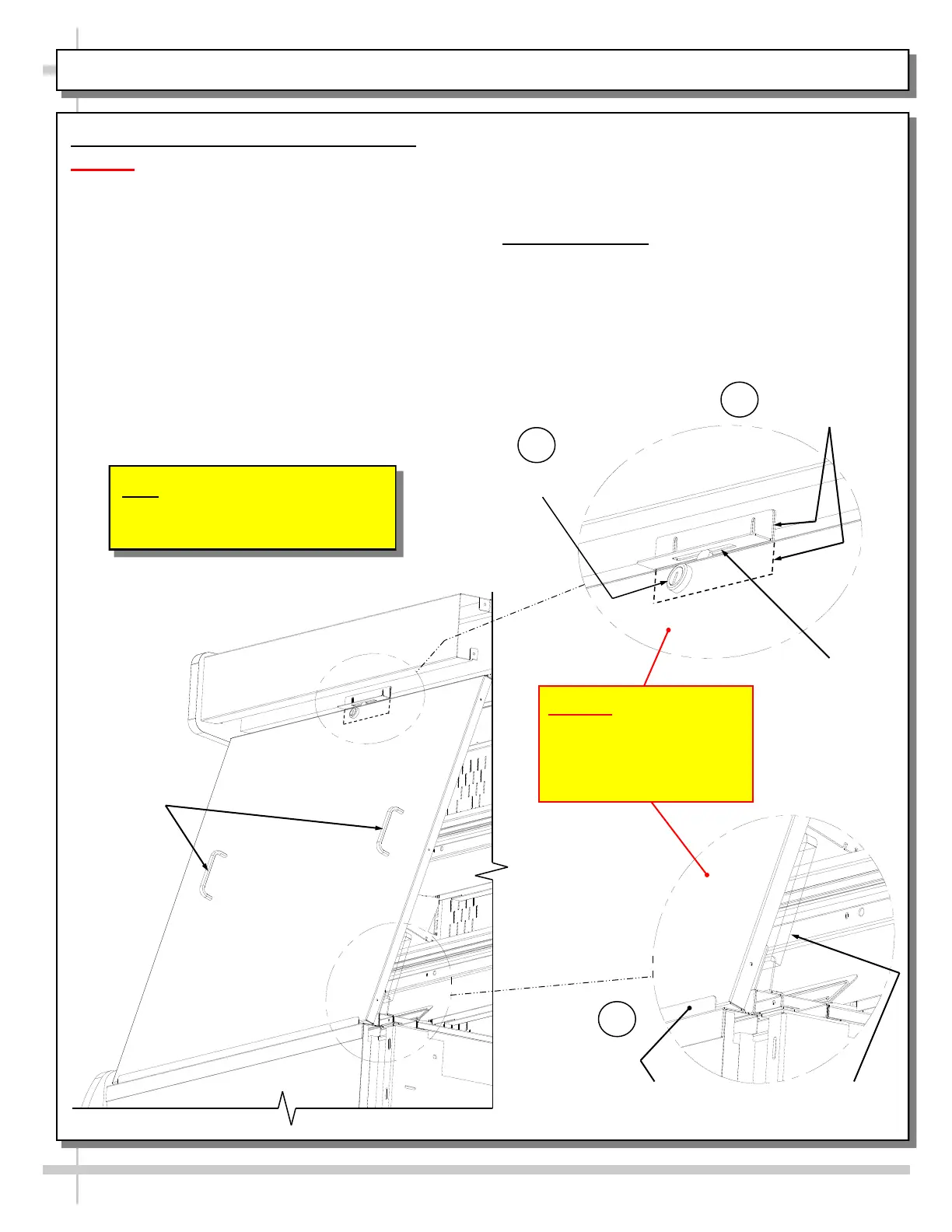
5. Optional Security Cover Instructions
Caution! Security Cover MUST Be Placed On
OUTSIDE of Acrylic Air Deflector and INSIDE
Lower Security Bracket To Fit Properly.
> Steps A, B and C correspond to this sheet’s
illustrations A, B and C. Follow these step-by-step
instructions for proper security cover placement.
A. Firmly hold security cover handles, and place the
bottom of the security cover on the OUTSIDE of
the acrylic air deflector and INSIDE of lower
security bracket.
B. Lean upper edge of security cover against upper
bracket retainer (shown with hidden lines in
illustration ”B” on this sheet).
C. Check that the lock properly rotates its locking
mechanism into support angle slot (at upper
area).
> When removing security cover from case, store in
safe location away from foot traffic.
> Manufacturing note: if your case DOES NOT HAVE
the hardware shown on this sheet for proper
placement of security cover, contact Structural
Concepts Corporation Technical Service. Toll-free
number is listed on the last page of this document.
Note: Illustrations Shown May Not
Exactly Reflect Every Feature or
Option of Your Particular Case.
Caution! Security Cover
MUST Be Placed On
OUTSIDE of Acrylic Air
Deflector and INSIDE
Lower Security Bracket
Support
Angle Slot
Security
Cover
Handles
Lock
Lower Security
Bracket
A
Acrylic Air
Deflector
B
C
Upper Bracket
Retainer









 To Next Page