EasyManua.ls Logo

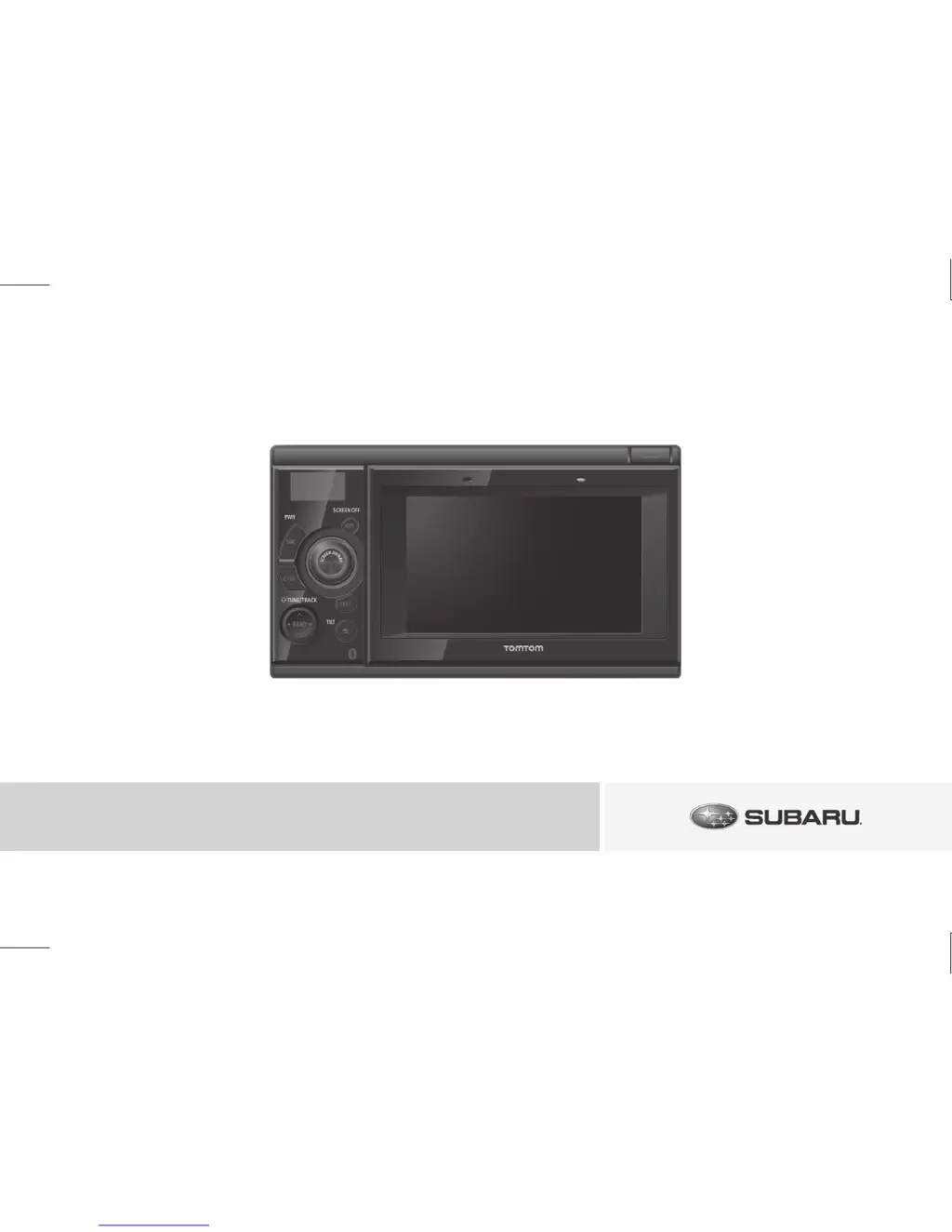
Subaru AUDIO VIDEO & NAVIGATION SYSTEM - User Manual

Subaru AUDIO VIDEO & NAVIGATION SYSTEM
84 pages
Print Icon
To Next Page IconTo Next Page
Loading...
090002-33240700
1005(Y)
Please retain this booklet and write the serial number of this product for
identifion and accurate reporting to your local police in the event of theft.
The serial number is labeled or stamped on the chassis.
Please confirm this number at your car dealer or service shop when the
unit has been reinstalled or exchanged to you after repair or readjustment.
NOTICE TO OWNER
Serial No.
Manufactured for SUBARU
by FUJITSU TEN LIMITED
AUDIO VIDEO & NAVIGATION SYSTEM OWNERS MANUAL
AUDIO VIDEO & NAVIGATION SYSTEM OWNER’S MANUAL

Table of Contents

Questions and Answers

  • T
    Todd HolmesSep 7, 2025
    Why do I have audio but no video on my Subaru AUDIO VIDEO & NAVIGATION SYSTEM Car Video System?
    • K
      Kelly ThompsonSep 7, 2025
      If audio is output but not video on your Subaru Car Video System, the screen may have been turned off with the screen OFF button. Press the [SCREEN AV/NAV] button.
  • L
    Lauren EdwardsAug 25, 2025
    Why are neither video nor audio outputting from my Subaru Car Video System?
    • A
      April ScottAug 25, 2025
      Ensure that the vehicle ignition switch is turned to the [ACC] or [ON] position.
  • A
    Andrew YoungAug 25, 2025
    What to do if Subaru AUDIO VIDEO & NAVIGATION SYSTEM says 'Pass code incorrect'?
    • S
      Susan AdamsAug 26, 2025
      If the Subaru Car Video System displays 'Pass code incorrect', it means the pass code entered was wrong. Please enter the correct pass code. Refer to page 58 for assistance.
  • E
    eric42Sep 16, 2025
    What does 'Requested chapter or title not found' mean on Subaru Car Video System?
    • C
      cobbtylerSep 16, 2025
      The selected chapter/title does not exist. Select a chapter/title that is on the disc.
  • Q
    qmoyerSep 23, 2025
    Why is the screen dark briefly on my Subaru Car Video System when it's cold?
    • C
      Casey MccoySep 23, 2025
      This is a characteristic of the PND-display and is not a malfunction. Wait for a brief period.
  • A
    Amber SheaSep 12, 2025
    What does 'DISC ERROR (PND) INF6' mean on my Subaru Car Video System and how to fix it?
    • R
      rebecca73Sep 12, 2025
      The temperature in the CD player is too high for operation to continue. Wait until it cools down. Resume playing after the “High temperature sensed and CD stopped” message disappears.
  • J
    Jennifer HarmonSep 2, 2025
    Why does my Subaru AUDIO VIDEO & NAVIGATION SYSTEM say 'No songs found' on iPod?
    • H
      hallaudreySep 3, 2025
      If you are getting 'No songs found' on your Subaru Car Video System when using an iPod, it means that the iPod has no tracks. Import tracks to the iPod.
  • A
    Amy ColeSep 3, 2025
    Why does my Subaru AUDIO VIDEO & NAVIGATION SYSTEM say 'No videos found' on iPod?
    • J
      Jessica HernandezSep 3, 2025
      If the Subaru Car Video System displays 'No videos found' when connected to an iPod, it means the iPod contains no video files. Import a video file to the iPod.
  • S
    stevenkingSep 23, 2025
    What does 'Unable connect to iPod (PND) ERR' mean on my Subaru Car Video System?
    • A
      Alicia RobertsonSep 23, 2025
      A communication error, playback error, iPod software incompatibility, or control error occurred. Connect a playable iPod.
  • P
    Paul DennisAug 29, 2025
    Why does my Subaru Car Video System say 'No songs found' on USB?
    • H
      Holly BowenAug 29, 2025
      If the Subaru Car Video System displays 'No songs found', it indicates that the USB memory does not contain any supported audio files. Import tracks onto the USB memory to resolve this.

Summary

Safety and Handling Instructions

Understanding Safety Symbols

Explains symbols like WARNING, CAUTION, IMPORTANT, ATTENTION, CHECK for safe operation.

Important Safety Precautions

Operational Safety and Warnings

Covers warnings about driving safety, system modifications, and handling foreign objects.

Precautions for Disc Handling

Details safe practices for inserting, removing, and handling discs to prevent damage.

Personal Navigation Device (PND)

PND Battery Charging and Temperature

Information on battery charging conditions and temperature limits for the PND.

System Controls and PND Management

Panel Switches and Button Functions

Identifies and explains the purpose of each physical button and switch on the unit.

Audio Source and Sound Quality Adjustment

Switching Audio Sources and Volume Control

How to select audio sources and manage volume levels.

Radio Operation and Management

Tuning and Selecting Radio Stations

Methods for listening to radio, tuning, and seeking stations.

Rearview Camera System Integration

Rear Camera Usage Guidelines and Precautions

General guidelines and cautions for rearview camera usage.

Troubleshooting and System Support

Common System Error Messages and Causes

Troubleshooting guide for various error messages in different modes.

Basic Troubleshooting and Contacting Subaru

General troubleshooting steps and how to contact Subaru support.

Subaru AUDIO VIDEO & NAVIGATION SYSTEM Specifications

General IconGeneral
BrandSubaru
ModelAUDIO VIDEO & NAVIGATION SYSTEM
CategoryCar Video System
LanguageEnglish

Related product manuals