20
3 Preparation for the dive
You have to check the settings of XP-H especially before the first dive. All settings can be checked and
changed directly at XP-H or via Dive.Log.
3.1 Setting the gas mixture and ppO
2
max
!
WARNING
Before every dive and after changing the tank, make sure that the settings for the gas mixture
correspond with the current mixture used. An incorrect setting causes XP-H to miscalculate this
particular dive. If the fraction of oxygen is set too low this can lead to oxygen poisoning without
warning. If the value is set too high decompression sickness may occur. Inaccuracies in the
calculations are carried over to repetitive dives.
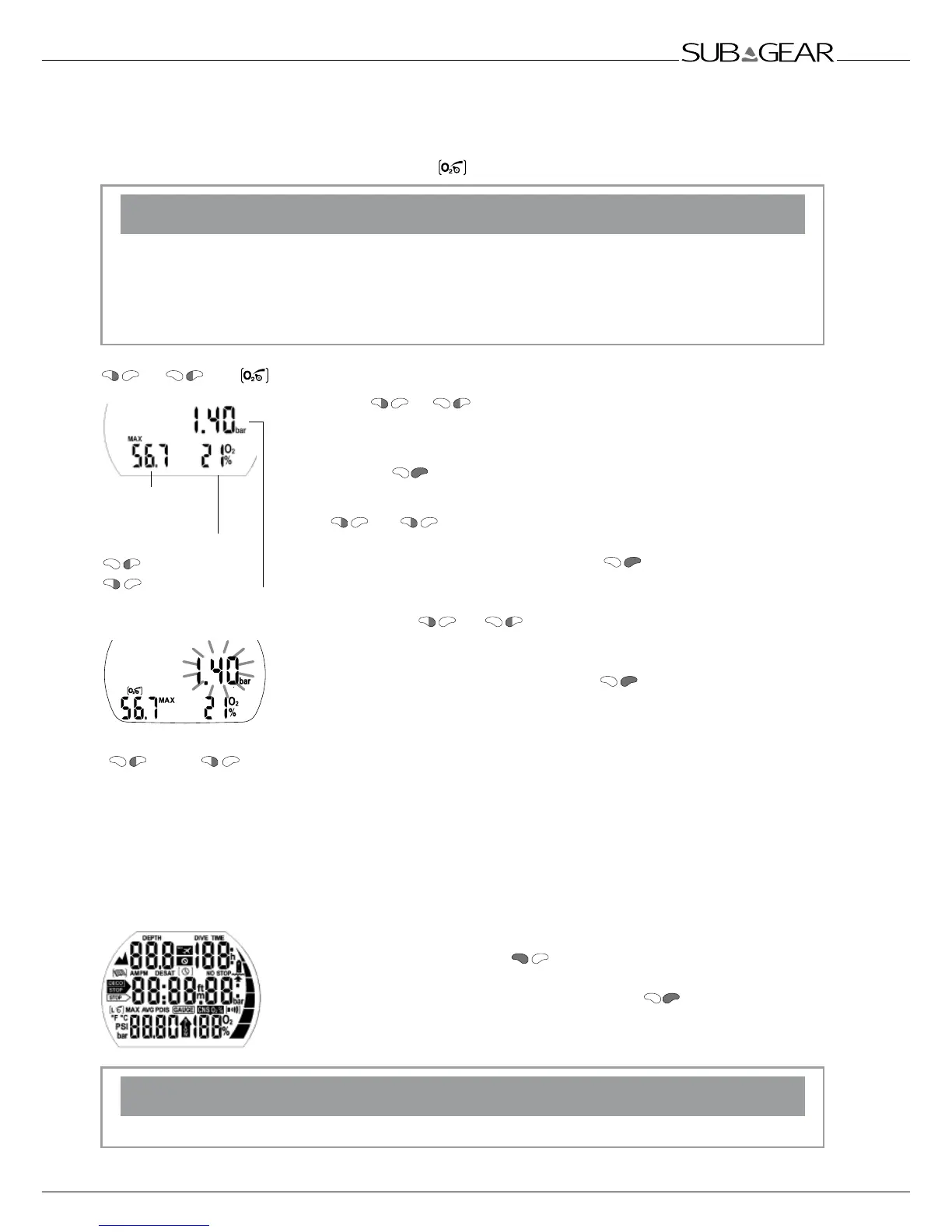
or until
Max Operating
Depth MOD
Change the O
2
% mix by
(+) and
(–)
ppO
2
max
Change the ppO2 max by
(+) and (–)
To set the gas mixture, XP-H must be in user mode (time of day display).
1. Push
or until the symbol for the setting of the O
2
mixture
appears.
2. Confirm that you wish to change the displayed oxygen fraction by
pushing .
3. Change the oxygen fraction in increments of 1% by pushing
or . XP-H will display the current fraction of oxygen,
the maximum partial pressure limit (ppO
2
max) and the MOD.
4. Confirm the selected percentage with .
5. By pushing or you can change the ppO
2
max for the
chosen fraction of oxygen down to 1.0bar. XP-H will now display the
corresponding MOD for the new ppO
2
max.
6. Confirm your ppO
2
max settings with .
F
• Without confirmation the display will disappear after 3 minutes and your entries will not
be accepted.
• Automatic reset of the O
2
% mix to 21% can be set with "set 1" ->46 or Dive.Log between
1 and 48 hours or to "no reset" (default).
3.2 Preparation for the dive and function check
Switch on XP-H by pushing
and check the test display: Are all
elements of the display activated? Do not use XP-H if the display does not
show all elements. When switching on XP-H with , the test display will
not appear.
!
WARNING
Check the battery capacity before each dive ->14.
Preparation for the dive



 To Next Page