52
Appendix
!
WARNING
• Avoid dropping or jarring your XP-H.
• Do not allow your XP-H to be exposed to direct, intense sunlight.
• Rinse your XP-H thoroughly with fresh water after each dive.
• Do not store your XP-H in a sealed container; make sure there is free
ventilation.
• If there are problems with the water contacts, use soapy water to
clean XP-H and dry it thoroughly. The surface of your XP-H housing
can be treated with silicone grease. Do not apply grease to the water
contacts!
• Do not clean XP-H with liquids containing solvent (apart from water).
• Check the battery capacity before each dive ->14.
• If the battery icon appears, replace the battery ->52.
• Diving with a weak battery: XP-H may stop working during the dive,
service icon and error code "E3" or "E6" appear. Close the dive and
replace the battery ->52.
• On the surface: if service icon and error code "E3" appear, replace the
battery ->52.
All error codes other than E3: XP-H must not be used for any further
dives. Take your dive computer to an authorized SUBGEAR dealer.
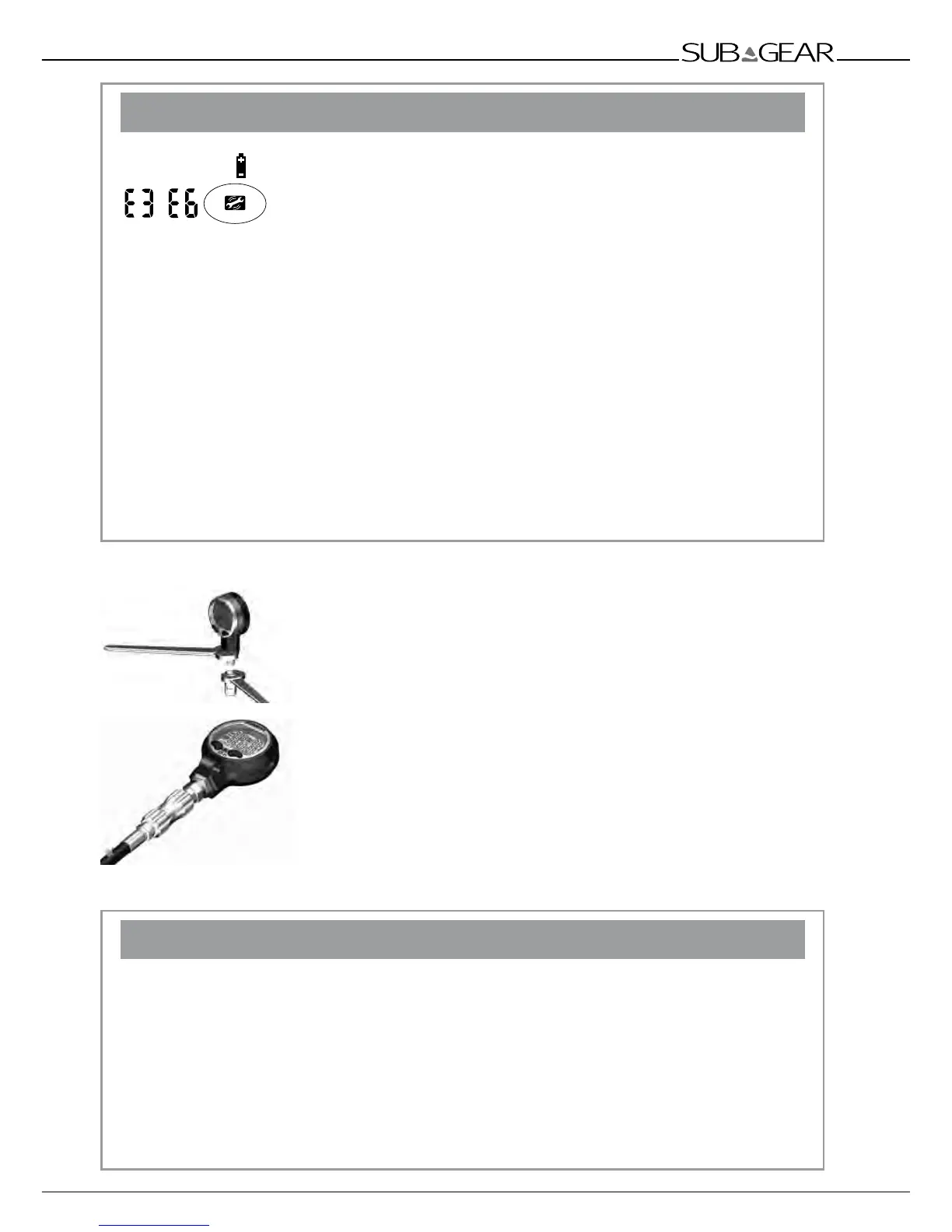
2.1 Connecting the high pressure hose
XP-H may only be used with SUBGEAR high pressure hose. If you need
to remove or reconnect the high pressure connection, two wrenches must
be used as shown in the figure.
When connected directly to a high pressue hose, be sure that the swivel is
inserted with proper size and material O ring.
When quick release system is assembled, bayonet the O-ring between XP-H
and the replaces the swivel.
Quick release system attached to the XP-H is shown at the picture. Be sure that
high pressure is not applied when connecting or disconnecting the XP-H from
the quick release.
The bayonet must be fully pushed in when cover is twisted to locking
position. In the correct locking position the bayonet moves forward approx
4mm (1/5 of an inch) and stays securely locked. Apply the high pressure
to the system only after quick release has been correctly closed.
2.2 Replacing the battery (Battery kit includes battery and Teflon coated o-ring)
!
WARNING
Removing the battery clears all physiological data including saturation. This means that for
a repetitive dive the computer will not compute correctly. Diving after replacing the battery
when there is desaturation time left on the computer can lead to serious injury or death from
decompression sickness.
Change the battery only under these conditions:
• After a dive if you know you will not be diving, flying or going to higher altitude for the next
48 hours.
• Before a dive if there is no desaturation time left on the computer.
The change must be made with particular care in order to prevent water from seeping in. The
warranty does not cover damages due to an improper replacement of the battery.



 To Next Page