29
English
Gauge Mode
7 Gauge Mode
!
WARNING
In gauge mode ALL audible and visual alarms and attention messages are turned off.
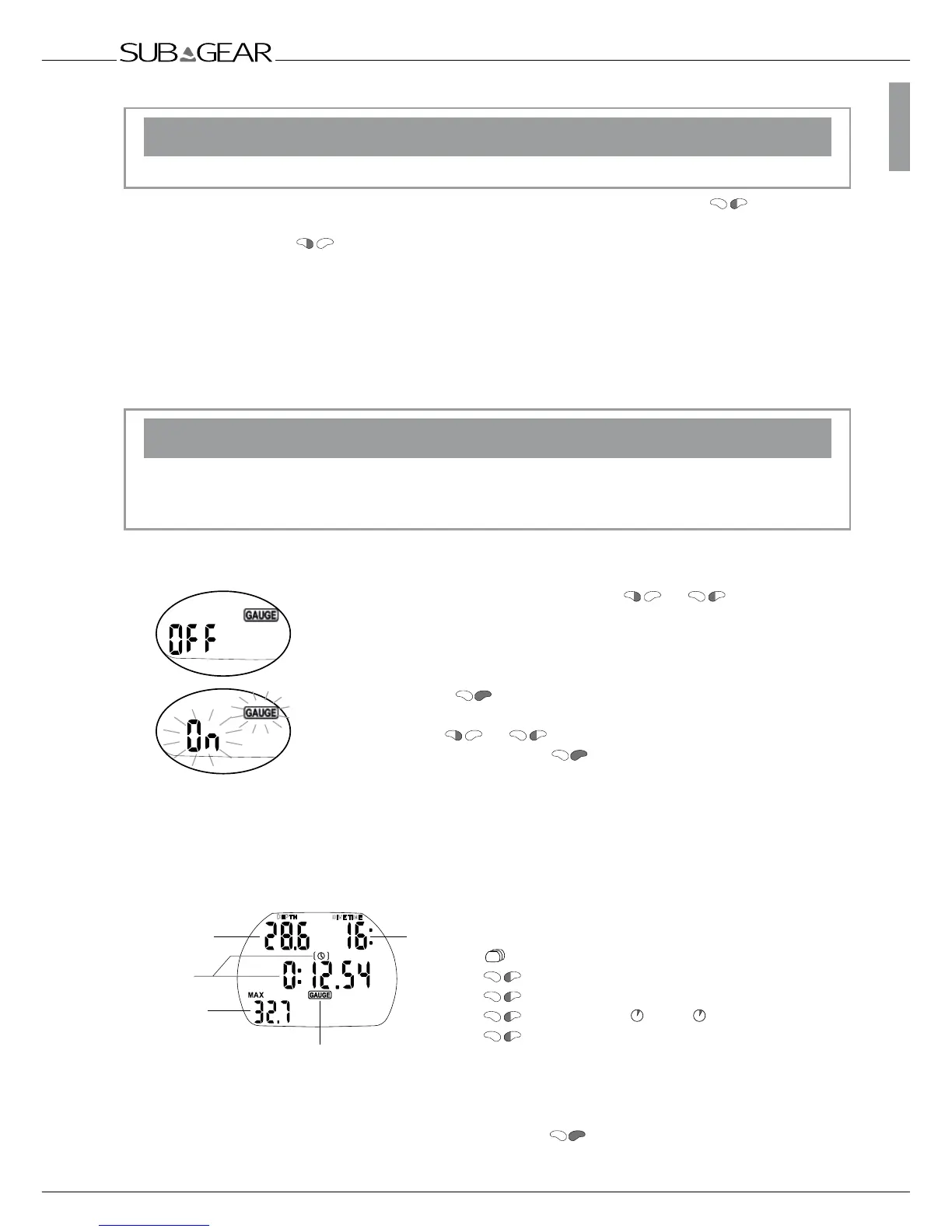
In gauge mode XP-H will display depth, dive time and tank pressure . By pressing you can scroll
from the tank pressure to the temperature, to the average depth, to the time of day and back to the
max depth. By pressing you can restart the stopwatch. This generates a bookmark. Gauge mode
does not support the calculation of no-stop time or the supervision of decompression. Supervision of
ppO
2
max and CNS O
2
% will also be switched off. XP-H will display no information about microbubble
development. The settings for the gas mixture, MOD and microbubble level cannot be set and the dive
planner cannot be selected.
Switching the gauge mode on and off
Gauge mode can be switched on and off at the surface, when there is no desaturation and no-dive in
gauge mode has been made in the last 48 hours.
!
WARNING
• Dives in gauge mode are performed at your own risk!
• After diving in gauge mode you must wait for at least 48 hours before using a decompression
computer.
After diving in gauge mode, XP-H can not be used as dive computer for 48 hours.
Procedure:
1. From the time of day display push
or until the gauge
symbol and "on" or "off" are displayed.
(If XP-H shows “ – – – “ the gauge mode cannot be switched “on” or “off”.
XP-H shows “ – – – “ for 48 hours after a dive in gauge mode and as long
as there is remaining desaturation after a dive in computer mode.)
2. Confirm with that you wish to activate or deactivate the gauge
mode. The "on" or "off" starts flashing.
3. By pushing or the gauge mode is switched on or off.
4. Confirm your settings with .
Without confirmation the display will disappear after 3 minutes and your
entries will not be accepted.
Diving in gauge mode
The following information is displayed in gauge mode:
>Tank pressure
>Temperature
>Average depth (AVG)
>Temperature , Time
>Max depth
The average depth is continuously updated and represents the time averaged depth since the
beginning of the dive.
You can reset the average depth at any time by pushing
. This generates also a bookmark.



 To Next Page