S One User’s Manual
Introduction 1-23
1. Remove the aluminium piece from the plastic knife holder (5) by turning the knurled
adjustment knob (3) counterclockwise until the aluminium piece comes out of the holder.
2. Insert the conical, non-cutting end of the knife into the opening in the narrow end of the
holder. Gently push the knife in.
3. Turn the holder upside down and tap it lightly on a solid surface to ensure the knife is
completely inserted.
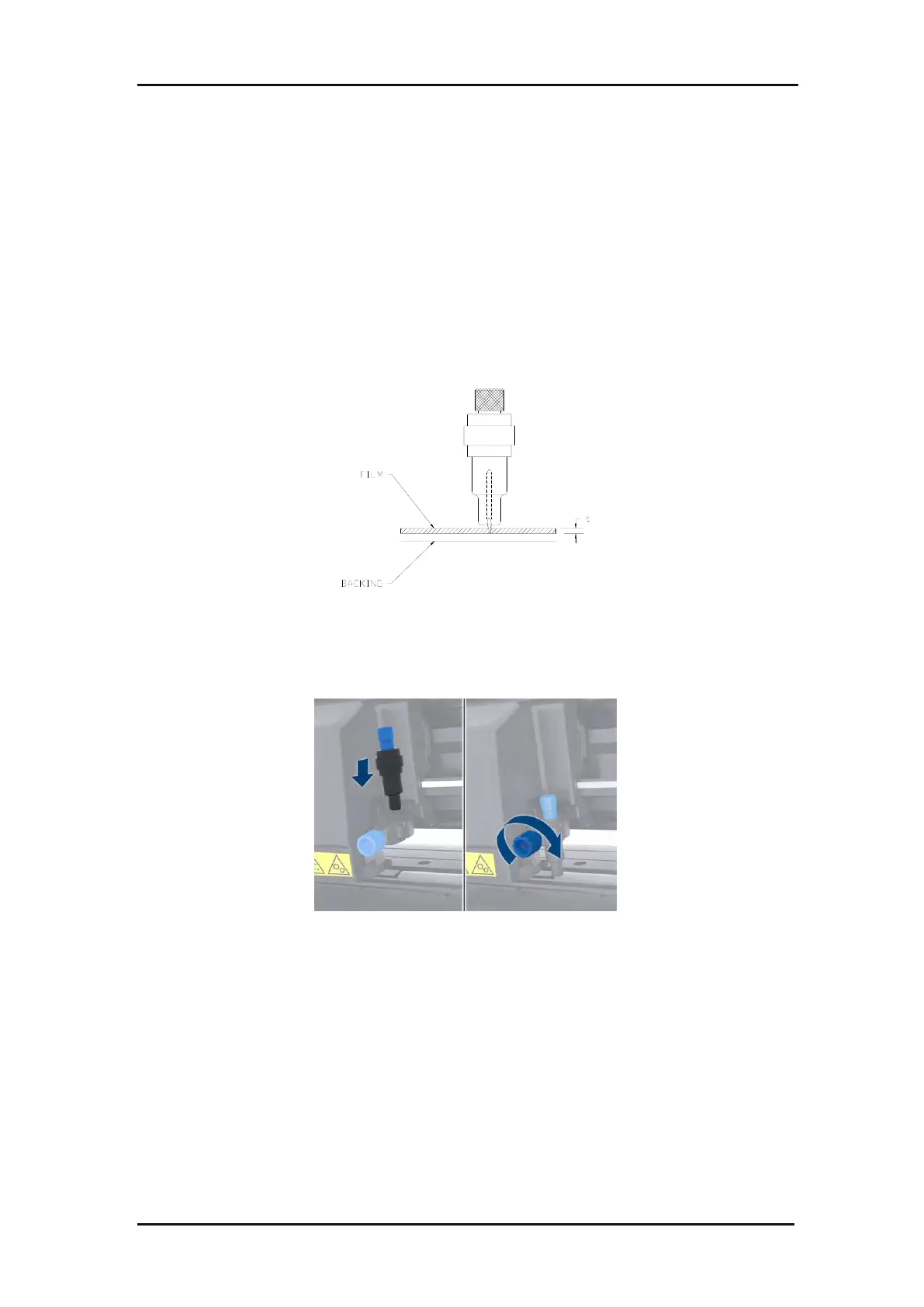
4. Slowly turn the knurled knob clockwise until the tip of the blade extends the distance
required for the desired cutting media (t), as shown in the figure below.
FIG 1-15
1-15 KNIFE LENGTH ADJUSTMENT
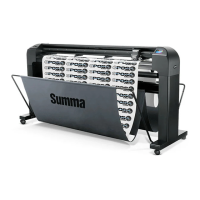
5. Insert the knife holder into the head clamp and push it down (1).
FIG 1-16
1-16 CLAMP DRAG HEAD
6. Tighten the clamp screw (2).
1.6.1.2 Installing the drag knife


 To Next Page