S One User’s Manual
OPOS 3-11
8. Do the job on the first sheet.
9. The cutter will stop after the first contour has been cut and will come online again.
10. Raise the pinch rollers and remove the sheet manually.
11. Insert the next sheet into the cutter. Lower the pinch rollers.
NOTE: The second and any following sheet must be loaded in the cutter at the
same position and orientation as those from the first sheet. When in OPOS sheet
mode, the cutter stores the distance between the edges of the sheet and the first
OPOS mark.
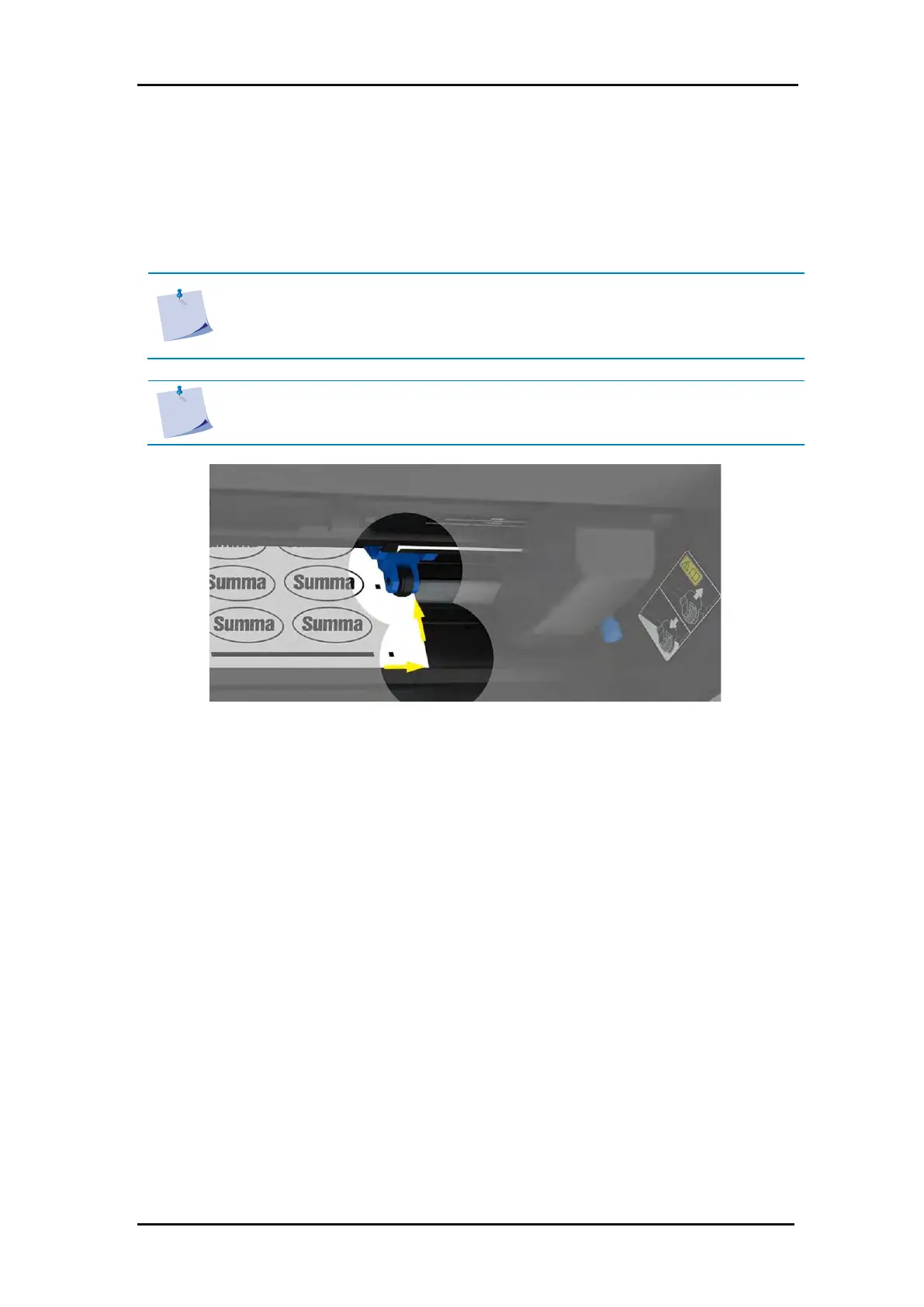
NOTE: Use easy orientation points to be able to quickly position the sheet. In the
figure below, a rim of the base plate and the side of the pinch roller assembly are
used to align the sheets.
FIG 3-4
3-4 POSITIONING THE MEDIA FOR MULTIPLE SHEETS


 To Next Page