- 09 -
Tricks:
1) Make sure the new IP you assigned to the camera is UNIQUE.Make sure
only the rst 3 segments of camera’s IP is the same as the gateway and your
computer.
2)Do not change the camera’s ports until later. The camera’s default ports
are ONVIF 8899, TCP 34567, HTTP 80 and RTSP 554. Those values must also
be unique.
5.Camera Management by Computer
Sunba’s free IP camera desktop enables you to congure advanced fea-
-tures of the camera such as accounts management, rmware upgrade
and access to the full feature of the device.
You can always download the web plugin seperately from Sunba website
if it takes too long to download the plugin from popped window.
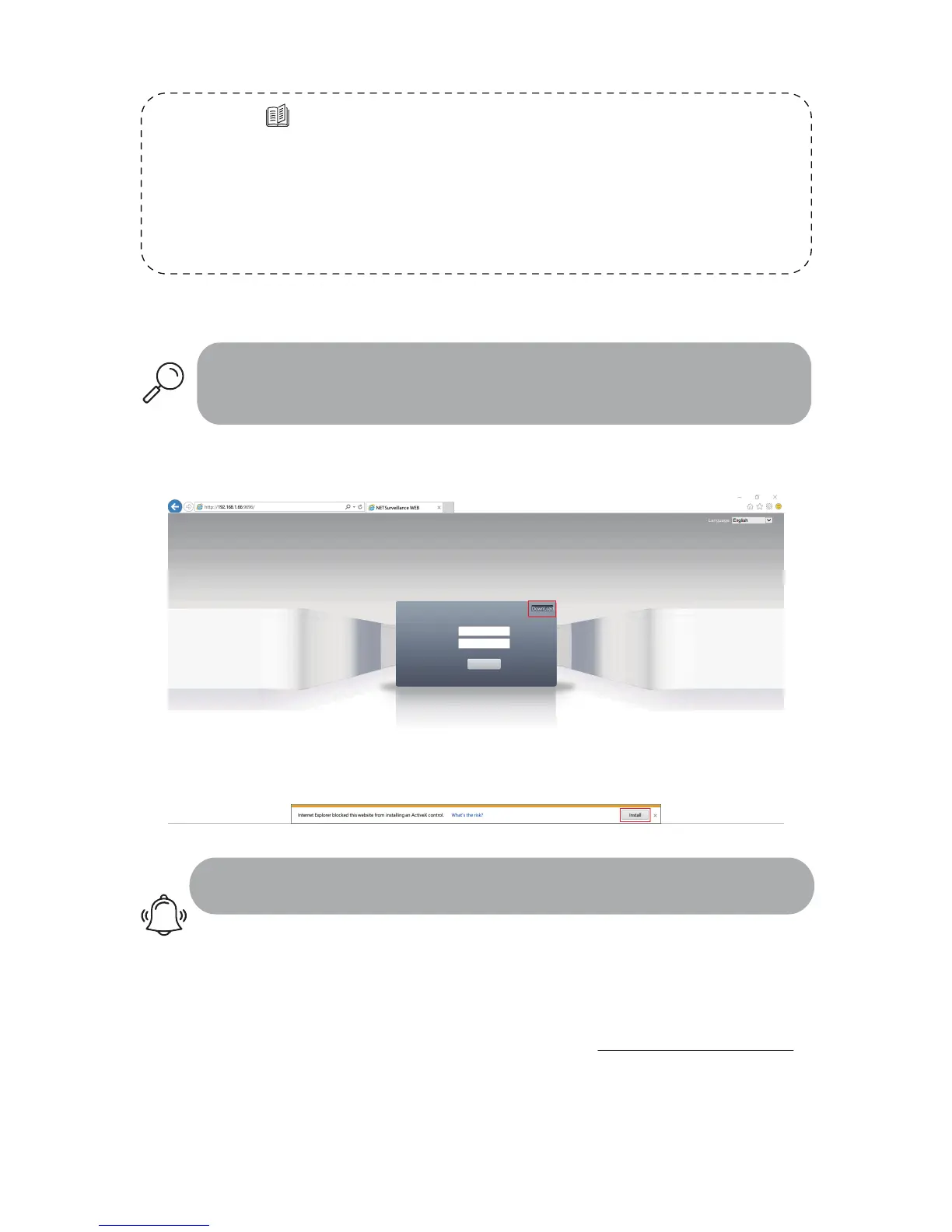
1) Enter the IP address of your camera.If you have changed the http port
of zhe the camera, you need to log in as IP: http port.
2) Install the web plugin following the request popped by the browser.
Please make sure the browser is CLOSED during the installation. If you
are unable to download the plugin, please go to download.sunba.net to
download the plugin.
3)You can change the language from the upper right corner. Change only
takes effect after you successfully install the plugin, otherwise the text will
show “??????” or disappear.
A. Internet Explorer (in Windows)



 To Next Page