- 23 -
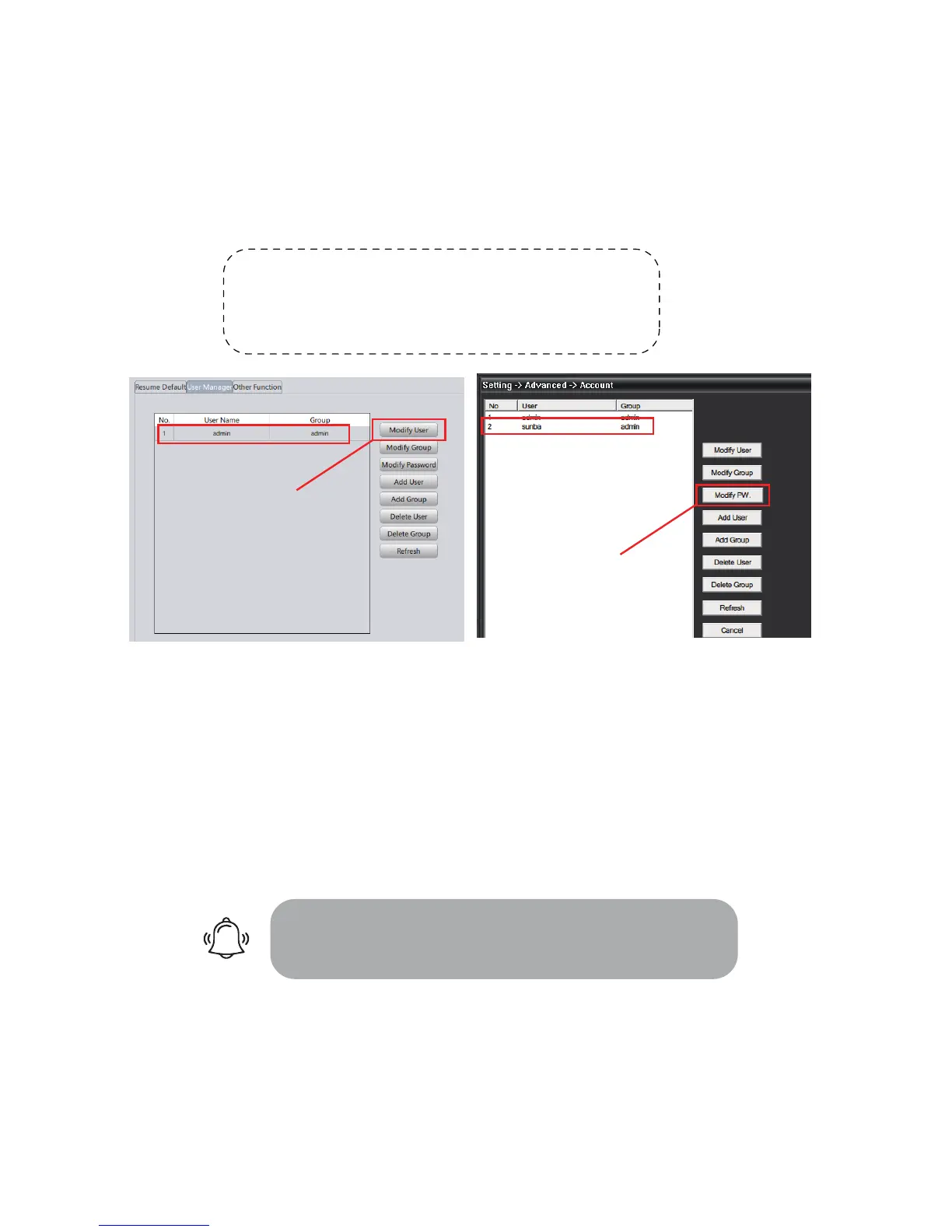
12. Account Management
Camera accounts can only be managed by its native clients. Third party
software will not be able to modify any accounts information as it doesn’t
have access to the camera’s private protocol.
Group and User Permission:
ou can set a group that shares the same level of permission for camera
control and view. For example, you can set several users to a “guest” group
that has limited control over the camera.
Allow multiple access:
Please remember to check the “sharable” or “reusable” option when adding
CMS/IE:Device Cong-> Account VMS:Device Cong->Tool Manager->User Manager
To protect your account safety, please always
remember to modify your default password!!
Default Camera Account Information:
User name: admin
Password:
Modify your password here!
Modify your password here!



 To Next Page