- 02 -
Phase 1: Bench Test
What are you testing in this stage?
Non-PoE camera
PoE+ camera
How to Test Locally
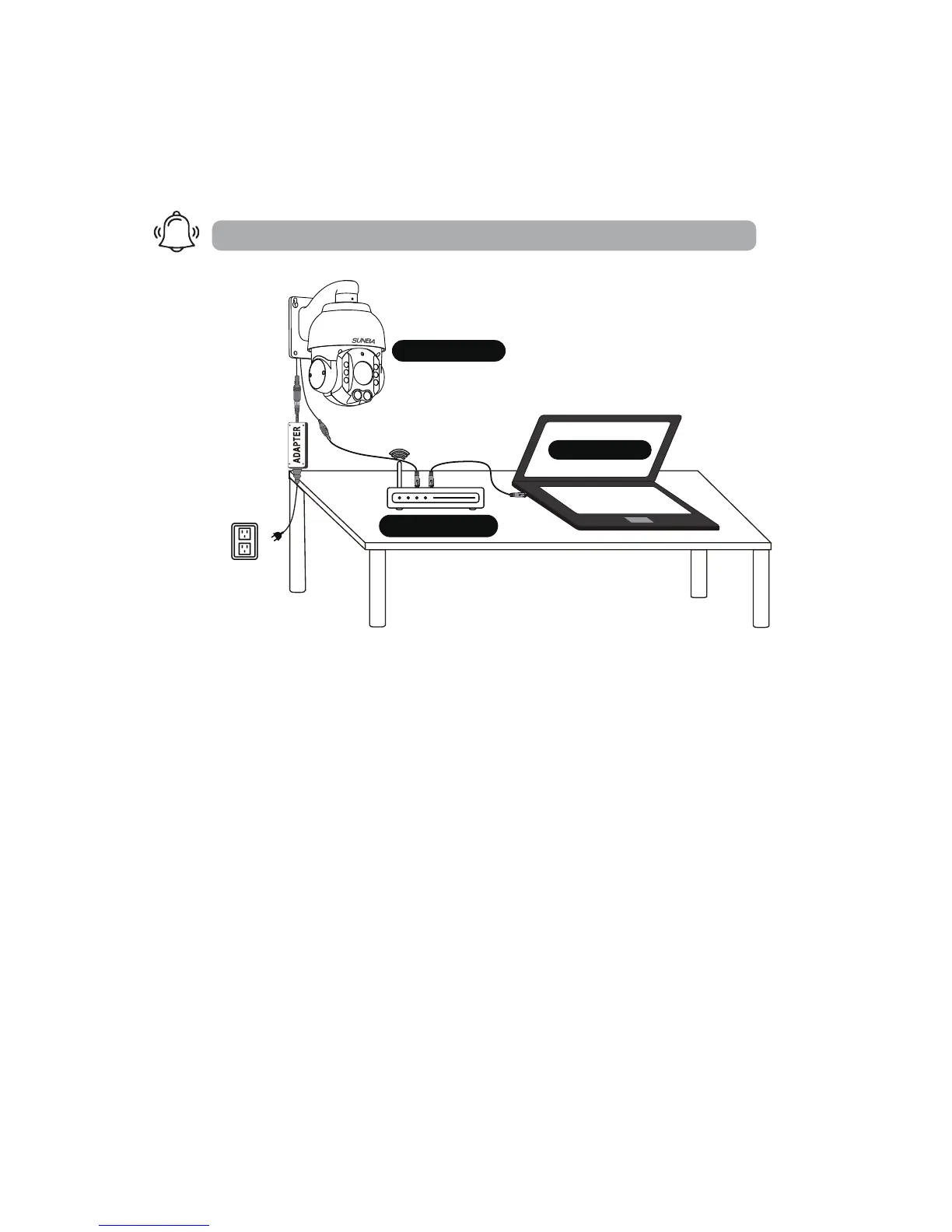
1. Camera Connection
Note PTZ dome cameras have much higher power requirements than
bullet cameras, especially for ones with higher zoom-in capacity. Therefore,
how the unit is powered can be critical to its functionality. Please directly
apply the DC12V adapter on the camera to make sure the unit itself is
working, and try eliminating all cabling factors to set up the bench test.
A default adapter is prepared for you to rule out any problems of the cam-
-era. If the camera works properly under the DC power adapter but not
with PoE, please check the PoE switch/injector you are using or replace an
Ethernet cable.
In short, in a bench test, do NOT use any power extension cable. Please
connect the camera directly to the power adapter. Secondly, if the camera
cannot be found by connecting to the router, please try connecting it to
the Ethernet port on the computer.
ALWAYS test and setup locally before mounting outside!
Adapter
DC12V
192.168.1.*
192.168.1.*
192.168.1.10



 To Next Page