- 06 -
Router IP is usually the same value as the “gateway” (with few exceptions),
which the camera’s IP will have to match.
Step 1: Understand the Goal of IP Conguration
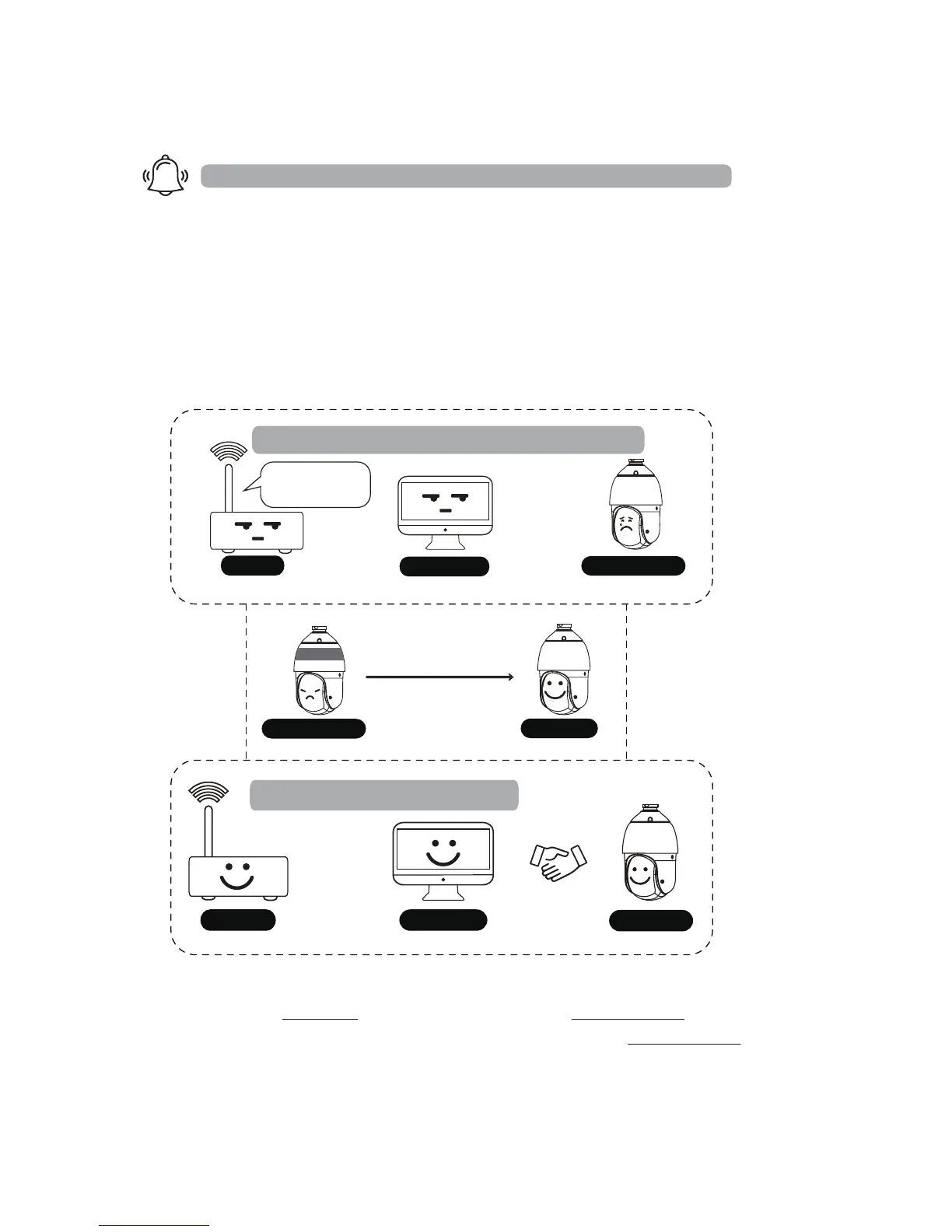
No matter what IP Camera Management Software you intend to use later,
the rst step is to make sure your router, computer and the IP Camera are
on the same subnet. Being on the same subnet means “the rst three
octets or segments in the IP address are the same.”
For example
4. Camera Network Conguration
You must rst change the camera’s IP to match the IP of your router!
If your router is 10.0.0.1 and your camera is still 192.168.1.10 (default IP)
you will NOT be able to access the camera by typing 192.168.1.10 in the
web address without changing its IP rst.
Welcome to our local network!
√ On the same subnet
10.0.0.1
10.0.0.188
10.0.0.15
You are not a member of our local network family!
X Not on the same subnet
I am not
connecting
you.
10.0.0.1
FIGHTING !
IP address change
10.0.0.15
192.168.1.10
192.168.1.1010.0.0.188
×
√



 To Next Page