- 12 -
Internet Explorer:
Please go to xmeye.net and use “Device Login”. Enter the cloud ID of
the camera and associated username and password.
Network Environment: WiFi, 3G/4G/LTE; Mobile System: Android, iOS
Software Name: XMeye/JFeye (download from either Google Market
or App store)
If your mobile device is on the same subnet with your camera, you can
use the "Search" button to locate the camera.
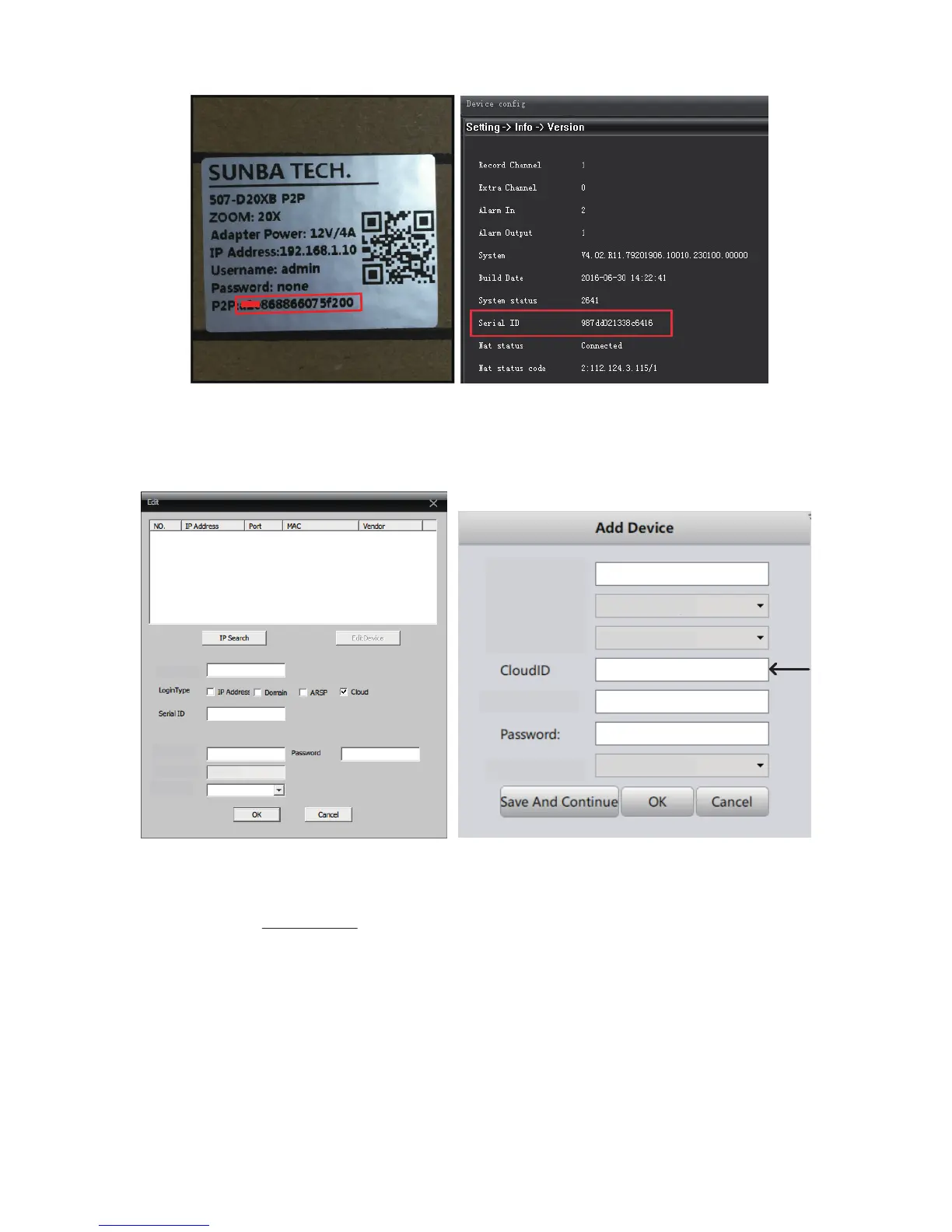
Find Your P2P Code by two methods:
Note P2P Code = Cloud ID = Serial Number
987dc021338*****
CMS:
VMS for PC:
Group:
Device Name:
Login Type:
Sunba
Default Group
CloudlD
adminUserName:
Vendor:
SUNBA
Device Name
User Name
Vendor
Zone
Sunba
admin
South Lot
H264DVR
987dc021338*****



 To Next Page