Page | 29
5.9. Factory Reset and Lock Code
To set time, click on the BASIC icon and then on ‘Reset’.
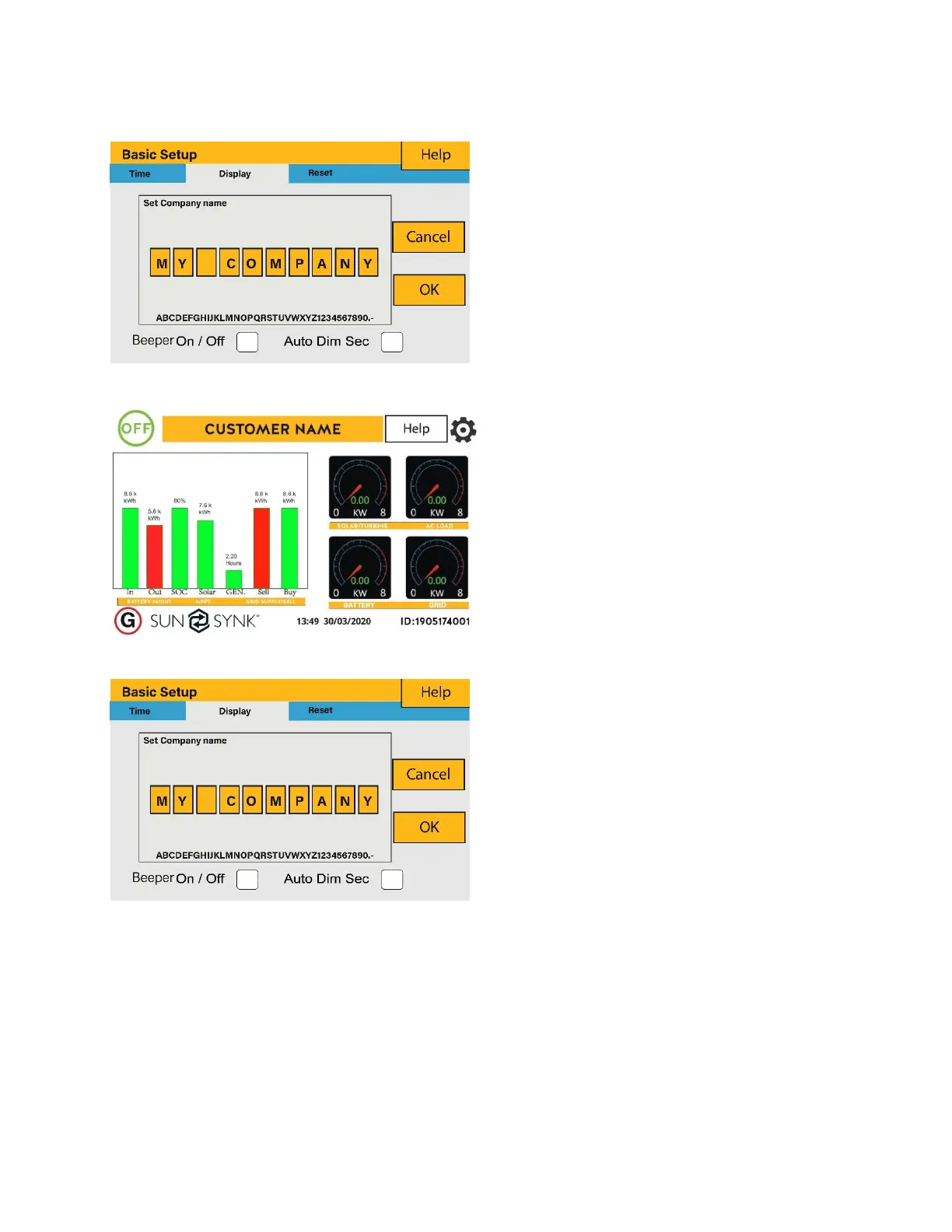
How to change the name:
Change the letters in each box by
moving the arrows up and down and
then select OK. This will change the
name on the home screen.
How set the auto dim:
Set a number in the auto dim box to
dim the LCD after a number of
seconds.
How to turn the beep on or off:
Mark or unmark the beep box and the
press OK to configure it as you
prefer.
What this page displays:
Beeper status (ON/OFF).
Installers names.
What you can do from this page:
Set up your company name.
Switch the beeper ON or OFF.
Set the LCD backlight to auto dim.







 To Next Page