Page | 30
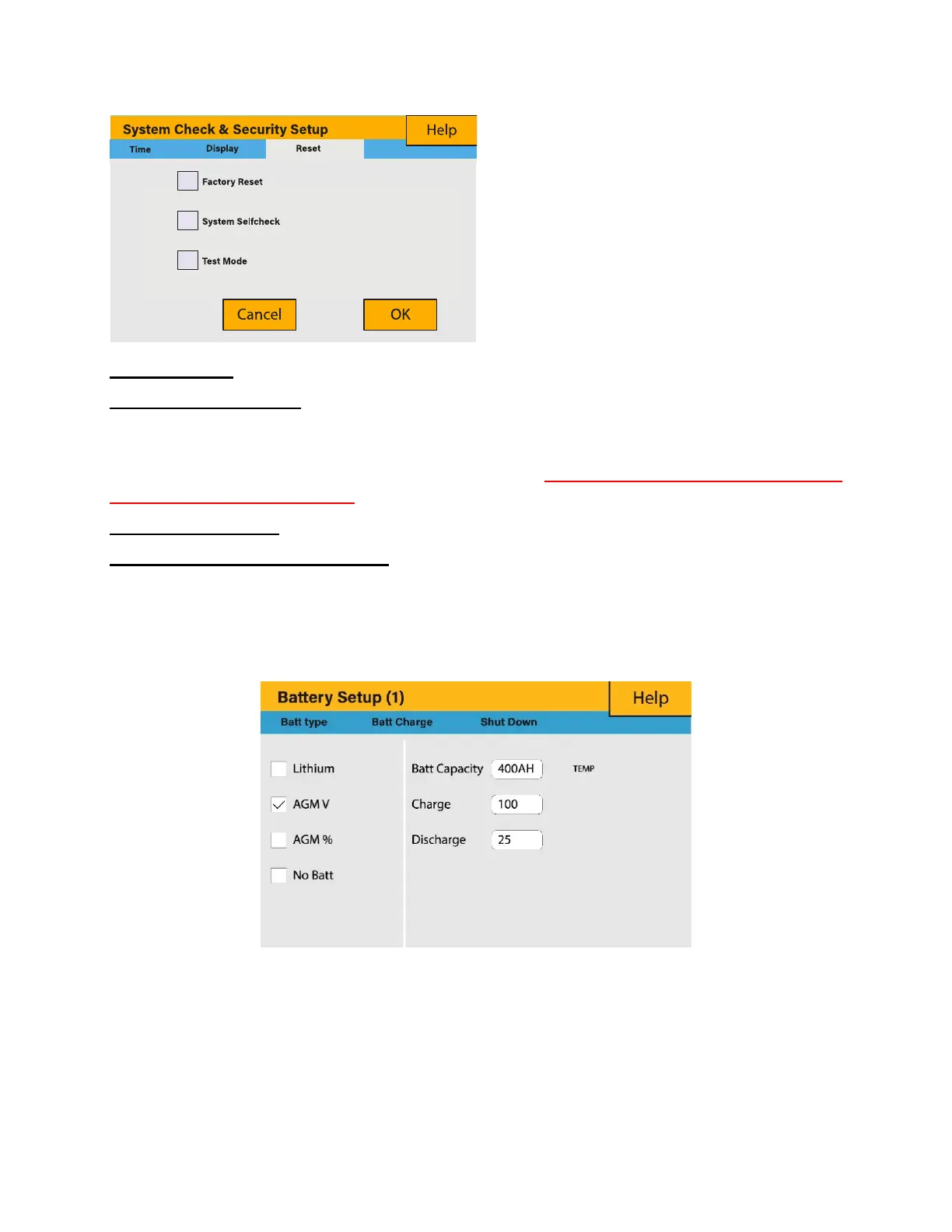
Factory Reset: Reset all parameters of the inverter
Lock out all changes: Enable this menu to set parameters that before the unit is locked
and cannot be reset.
*Before performing a successful ‘Factory Reset’ and locking the systems the user must
enter a password to allow the setting to take place. The password for ‘Factory Reset’ is
9999 and for lock out is 7777.
System self-check: Allows the user to conduct a system diagnosis.
Test mode (only for engineers): For engineers to conduct tests.
5.10. Battery Setup Page
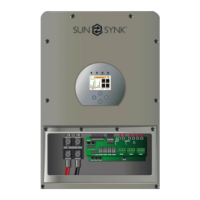
To configure battery settings, click on the BATTERY icon and then on ‘Batt type’.
What this page displays:
Battery capacity in (Ah) – For non-BMS-batteries the range allowed is 0-2000Ah, while
for lithium-ion the inverter will user the capacity value of the BMS.
Max battery charge current (Amps).
What this page displays:
Reset status.
Whether the ‘lock code’ is used or not.
What you can do from this page:
Reset the inverter to the factory
settings.
System diagnostics.







 To Next Page