98
Operation instruction
The cab inner is equipped with air conditioner, the panel is on the left controlling box, and users can
start the air conditioner according to environmental temperature and self requirement, and adjusting
inner temperature. We suggest use the conditioner according to national environmental protection
requirements and conditioner temperature controlling rules.
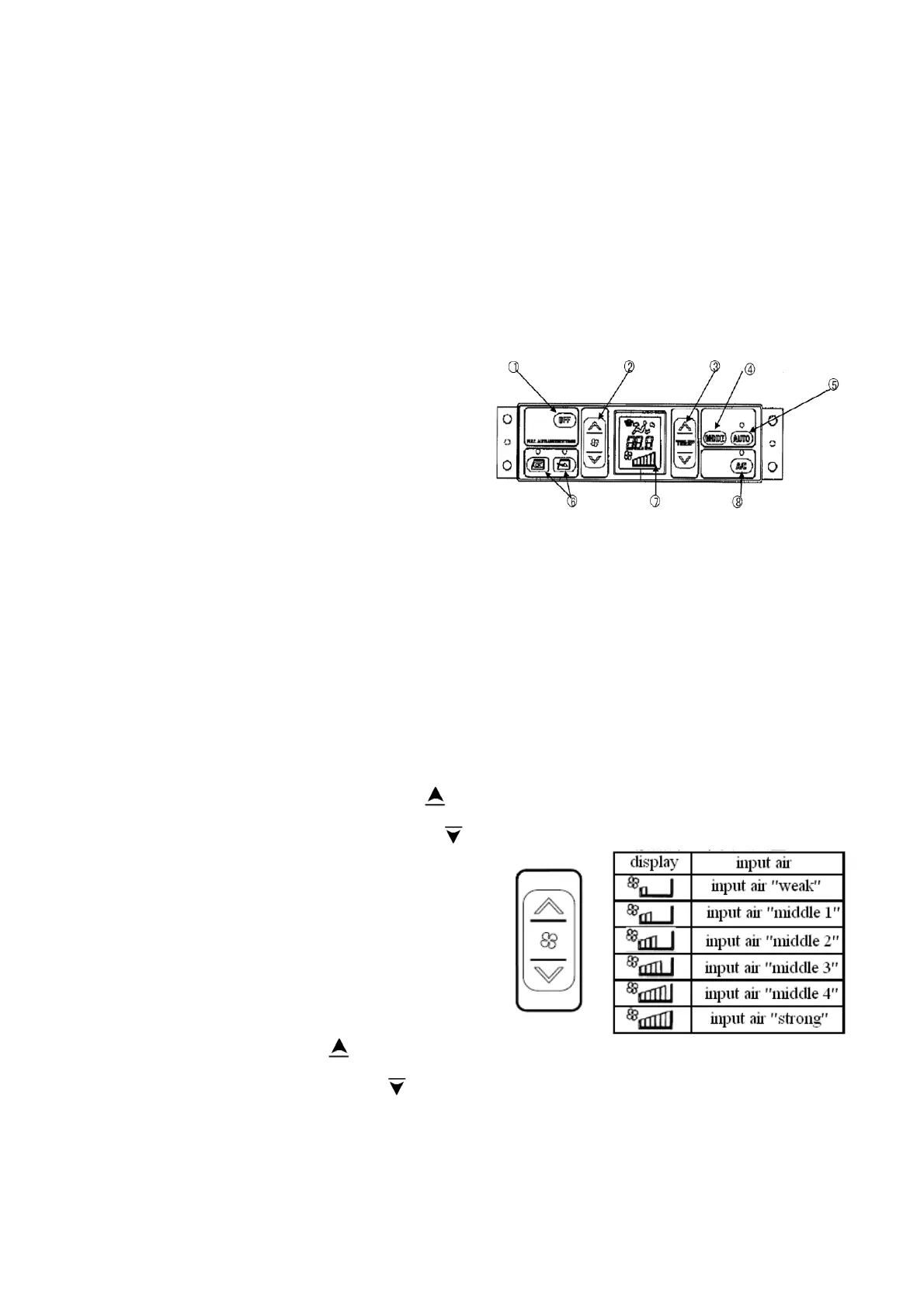
Control panel of air conditioner shows as following picture:
1- close button
2- wind speed setting switch
3- temperature setting switch
4- air outlet mode setting switch
5- auto mode setting switch
6- inner/exterior air-in switch
7-liquid crystal display screen
8-air conditioner start/close switch
Remark: when the function of auto mode setting switch 5, inner/exterior air-in switch 6 and air
conditioner start/close switch 8 are started, the lamp above the switches will be lighted.
The function of buttons and switches are as follows:
Close button 1: start and close control of fan and air conditioner.
Press the OFF switch 1, the display of temperature and input air will disappear on the screen.
The lamp above the auto mode setting switch 5 and air conditioner start/close switch 8 will be
turned off. The running will be paused.
Wind speed setting switch 2: the input air can be set from step 1 to 6. The input air will be
displayed on the screen. Press the button
, the
input air will be strengthened; Press the button
,
the input air will be weakened. When auto mode is
started, the input air will be switched automatically.
Temperature setting switch 3: setting the
temperature of cab inner. The temperature of cab
inner can be set from 18.0 centigrade to 32.0
centigrade. Press the button
, the setting
temperature will rise; Press the button
, the setting temperature will drop. On normal state, the
temperature should be set at 25
centigrade.
Display of the input



 To Next Page