20
2.2.3 BUTTONS
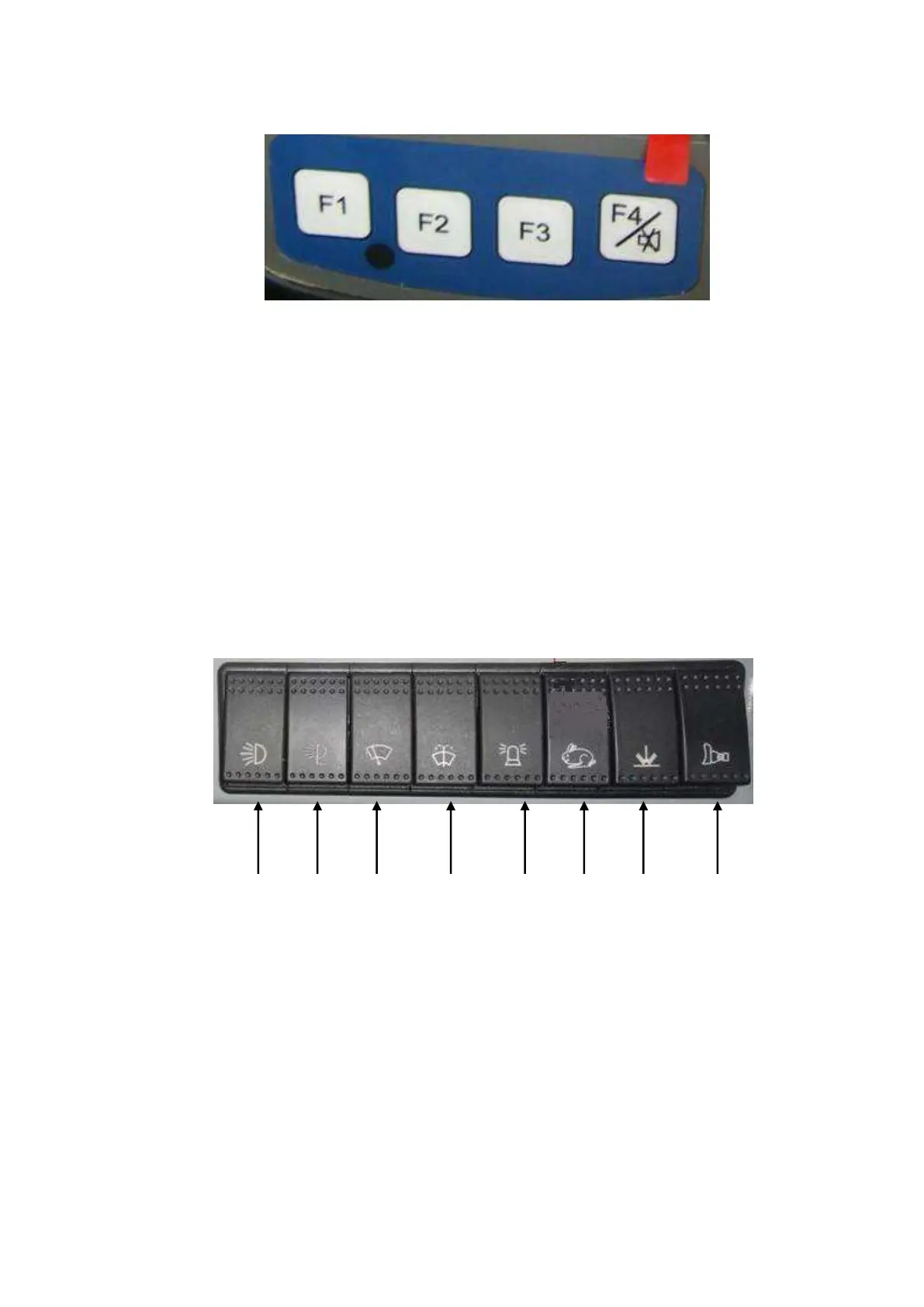
The four buttons of the first line under monitor, their functions will be displayed in monitor, different
description according to different functions. If the description in blank, means corresponding button is useless
at present.
By operating buttons, the monitor will display information as water temperature, oil temperature, oil pressure,
level of oil, model, edition of software and warning values; engine tooth is controllable by buttons.
F1 Examine machine parameter
F2 Set machine meter
F4 Help/Mute button
Users may change clock and stage hourmeter by entering the setting interface. The initial code is 888888.
2.3 CONTROL PANEL
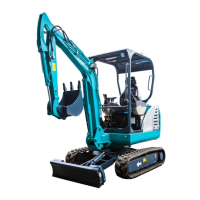
1. Boom light switch
2. Platform light switch
3. Wiper switch
4. Washer switch
5. Warning light switch
6. High speed traveling switch



 To Next Page