EasyManua.ls Logo

Supermicro SuperServer E403-9P-FN2T - Page 43

Supermicro SuperServer E403-9P-FN2T
144 pages
Print Icon
To Next Page IconTo Next Page
To Previous Page IconTo Previous Page
Loading...
43
Chapter 2: Maintenance and Component Installation
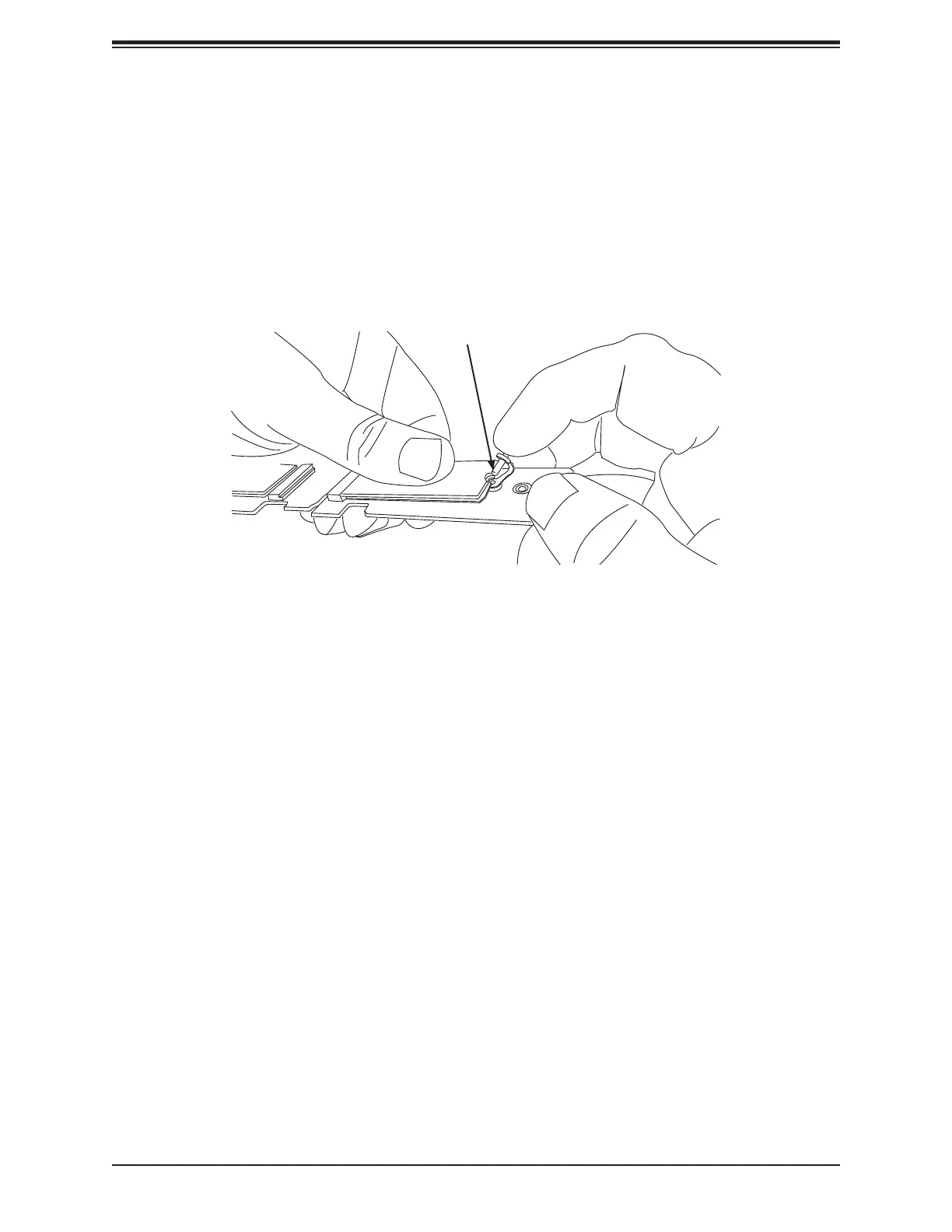
Figure 2-13. Inserting the Stando󰀨 Plug
(Note: 󰀨󰀨
Stando󰀨 Plug
Installing an M.2 SSD
Caution: Use industry-standard anti-static equipment, such as gloves or wrist strap, and
follow precautions to avoid damage caused by ESD.
Locate the M.2󰀨
MH10 and MH11.󰀨
󰀨
󰀨

Table of Contents