10
1-1. Basic function
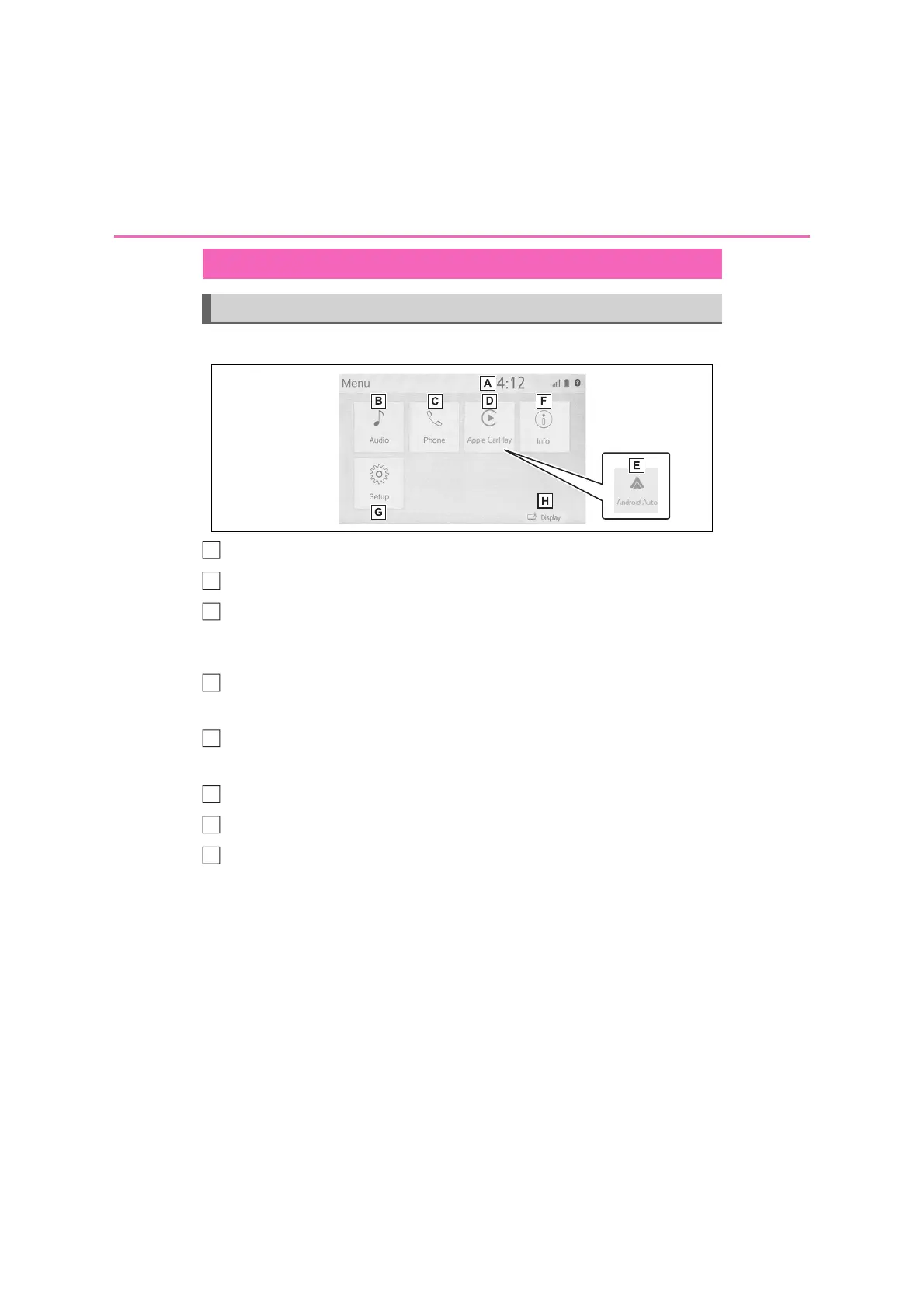
Press the “MENU” button to display the “Menu” screen.
Displays the clock. Select to display the clock settings screen. (P.47)
Select to display the audio control screen. (P.52)
Select to display the hands-free operation screen. (P.108)
• When an Apple CarPlay connection is established, press to display the phone
application screen.
*1
When an Apple CarPlay connection is established, select to display the
home screen of Apple CarPlay.
*1
(P.40)
When an Android Auto connection is established, select to display the
home screen of Android Auto.
*1
(P.41)
Select to display the fuel consumption or energy monitor screen.
*2
Select to display the “Setup” screen. (P.13)
Select to adjust the contrast and brightness of the screens, etc. (P.23)
*1
: This function is not made available in some countries or areas.
*2
: Refer to the “Owner’s Manual”
“Menu” screen
“Menu” screen operation
A
B
E
F
G
H



 To Next Page