53
3
3-1. Basic operation
Audio/visual system
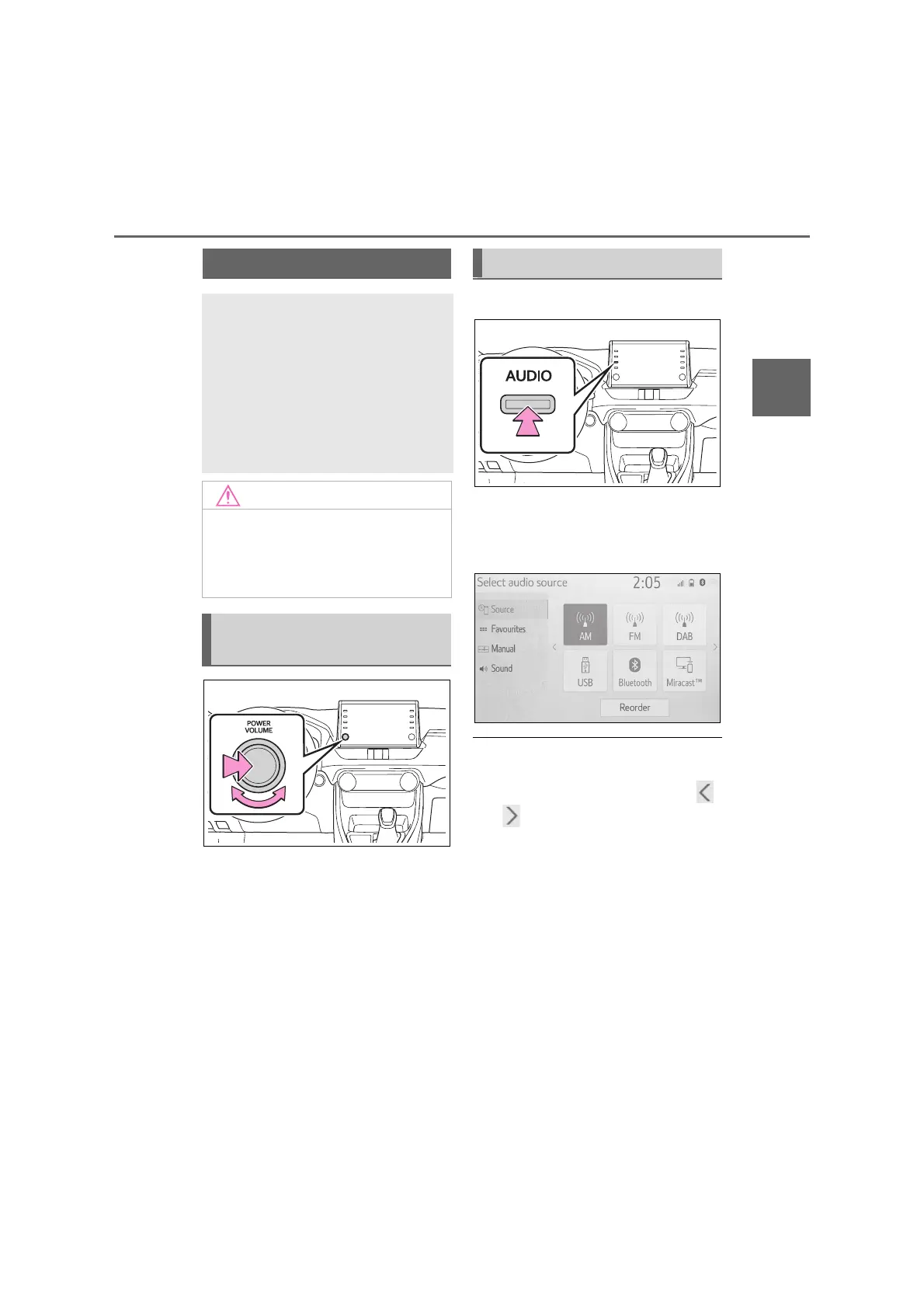
“POWER VOLUME” knob: Press to
turn the audio/visual system on and
off. The system turns on in the last
mode used. Turn this knob to adjust
the volume.
1 Press the “AUDIO” button.
2 Select “Source” or press
“AUDIO” button again.
3 Select the desired source.
● Dimmed screen buttons cannot be
operated.
● When there are two pages, select
or to change the page.
● When an Apple CarPlay/Android Auto
connection is established, some sys-
tem functions, such as the following,
will be replaced by similar Apple
CarPlay/Android Auto function or will
become unavailable:
• iPod (Audio Playback)
• USB audio/USB video
• Bluetooth
®
audio
Some basics
This section describes some of
the basic features of the
audio/visual system. Some
information may not pertain to
your system.
Your audio/visual system
works when the power switch
is in ACC or ON.
● To prevent the 12-volt battery from
being discharged, do not leave the
audio/visual system on longer than
necessary when the hybrid system
is not operating.
Turning the system on and
off
Selecting an audio source



 To Next Page