76
3-5. Setup
3-5.Setup
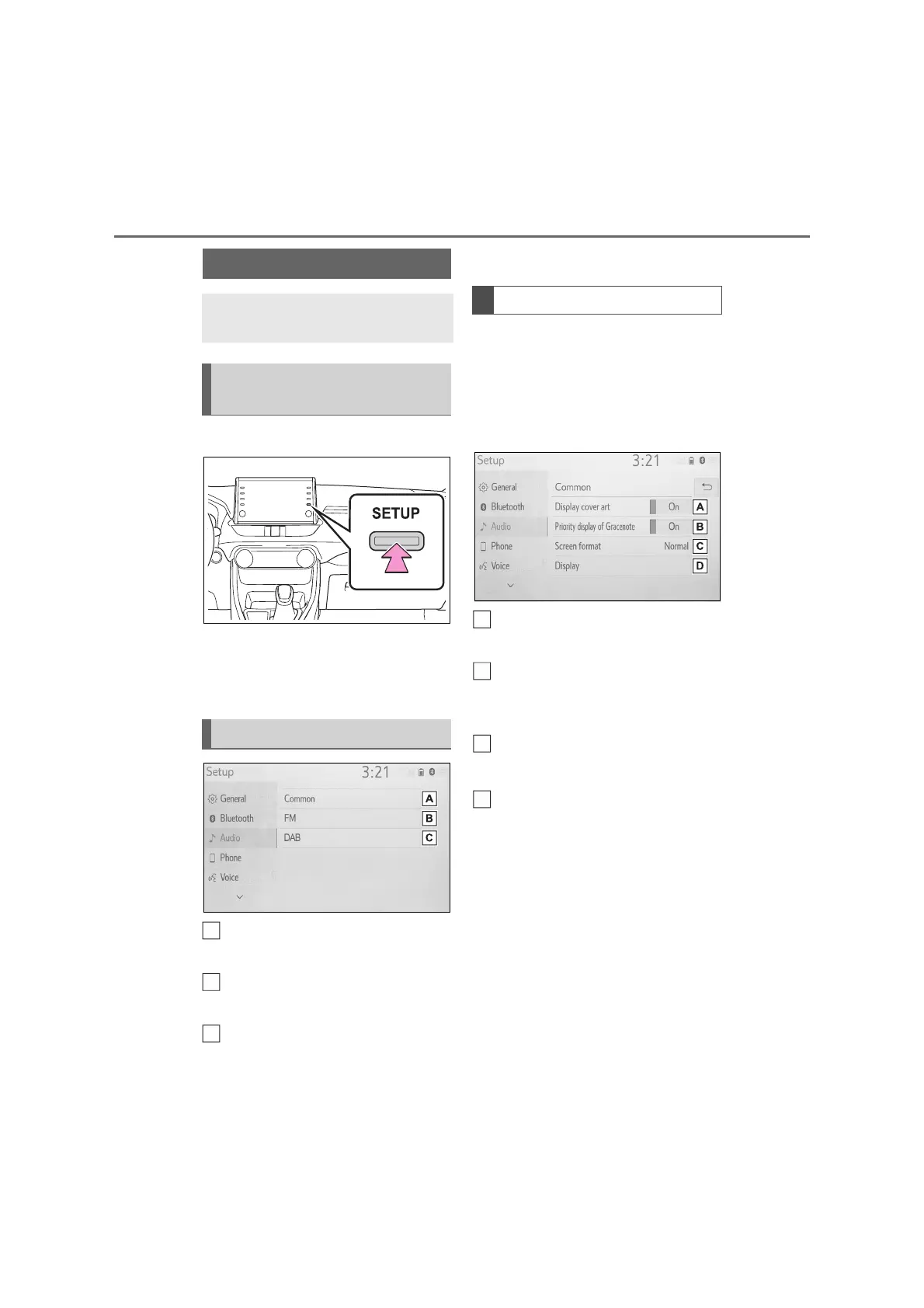
1 Press the “SETUP” button.
2 Select “Audio”.
3 Select the desired items to be
set.
Select to set the common set-
tings. (P.76)
Select to set detailed FM radio
settings. (P.60)
Select to set detailed DAB set-
tings.
*
(P.60)
*
: If equipped
1 Display the audio settings
screen. (P.76)
2 Select “Common”.
3 Select the desired items to be
set.
Select to set the cover art dis-
play on/off.
Select to prioritize the display of
information from the Gracenote
database.
Select to change the screen for-
mat for video output.
*
(P.56)
Select to display the image qual-
ity adjustment screen.
*
(P.56)
*
: Depending on the audio source,
some functions may not be available.
Audio settings
Detailed audio settings can be
programmed.
Displaying the audio set-
tings screen
Audio settings screen
A
B
C
Common settings
A
B
C
D



 To Next Page