86
4-1. Speech command system operation
4-1.Spee ch command sy stem operation
● Voice recognition language can be
changed. P.46
● This function is compatible with the
following languages:
•English
•French
•German
• Spanish
• Italian
•Dutch
• Portuguese
•Polish
•Czech
•Danish
• Norwegian
•Swedish
• Finnish
• Russian
•Greek
• Turkish
•Flemish
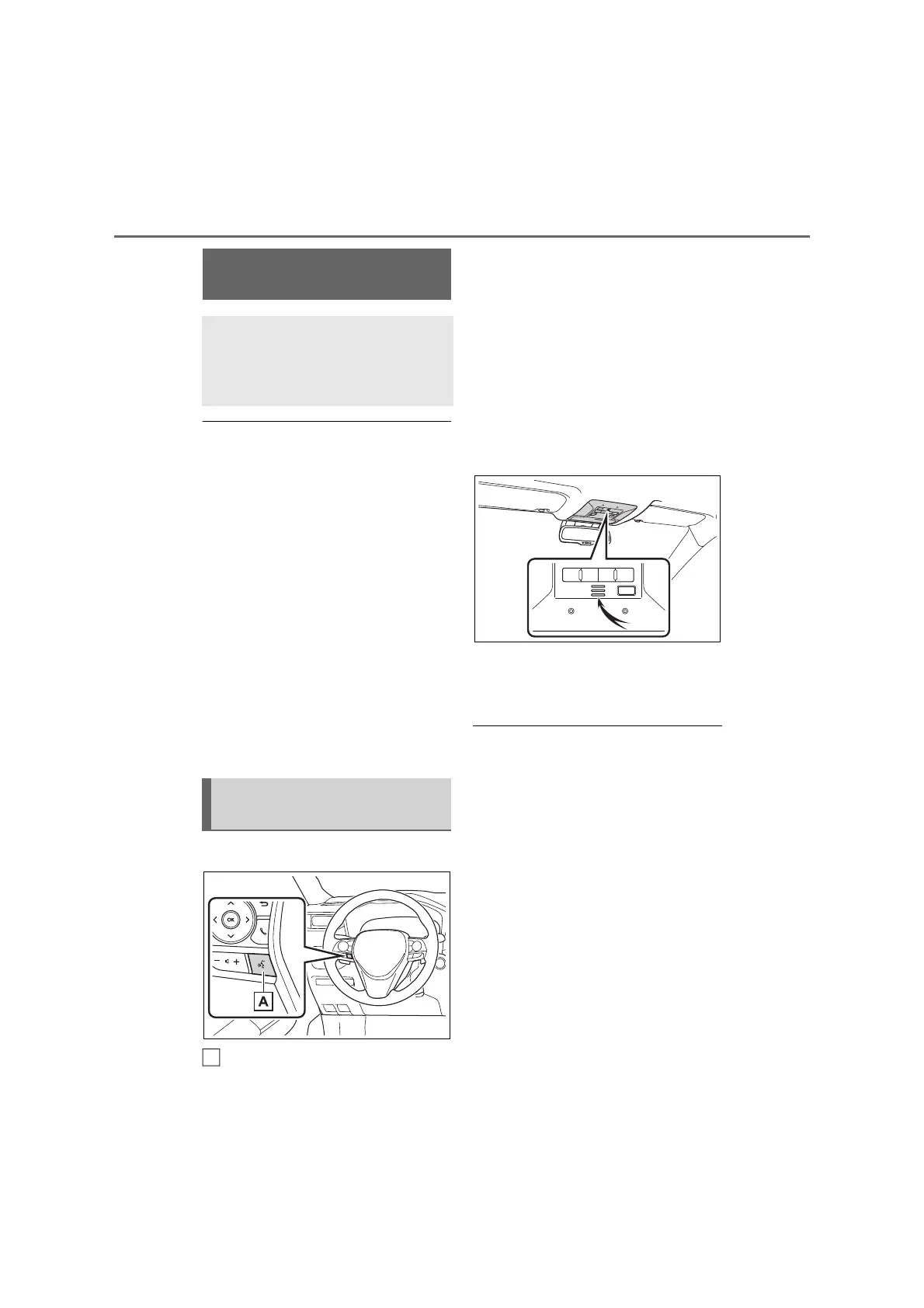
■ Steering switch
Talk switch
• Press the talk switch to start the
speech command system.
• To cancel the speech command,
press and hold the talk switch.
When an Apple CarPlay/Android Auto
connection is established:
• Press and hold the talk switch to start
Siri/Google Assistant. To cancel
Siri/Google Assistant, press the talk
switch.
■ Microphone
It is unnecessary to speak
directly into the microphone
when giving a command.
● Speech commands may not be recog-
nized if:
• Spoken too quickly.
• Spoken at a low or high volume.
• The roof or windows are open.
• Passengers are talking while speech
commands are spoken.
• The fan speed of the air conditioning
system is set at high.
• The air conditioning vents are turned
towards the microphone.
● In the following conditions, the system
may not recognize the command
properly and using speech commands
may not be possible:
• The command is incorrect or unclear.
Note that certain words, accents or
speech patterns may be difficult for
the system to recognize.
• There is excessive background noise,
such as wind noise.
Speech command sys-
tem
The speech command system
enables the radio, phone dial-
ing, etc. to be operated using
speech commands.
Using the speech command
system
A



 To Next Page