46
2-4. Other settings
2-4.Othe r settings
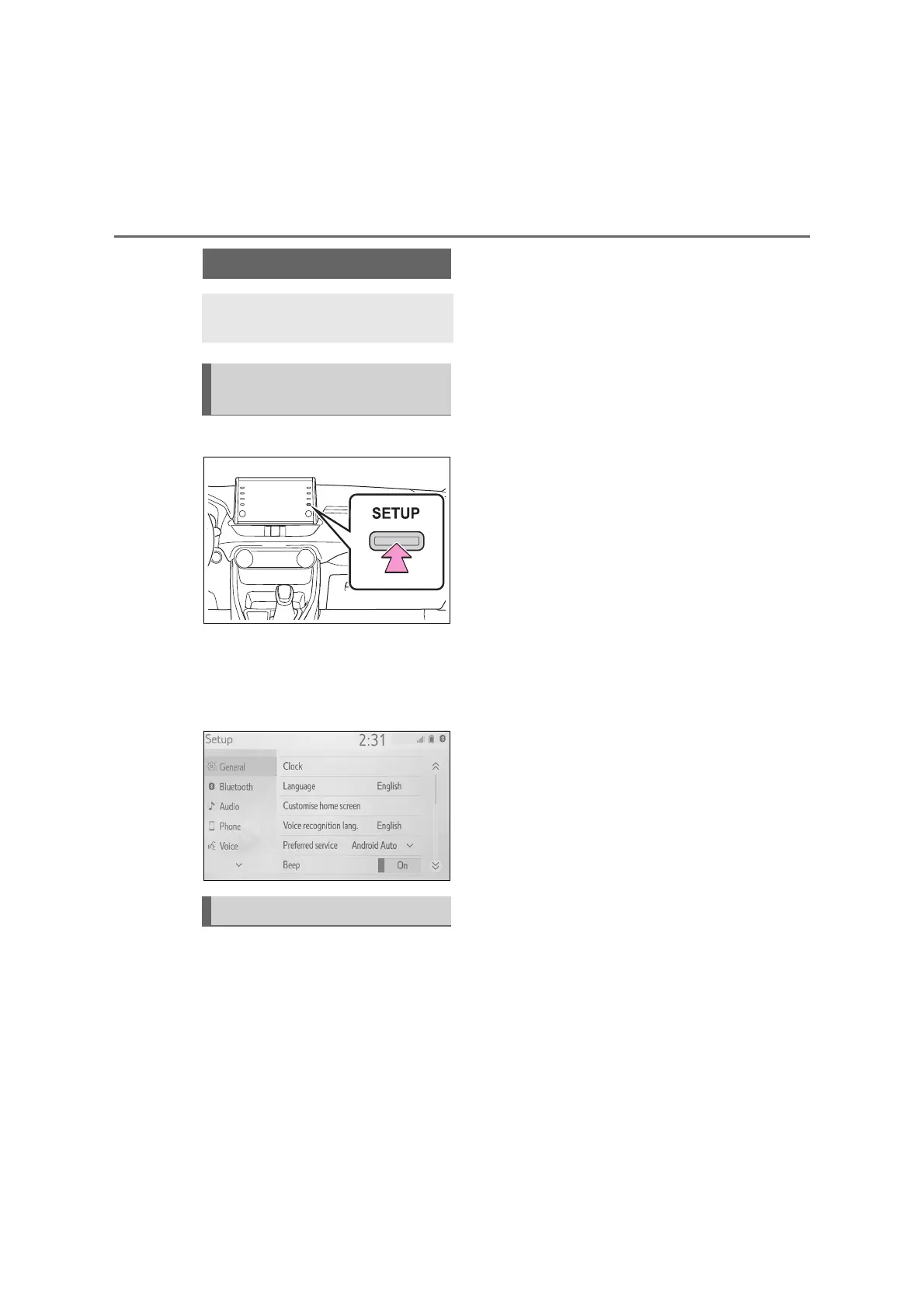
1 Press the “SETUP” button.
If the general settings screen is
not displayed, select “General”.
2 Select the desired items to be
set.
“Clock”
Select to change the time zone and
select “On” or “Off” for daylight saving
time, automatic adjustment of the clock,
etc. (P.47)
“Language”
Select to change the language. The
language settings of Apple Car
Play/Android Auto can only be changed
on the connected device.
“Customise home screen”
Select to customize the home screen.
(P.19)
“Voice recognition lang.”
Select to change the voice recognition
language.
“Preferred service”
Select to choose the service to launch
when the smartphone is connected.
(P.48)
“Beep”
Select to turn the beep sound on/off.
“Theme setting”
Select to change the screen theme set-
tings.
“Units of measurement”
Select to change the unit of measure
for fuel consumption.
“Delete keyboard history”
Select to delete the keyboard history.
“Memorise keyboard history”
Select to set the memorize keyboard
history on/off.
“Animation”
Select to set the animations on/off.
“Delete personal data”
Select to delete personal data. (P.48)
“Software update”
Select to update software versions. For
details, contact a SUZUKI dealer or a
qualified workshop.
“Gracenote database update”
General settings
Settings are available for
clock, operation sounds, etc.
Displaying the general set-
tings screen
General settings screen



 To Next Page