47
2
2-4. Other settings
Basic function
Select to update Gracenote
®
database
versions. For details, contact a SUZUKI
dealer or a qualified workshop.
“Software information”
Select to display the software informa-
tion. Notices related to third party soft-
ware used in this product are enlisted.
(This includes instructions for obtaining
such software, where applicable.)
“SW sensitivity level”
Select to change the capacitive touch
screen button sensitivity to 1 (low), 2
(medium), or 3 (high).
1 Display the general settings
screen. (P.46)
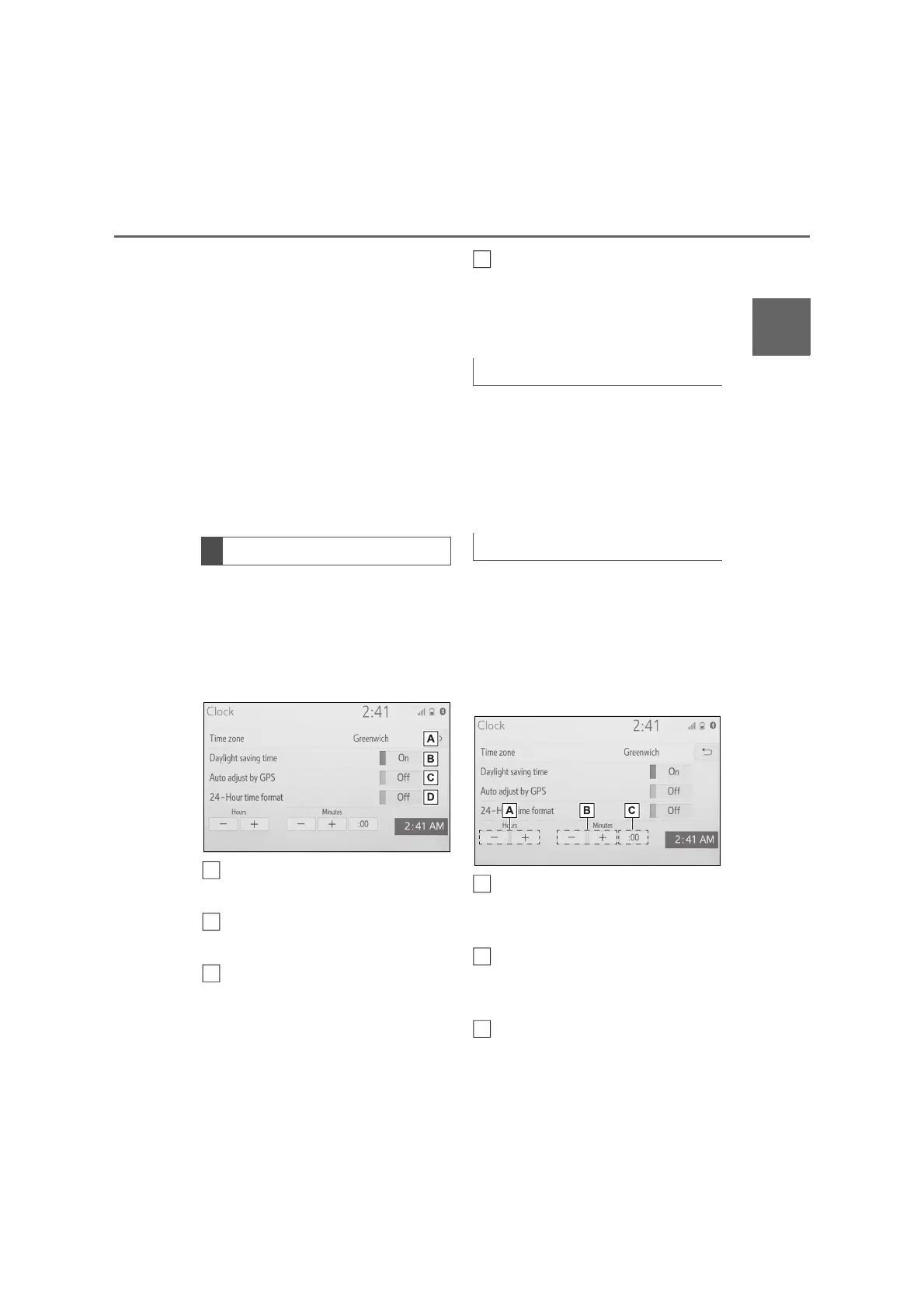
2 Select “Clock”.
3 Select the desired items to be
set.
Select to change the time zone.
(P.47)
Select to set daylight saving
time on/off.
Select to set automatic adjust-
ment of the clock by GPS on/off.
When set to off, the clock can be
manually adjusted. (P.47)
Select to set the 24 hour time
format on/off.
When set to off, the clock is dis-
played in 12 hour time format.
1 Select “Time zone”.
2 Select the desired time zone.
If “Other” is selected, the zone
can be adjusted manually. Select
“+” or “-” to adjust the time zone.
When “Auto adjust by GPS” is
turned off, the clock can be manu-
ally adjusted.
1 Select “Auto adjust by GPS” to
set to off.
2 Adjust the clock manually.
Select “+” to set the time forward
one hour and “-” to set the time
back one hour.
Select “+” to set the time forward
one minute and “-” to set the
time back one minute.
Select to round to the nearest
hour.
Clock settings
A
B
C
Time zone
Manual clock setting
A
B
C



 To Next Page