123
6
6-2. Setup
Phone
6-2.Setup
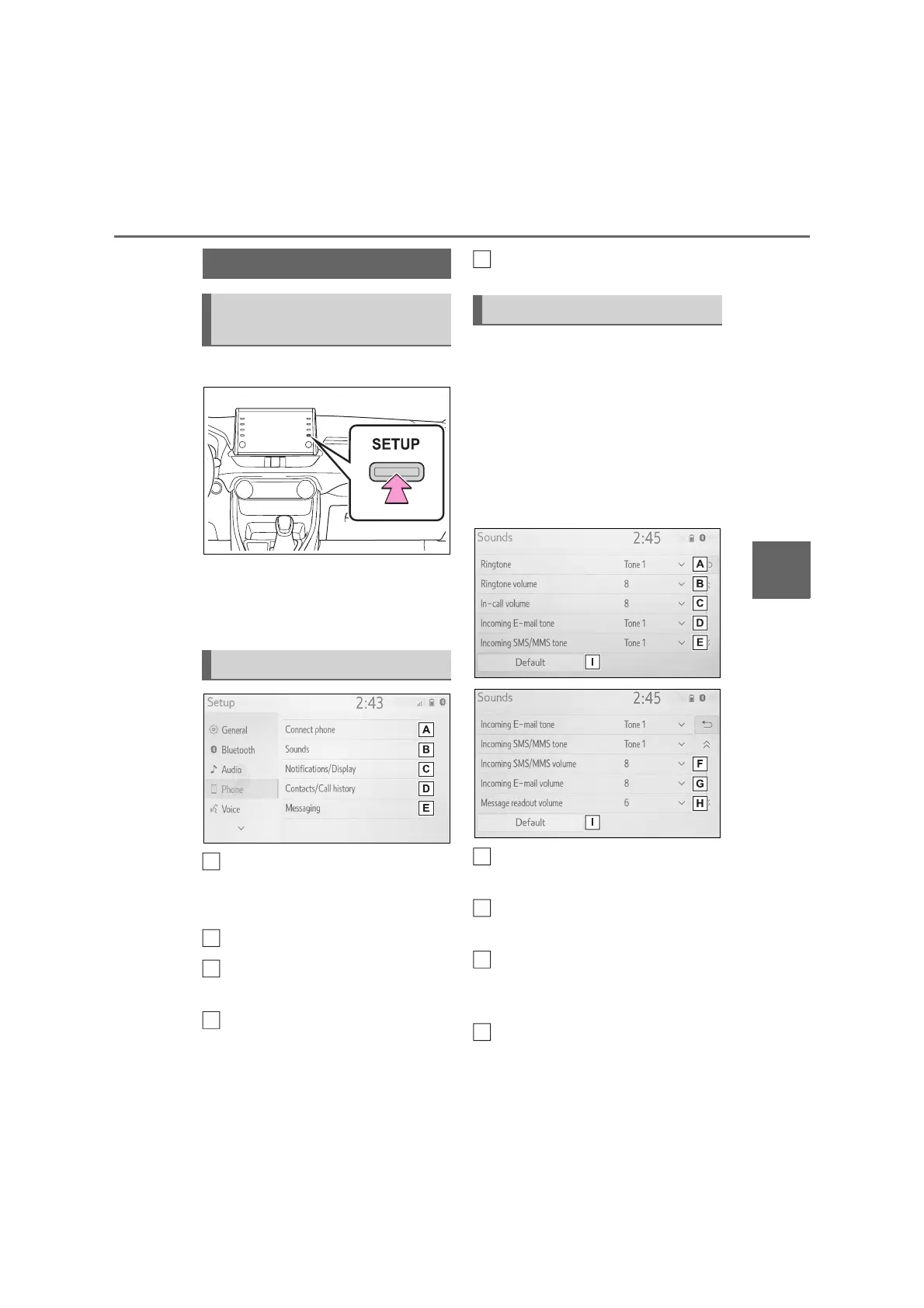
1 Press the “SETUP” button.
2 Select “Phone”.
3 Select the desired item to be
set.
Connecting a Bluetooth
®
device
and editing the Bluetooth
®
device information (P.31, 33)
Sound settings (P.123)
Notifications/display settings
(P.124)
Contact/call history settings
(P.125)
Message settings (P.130)
The call and ringtone volume can
be adjusted. A ringtone can be
selected.
1 Display the phone settings
screen. (P.123)
2 Select “Sounds”.
3 Select the desired item to be
set.
Select to set the desired
ringtone.
Select “-” or “+” to adjust the
ringtone volume.
Select “-” or “+” to adjust the
default volume of the other
party’s voice.
Select to set the desired incom-
ing e-mail tone.
Phone settings
Displaying the phone set-
tings screen
Phone settings screen
B
C
D
Sounds settings screen
A
B
C
D



 To Next Page