74
3-4. Audio/visual remote controls
3-4.Audio /visual remote controls
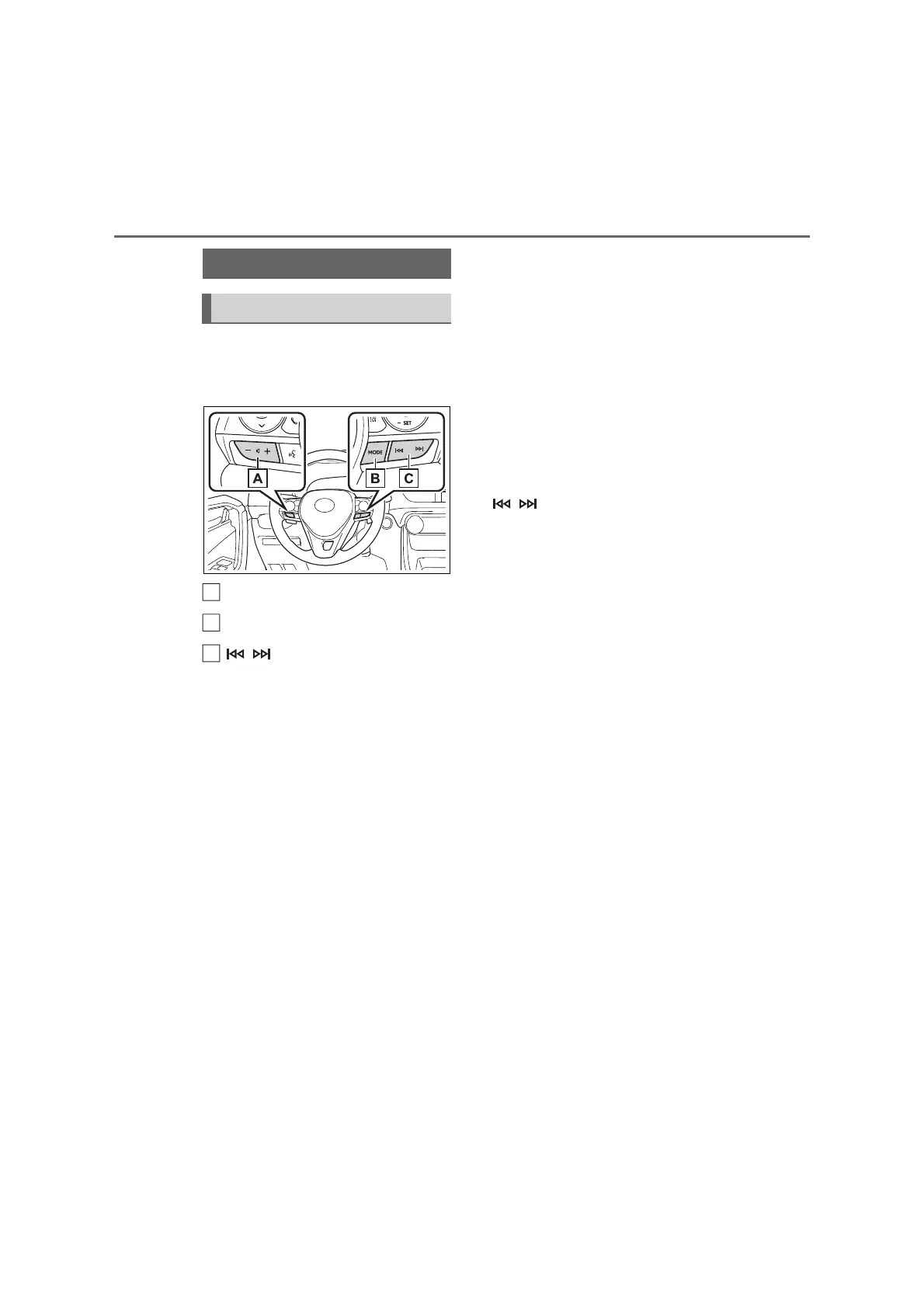
Some parts of the audio/visual sys-
tem can be adjusted using the
switches on the steering wheel.
Volume control switch
“MODE” switch
switch
■ Volume control switch
• Press: Volume up/down
• Press and hold (0.8 sec. or
more): Volume up/down continu-
ously
■ “MODE” switch
AM/FM/DAB
*1
• Press: Change audio modes
• Press and hold (0.8 sec. or
more): Mute/pause
*2
(Press and
hold again to resume.)
USB
*3, 4
, iPod/iPhone
*4
, Android
Auto
*3
, Bluetooth
®
audio
*3, 4
• Press: Change audio modes
• Press and hold (0.8 sec. or
more): Pause (Press and hold
again to resume the play mode.)
*1
: If equipped
*2
: If cached radio is enabled, pressing
and holding the “MODE” switch
pauses the broadcast. (Press and
hold again to play back the cached
radio program.)
*3
: When an Apple CarPlay connection
is established, this function will be
unavailable.
*4
: When an Android Auto connection is
established, this function will be
unavailable.
■ switch
AM/FM
• Press: Preset stations up/down
(Favourites screen) Station
up/down (Station list screen)
Seek up/down (Manual tuning
screen)
• Press and hold (0.8 sec. or
more): Seek up/down continu-
ously while the switch is being
pressed (Manual tuning screen)
DAB
*1
• Press: Preset services/stations
up/down (Favourites screen)
Service/station up/down (Ser-
vice/station list screen) Seek
up/down (Manual tuning screen)
• Press and hold (0.8 sec. or
more): Seek up/down continu-
ously while the switch is being
pressed (Manual tuning screen)
USB
*2, 3
, iPod/iPhone
*3
,
Bluetooth
®
audio
*2, 3
• Press: Track/file up/down
• Press and hold (0.8 sec. or
more): Fast forward/rewind
Steering switches
Steering switch operation
A
B



 To Next Page