67
3
3-3. Media operation
Audio/visual system
• shuffle (1 album shuffle) album
shuffle (all album shuffle) off
*
: This function is not made available in
some countries or areas.
The Android Auto operation screen
can be reached by the following
methods: P.53
Connecting an Android device
(P.54)
When an Apple CarPlay connec-
tion is established, this function
will be unavailable.
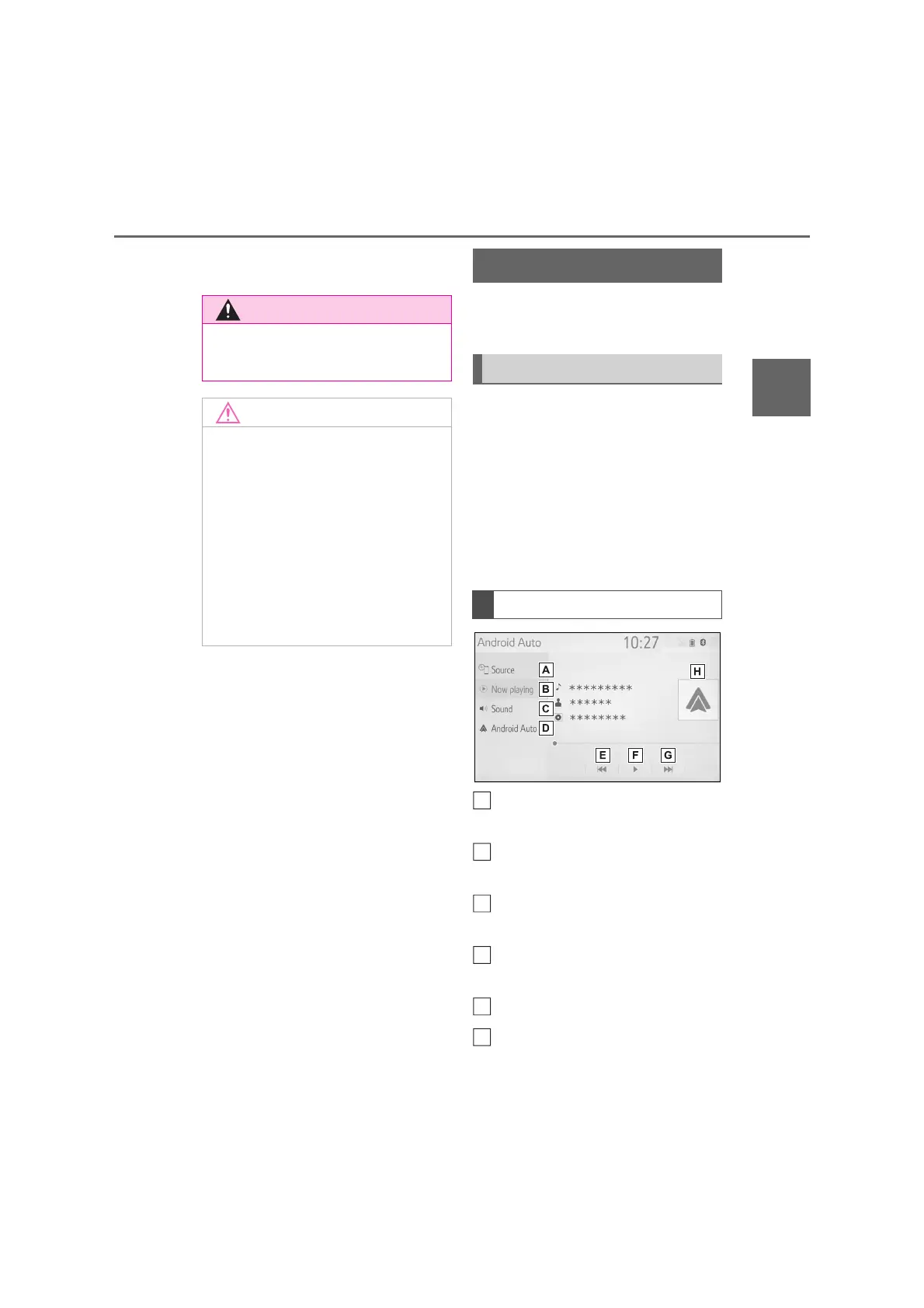
Select to display the audio
source selection screen.
Select to return to the top
screen.
Select to display the sound set-
ting screen. (P.54)
Select to display the audio con-
trol screen of Android Auto.
Select to change the track.
Select to play/pause.
● Do not operate the player’s controls
or connect the iPod/iPhone while
driving.
● Do not leave your portable player in
the car. In particular, high tempera-
tures inside the vehicle may dam-
age the portable player.
● Do not push down on or apply
unnecessary pressure to the porta-
ble player while it is connected as
this may damage the portable
player or its terminal.
● Do not insert foreign objects into
the port as this may damage the
portable player or its terminal.
Android Auto
*
Overview
Control screen
A
B
C
E
F



 To Next Page