110
6-1. Phone operation (Hands-free system for cellular phones)
To use the hands-free system for
cellular phones, it is necessary to
register a cellular phone with the
system. (P.26)
■ Connecting a Bluetooth
®
device
Registering an additional device
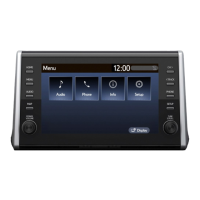
1 Display the phone top screen.
(P.108)
2 Select “Select device”.
3 Select “Add device”.
When another Bluetooth
®
device
is connected, a confirmation
screen will be displayed. To dis-
connect the Bluetooth
®
device,
select “Yes”.
4 Follow the steps in “Registering
a Bluetooth
®
phone for the first
time” from step 5. (P.26)
Selecting a registered device
1 Display the phone top screen.
(P.108)
2 Select “Select device”.
3 Select the desired device to be
connected.
4 Check that a confirmation
screen is displayed when the
connection is complete.
If an error message is displayed,
follow the guidance on the
screen to try again.
■ Bluetooth
®
phone condition
display
The condition of the Bluetooth
®
phone appears on the upper right
side of the screen. (P.11)
■ Steering switch
By pressing the phone switch, a call
can be received or ended without
taking your hands off the steering
wheel.
● Before using Bluetooth
®
devices,
users of any electrical medical
device other than implantable car-
diac pacemakers, cardiac resyn-
chronization therapy-pacemakers
or implantable cardioverter defi-
brillators should consult the manu-
facturer of the device for
information about its operation
under the influence of radio waves.
Radio waves could have unex-
pected effects on the operation of
such medical devices.
● Do not leave your cellular phone in
the vehicle. The temperature inside
may rise to a level that could dam-
age the phone.
Registering/Connecting a
Bluetooth
®
phone
Using the phone
switch/microphone


 To Next Page