133
6
6-3. What to do if...
Phone
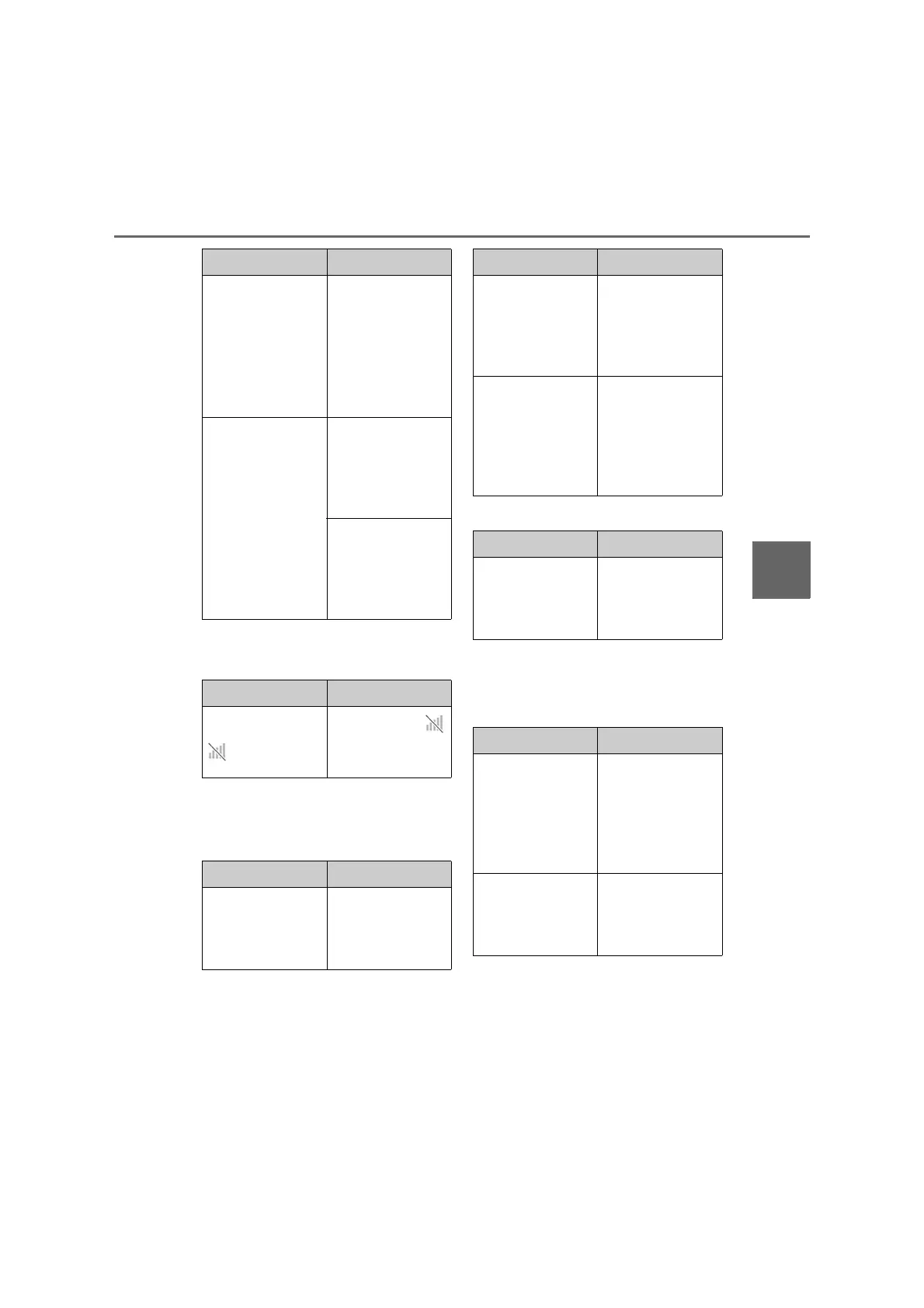
■ When making/receiving a call
A call cannot be made/received.
■ When using the phonebook
Phonebook data cannot be trans-
ferred manually/automatically.
Phonebook data cannot be edited.
■ When using the Bluetooth
®
message function
Messages cannot be viewed.
New message notifications are not
displayed.
Automatic
Bluetooth
®
con-
nection on this
system is set to off.
Set automatic
Bluetooth
®
con-
nection on this
system to on when
the power switch is
in ACC or ON.
(P.35)
Preferred device
settings function
on this system is
set to on.
Set preferred
device settings
function on this
system to off.
(P.35)
Set the desired
cellular phone to
the highest auto-
matic connection
priority. (P.36)
Likely cause Solution
Your vehicle is in a
area.
Move to where
no longer appears
on the display.
Likely cause Solution
Automatic contact
transfer function
on this system is
set to off.
Set automatic con-
tact transfer func-
tion on this system
to on. (P.125)
Likely cause Solution
Passcode has not
been entered on
the cellular phone.
Enter the pass-
code on the cellu-
lar phone if
requested (default
passcode: 1234).
Transfer operation
on the cellular
phone has not
completed.
Complete transfer
operation on the
cellular phone
(approve transfer
operation on the
phone).
Likely cause Solution
Automatic contact
transfer function
on this system is
set to on.
Set automatic con-
tact transfer func-
tion on this system
to off. (P.125)
Likely cause Solution
Message transfer
is not enabled on
the cellular phone.
Enable message
transfer on the cel-
lular phone
(approve mes-
sage transfer on
the phone).
Automatic transfer
function on this
system is set to off.
Set automatic
transfer function
on this system to
on. (P.125)
Likely cause Solution


 To Next Page