11. CAMERA/VIDEO/FUSION-Link
11-7
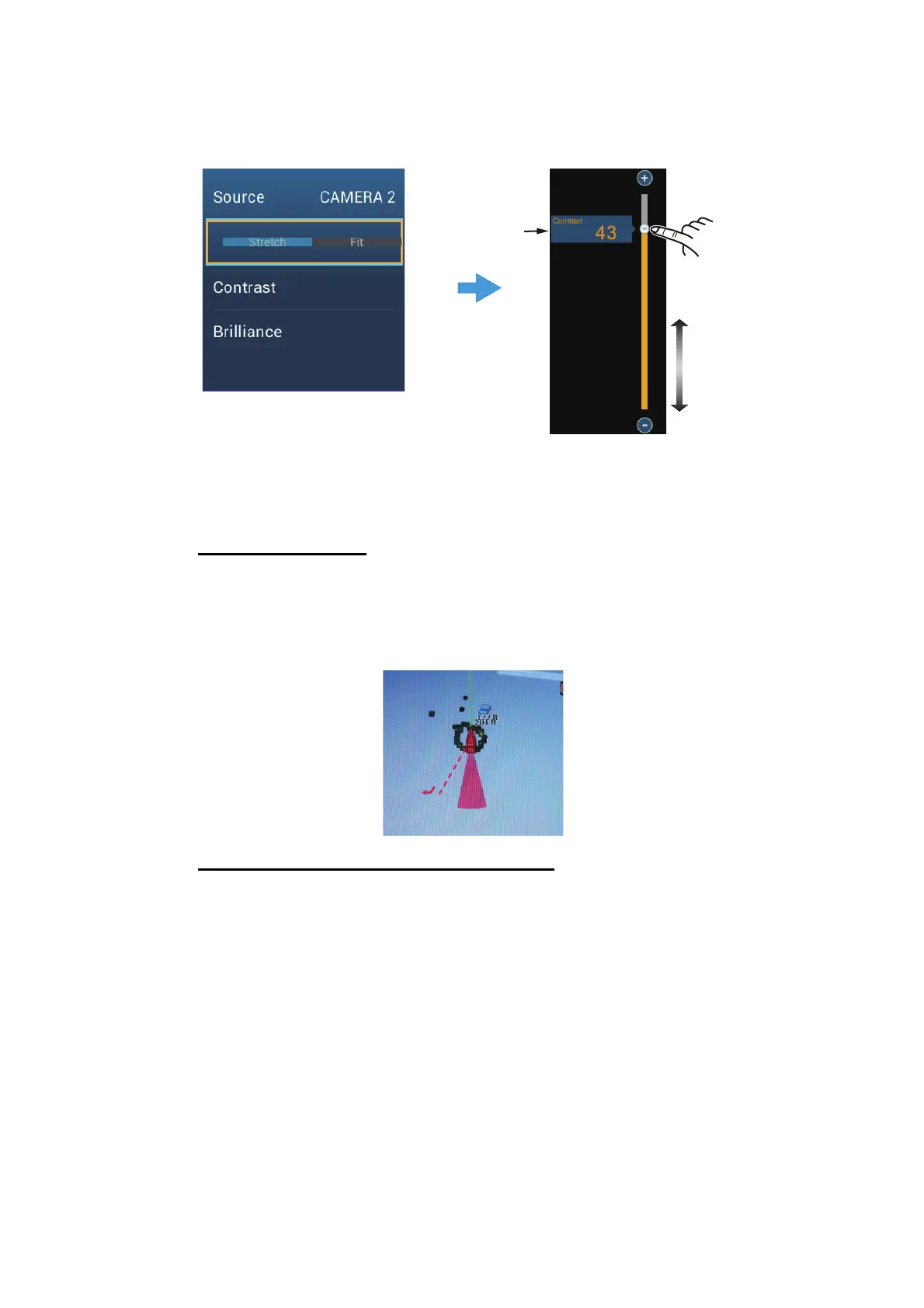
11.3.4 How to adjust the video image
Tap the screen to show the pop-up menu. Tap [Contrast] or [Brilliance] on the pop-up,
then drag the slider to adjust.
11.4 Control of FLIR Camera
[Camera FoV] menu
You can display the field of view by the FLIR camera on the plotter display.
1. Tap the boat icon to display the pop-up menu.
2. Tap [Cone]. The boat icon is put inside a red translucent circle.
[Move Camera] and [Lock Camera] menus
You can rotate the FLIR camera about the position you select (touch) on the plotter or
radar display. Open the pop-up menu then tap [Lock Camera]. To track the position,
tap [Move Camera] on the pop-up menu. To disable the camera tracking, tap [Unlock
Camera] on the pop-up menu.
11.5 Tracking Active Waypoint, MOB
The camera can be set to automatically track the active waypoint and/or MOB. Open
the [Settings] - [Camera] menu and then turn on [Automatic Lock on Active Waypoint]
or [Automatic Lock on MOB].
Drag slider
(or tap bar,
+, - icons)
Current setting
(ex. Contrast)
Tap screen to show pop-up menu.
Tap [Contrast] or [Brilliance].



 To Next Page