1. SYSTEM INTRODUCTION
1-20
1.9 Data Area
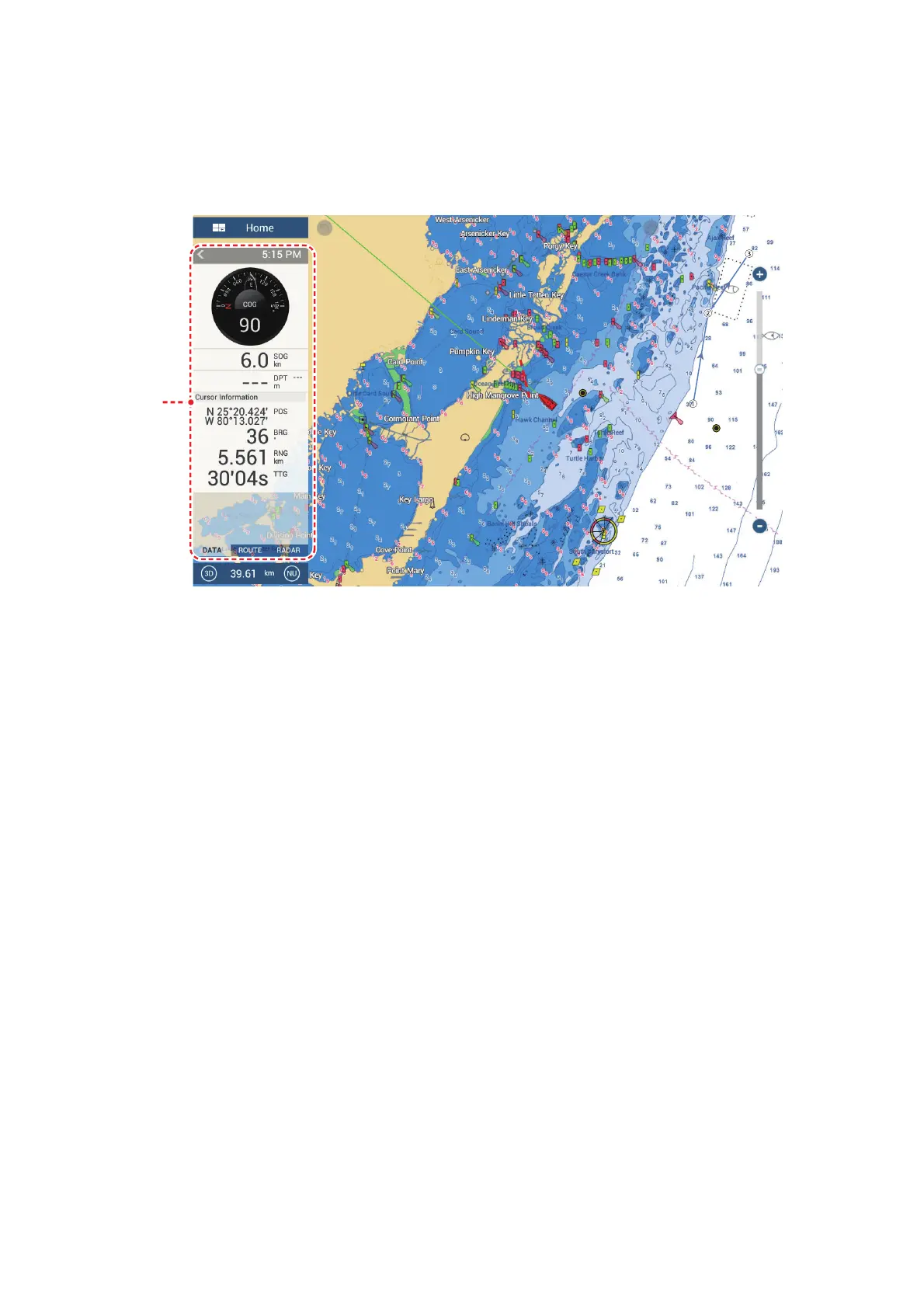
The data area at the left side of the screen shows various navigation data, in movable
and editable data boxes. You can select the data to display, select format (analog or
digital) for data and change the order of the data. Data availability depends on your
system configuration.
Note: The data display is also available in the 2- and 3-way split screens, on the left
screen.
Two types of data sets* are available, navigation data, route data, and radar. Select
the desired set with [DATA], [ROUTE] or [RADAR]* at the bottom of the data area.
* With connection of radar sensor.
1.9.1 How to change the order of the data
Drag and drop the data boxes to change their order.
Data
area



 To Next Page