2. ENGINE DISPLAY
2-18
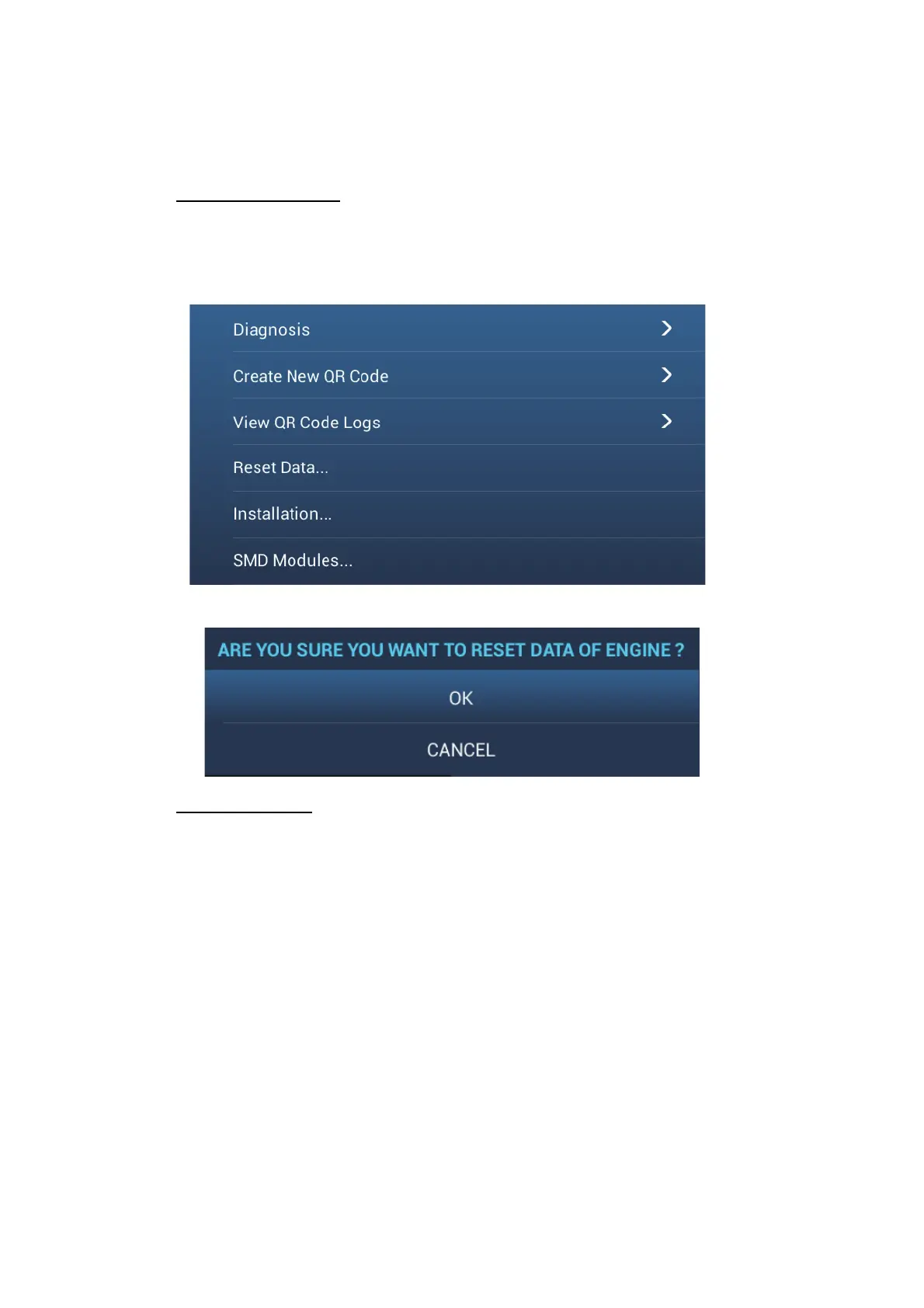
2.5 Reset Data
[ENG TRIP TIME], [ENG TRIP DIST], [ECON AV], [FUEL USED] can be reset.
Another data except above can be also reset.
Standard operation
1. Open the home screen, then tap the [Settings] - [Engine Setup].
2. Swipe the Sub menus screen.
3. Tap the [Reset Data...].
4. Tap the pop-up menu [OK].
Quick operation
1. Swipe leftward from the right edge.
2. Tap the [Engine Setup].
3. Tap the [Reset Data...].
4. Tap the pop-up menu [OK].
2.6 SMD Modules
You can unlock the radar and fishfinder functions with the following procedure.
Note: A password is required for unlocking each function. Contact FURUNO dealer
regarding the password.
1. Tap the [Home] icon to show the home screen.
2. Tap the [Settings].
3. Tap the [Engine Setup].
4. Tap the [SMD Modules...].



 To Next Page