30 A-96.250.871 / 120417
AMI CACE
Operation
5. Operation
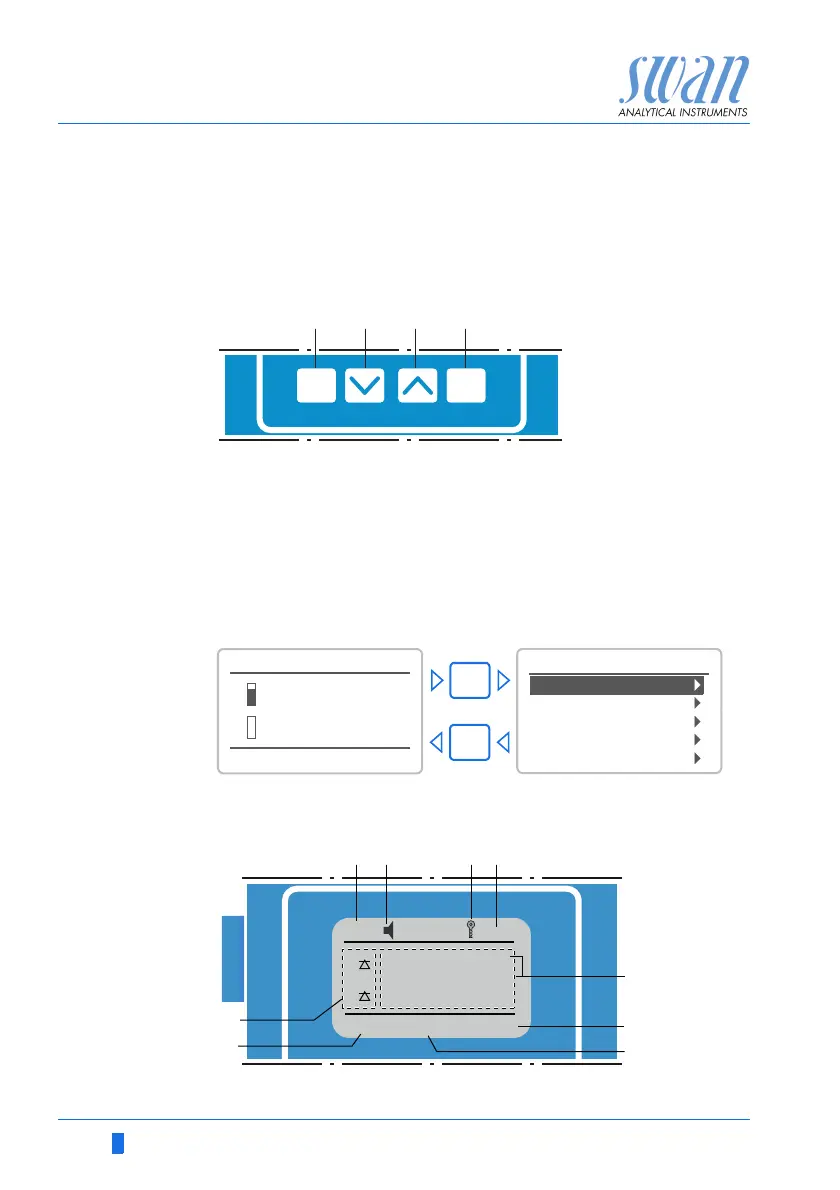
5.1. Keys
Program
Access, Exit
5.2. Display
Example of
Display 1
A to exit a menu or command (rejecting any changes)
to move back to the previous menu level
B to move DOWN in a menu list and to decrease digits
C to move UP in a menu list and to increase digits
to switch between display 1 and 2
D to open a selected sub-menu
to accept an entry
25.4°C
RUN
4 l/h
14:10:45
R1
8.45 _S
0.178
S
R2
1
Installation
Operation
Diagnostics
Messages
Maintenance
Main Menu
Enter
Exit
RUN
15:20:18
R1
R2
4.0 l/h 21.8°C
22.1°C
µSsc
1
cc
8.79
0.178
µS
9.50
pH
AB D
E
1
F
I
H
G
C



 To Next Page