15. ELECTRICAL EQUIPMENT
15-16
Switch / Horn
Remove handle covers and front cover.
Remove main switch cover.
Remove front inner box.
Check continuity on each switch.
The connected circles with a line are that they
should be in continuity.
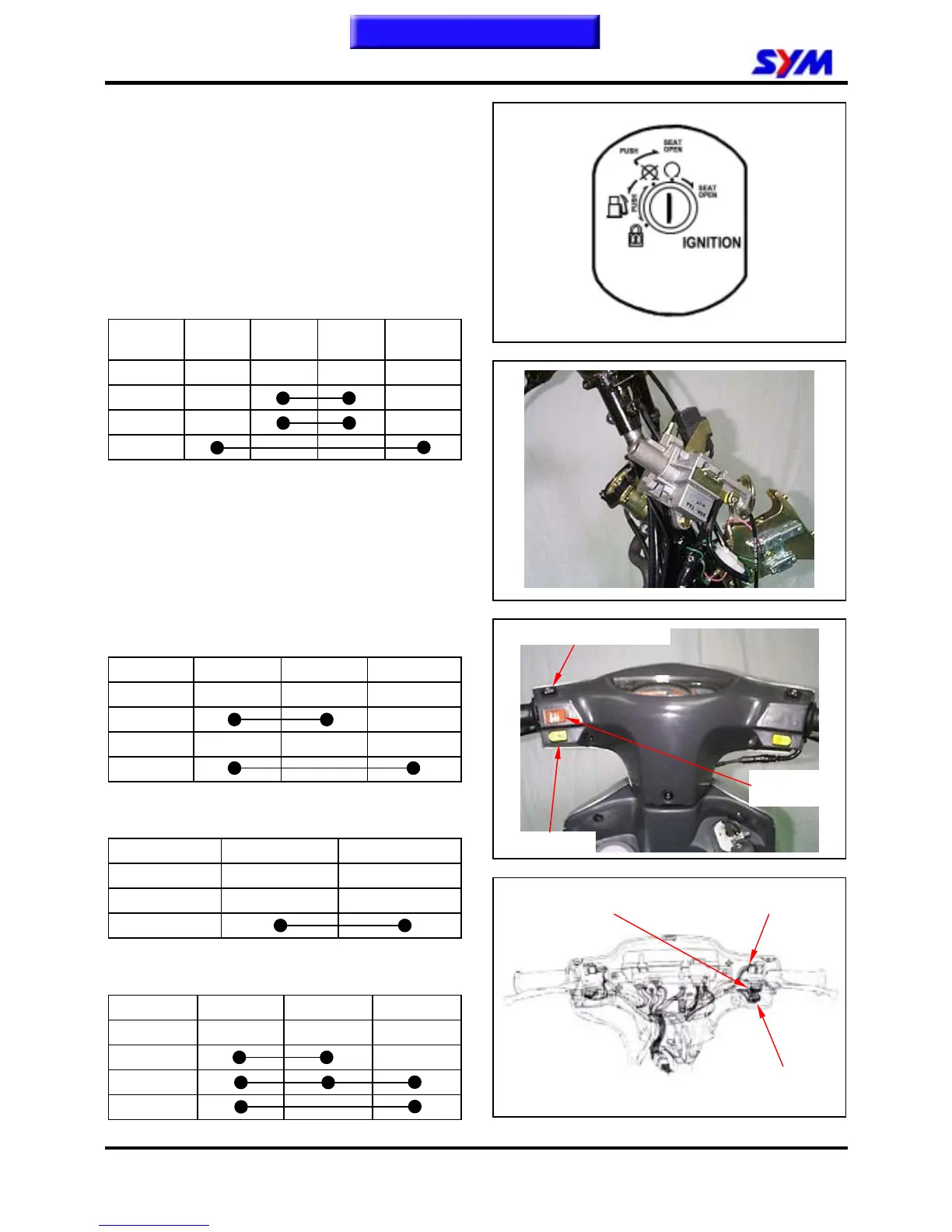
Main Switch
Wire
color
Black
Black /
White
Green Red
Mark BAT2 IG E BAT1
LOCK
OFF
ON
Winker light switch
Wire color Gray Light blue Orange
Mark WR R L
R
N
L
Horn Switch
Wire color Light green Black
Mark HO BAT2
FREE
PUSH
High/Low Beam switch
Wire color Brown White Blue
Mark HL LO HI
LO
(N)
HI
High / low beam switch
Winker light
switch
Horn switch
High / low beam
switch connector
Winker light switch
connector
Horn switch
connector
This chapter Contents


 To Next Page